August 29, 2026
TestInspector and Functionize are both positioned as AI-powered test automation tools, but their architectures reflect different assumptions about where AI should intervene in the testing workflow. Functionize uses AI to generate and maintain Playwright-based test scripts, while TestInspector replaces the script model entirely with an AI chat interface that produces structured test steps running directly against a browser. Teams comparing these tools are deciding between a framework that still produces and maintains code—even if AI generates it—and one that eliminates the test code layer altogether.
Functionize is a cloud-based AI-powered test automation platform that generates Playwright TypeScript test scripts from natural language descriptions or from a Chrome extension that records browser interactions. Its core AI model, called Mindful Testing, analyzes the application under test and generates self-healing test code that adapts to UI changes by updating CSS selectors and element locators automatically. The platform includes an execution cloud, cross-browser support, and integrations with CI/CD tools including Jenkins, GitHub Actions, and GitLab CI.
The core workflow in Functionize starts with test creation, either through natural language prompts or through a visual recorder. The platform converts those inputs into Playwright TypeScript scripts, which it stores and maintains. When the application changes, the AI updates the selector logic in the generated code, reducing the manual work involved in keeping tests passing. Teams can export tests as Playwright code, run them locally, or execute them against Functionize's cloud infrastructure.
Functionize is well suited for QA teams that already operate in a code-first environment and want AI to reduce the authoring and maintenance burden of writing Playwright tests. It assumes the team is comfortable reading and occasionally editing TypeScript test code, even if they are not writing it from scratch. The platform's value proposition is that the AI handles the hard parts of Playwright—selector management, test stability, and initial code generation—while preserving the flexibility that comes with an open-source framework.
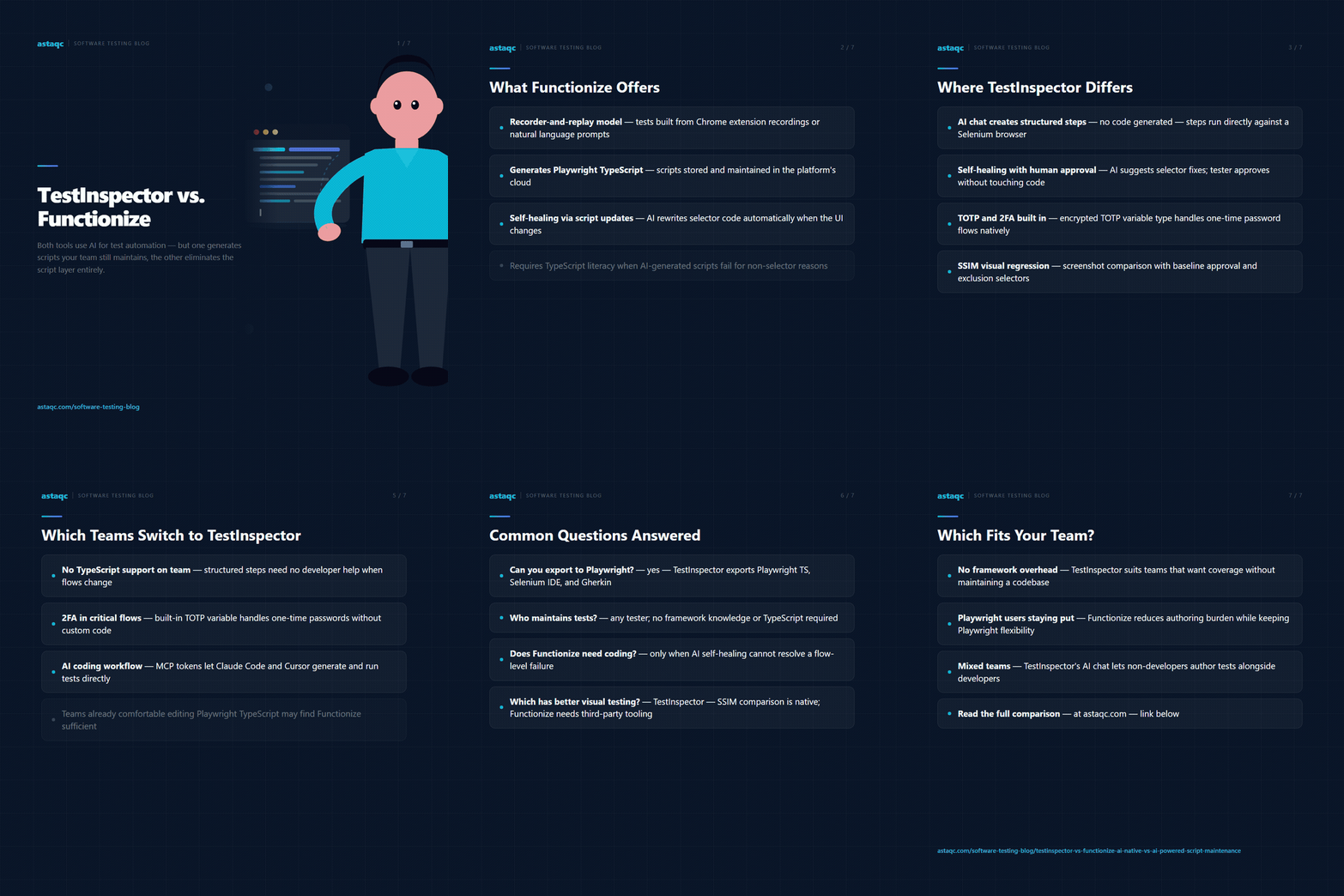
TestInspector takes a different architectural position. Rather than generating code that teams then manage, TestInspector generates structured test steps—discrete actions like navigate to URL, click element, and assert text—that execute directly against a Selenium-driven browser without any intermediary code layer. Tests are created through an AI chat interface where the tester describes the scenario in natural language, and the AI returns a sequence of structured steps that can be reviewed, edited, or executed immediately.
The key distinction is that TestInspector's tests are not code. They are stored as structured data, and the execution engine—a Selenium-based runner that supports Chrome, Firefox, Edge, and Safari—runs those steps directly. There is no script file to maintain, no TypeScript to debug, and no framework configuration to manage. When an element changes on the application under test, TestInspector's self-healing layer automatically suggests updated selectors using its AI model, and the tester can approve or override the suggestion without touching code.
TestInspector also includes visual regression testing using SSIM screenshot comparison with baseline image approval, variable interpolation for dynamic data including TOTP secrets for two-factor authentication testing, HTTP request steps for API assertions within UI test flows, and axe-core accessibility assertions with severity-level filtering. Tests can be scheduled via cron, interval, or one-time triggers, and execution progress streams live over WebSocket to give real-time visibility into test runs. The platform exports tests to Playwright TypeScript, Selenium IDE, and Gherkin for teams that need to move tests into a different format. You can explore the full feature set at TestInspector.
TestInspector is designed for QA teams that do not have development support for framework maintenance, or for engineering managers who want test coverage without the overhead of maintaining a test automation codebase. The AI chat model allows non-developers to author meaningful tests, and the structured step format keeps tests readable and auditable for anyone on the team.
The following comparison covers the most significant differences between the two platforms across test creation, execution, and ongoing maintenance:
| Dimension | TestInspector | Functionize |
|---|---|---|
| Test format | Structured steps (no code) | Playwright TypeScript scripts |
| Test creation | AI chat interface | Natural language and Chrome recorder |
| Execution engine | Selenium (Chrome, Firefox, Edge, Safari) | Playwright (cloud-based) |
| Self-healing | AI selector suggestions with human approval | Automatic script updates by AI |
| Visual regression | SSIM comparison with baseline approval | Not natively included |
| API testing | HTTP request steps within UI flows | Separate API test module |
| Accessibility testing | axe-core assertions with severity levels | Not natively included |
| TOTP/2FA testing | Built-in TOTP variable type with encrypted storage | Requires custom script code |
| Export formats | Playwright TS, Selenium IDE, Gherkin | Playwright TypeScript (native format) |
| CI/CD integration | REST API trigger | GitHub Actions, Jenkins, GitLab CI |
| Code requirement | None | Ability to read and edit TypeScript |
| MCP integration | Tokens for Claude Code and Cursor | None |
Teams most likely to move from Functionize to TestInspector share a common pattern: they adopted Functionize expecting to eliminate code maintenance, and found that AI-generated Playwright scripts still require meaningful developer involvement when tests fail for reasons the self-healing layer cannot resolve automatically. When a test fails because the application flow changed rather than just the selectors, someone on the team needs to understand Playwright well enough to modify the generated code. For teams without embedded QA engineers who can work with TypeScript, this creates a bottleneck that reintroduces the framework overhead they were trying to avoid.
TestInspector's structured step model removes this bottleneck. When a flow changes, the tester updates the affected steps through the UI or re-runs the AI chat to generate a revised test. There is no TypeScript to debug, no framework documentation to consult, and no dependency on a developer to interpret why the Playwright runner produced a given error. The same QA engineer who wrote the test can maintain it without any additional tooling knowledge.
Teams running applications that require 2FA testing benefit specifically from TestInspector's built-in TOTP variable type, which handles time-based one-time password generation as a first-class test step. Functionize requires custom code or external tooling to achieve the same result, which adds complexity for any product that protects critical flows behind authentication.
Engineering managers evaluating both tools for small or mid-size QA teams should also consider TestInspector's MCP token integration, which allows AI assistants like Claude Code and Cursor to generate and run TestInspector tests as part of a development workflow. Functionize does not offer a comparable integration path. For teams that need support building out a broader testing practice alongside the automation tool, Astaqc Consulting provides test automation services and QA team staffing that complement either platform. You can also read a broader comparison of approaches in the AI in software testing guide.
Functionize generates Playwright TypeScript scripts automatically, but when tests fail for reasons beyond selector changes, a QA engineer or developer with TypeScript experience typically needs to diagnose and update the generated code. TestInspector avoids this requirement by running structured steps rather than scripts, so non-developers can maintain tests without framework knowledge.
Yes. TestInspector exports tests to Playwright TypeScript, Selenium IDE, and Gherkin format. Teams that want to start with a no-code tool and move to a code-based framework later can use TestInspector as the authoring layer without being locked in to the structured step format permanently.
TestInspector includes a built-in TOTP variable type that generates time-based one-time passwords as part of a test step sequence, with encrypted secret storage at the test, suite, and organization level. Functionize handles TOTP through custom script logic, which requires developer involvement to implement correctly in a maintained test suite.
TestInspector includes SSIM-based screenshot comparison with baseline approval, crop regions, and exclusion selectors as a core feature. Functionize does not include native visual regression testing; teams need to integrate a separate tool for screenshot comparison and baseline management.
Yes. TestInspector's AI chat interface allows developers, product managers, or business analysts to describe test scenarios in plain language and have them converted to executable structured steps. Functionize, while also aiming to reduce code authoring, still produces Playwright scripts that benefit from QA or development expertise during ongoing maintenance.
The TestInspector product page provides a full feature breakdown. For a broader comparison of testing approaches, the AI in software testing guide and the manual testing vs. automated testing guide cover how the automation landscape is evolving in 2026.
TestInspector and Functionize both use AI, but the distinction is where the AI intervenes. Functionize applies AI to maintain code; TestInspector uses AI to eliminate the need for code entirely.
August 29, 2026


Sign up to receive and connect to our newsletter

We founded ASTAQC as a tight-knit group of professional Software Testers and software developers.
Subscribe to our Newsletter