September 27, 2026
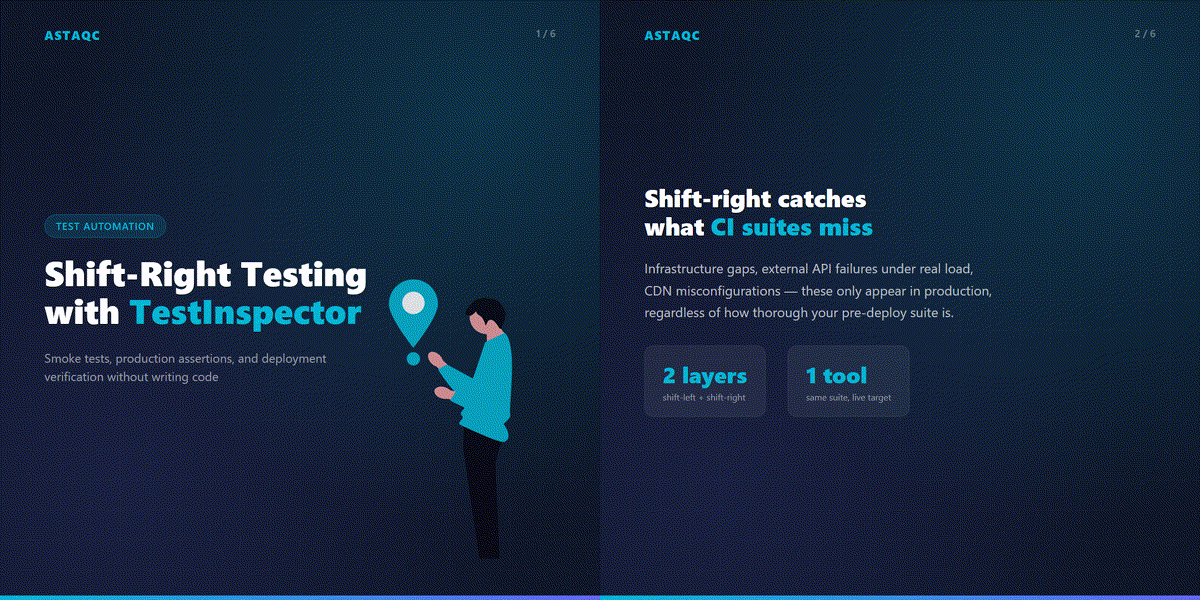
Shift-right testing refers to the practice of validating software in production or production-adjacent environments after deployment, using automated checks that run continuously against the live system. TestInspector supports shift-right testing through its scheduled run engine, HTTP request steps, and WebSocket-streamed run visibility — all configured through a chat interface without writing test code. This approach gives teams who already apply shift-left principles a complementary production validation layer without building separate monitoring infrastructure or maintaining a second testing toolchain.
This guide covers how to use TestInspector for shift-right testing: structuring production smoke test suites, validating deployments through HTTP assertions, and scheduling continuous production runs. For foundational context on the relationship between shift-left and shift-right practices, see Astaqc’s complete software testing guide. Teams looking to implement production monitoring alongside their automation strategy can review Astaqc’s test automation services and TestInspector for the full capability set.
Shift-right testing addresses a different category of failure than shift-left testing. Pre-deployment test suites catch logic errors, regressions, and integration problems that exist in the code. Shift-right testing catches problems that are only observable in production regardless of how comprehensive the pre-deployment suite is: infrastructure differences between environments, external API behavior under real load, third-party integrations that work in staging but fail at specific production data volumes, and CDN or DNS misconfigurations that do not exist in a CI environment.
Most engineering teams have reasonable shift-left coverage for business logic but thin or manual shift-right coverage. Deployment verification is often a manual step — a developer checks a few pages after a deployment — and production smoke testing is either absent or maintained as a separate monitoring tool with its own configuration and maintenance overhead. Consolidating production monitoring into the same tool that runs pre-deployment tests reduces the tooling surface area and means the same test definitions serve both purposes with only the target URL changing between environments.
| Aspect | Shift-Left Testing | Shift-Right Testing |
|---|---|---|
| When it runs | Before merge or deployment | After deployment, continuously in production |
| Environment | Local, CI, staging | Production or production-adjacent |
| What it catches | Logic errors, regressions, integration failures | Infrastructure gaps, third-party failures, deployment errors |
| TestInspector role | CI trigger, staging suite | Scheduled runs, HTTP steps, live WebSocket visibility |
| Failure detection lag | Minutes to hours (CI pipeline time) | Seconds to minutes (scheduled interval) |
TestInspector runs tests via Selenium on Chrome, Firefox, Edge, and Safari, which means the same browser-based test that gates a deployment in staging can run against production endpoints with the same execution engine. The only difference is the target URL — handled through variable interpolation at the suite or org level so the same test definition serves both environments without duplication.
A production smoke test suite is not a full regression suite. Its scope is narrow by design: confirm that the critical paths the application must satisfy are operational after a deployment. Typically this means 10–20 tests covering the highest-revenue flows, authentication, and any third-party integrations (payment processing, email delivery, SSO) that cannot be verified through application logs alone.
In TestInspector, each smoke test is a sequence of structured steps created through the AI chat interface. A checkout flow smoke test might include: navigate to the product listing page, confirm products render with price and add-to-cart button, click add to cart, verify cart item count updates, proceed to checkout, confirm the checkout form initializes without errors, and verify the order summary section is populated with the correct product name and price. The test does not need to process a real transaction — it validates that the flow reaches the critical states that indicate the system is operational.
Three structural principles apply to production smoke tests. First, assert on functional outcomes rather than implementation details. A test that asserts on a CSS class name or a specific pixel coordinate is brittle; a test that asserts on the presence of an order summary section and the correct product name is stable and informative. Second, use variables for any data that would create state conflicts between runs. TestInspector’s {{TIMESTAMP}} and {{ALPHANUMERIC}} variables generate unique values per run, allowing a smoke test to create a fresh test account without accumulating static state in the production database. Third, keep individual smoke tests under 60 seconds. Long-running smoke tests fail to distinguish between a broken application and a slow one; production monitoring signals should be tight enough to detect degraded performance as well as outright failure.
Self-healing in TestInspector handles the most common cause of smoke test instability: selector drift caused by front-end updates. When a tested element’s selector changes in a deployment, the self-healing engine retries with AI-generated alternative selectors and surfaces the updated selector as a suggestion. This keeps production smoke tests stable across deployments without manual maintenance after each front-end change — the primary reason production smoke tests are abandoned in teams using selector-based automation without a healing mechanism. See Astaqc’s test automation services for implementation guidance on self-healing configuration and variable management in production suites.
HTTP request steps in TestInspector let you issue GET, POST, PUT, PATCH, or DELETE requests directly from a test case and assert on the response status code, response body content, and response headers. For deployment verification, this creates a reliable check pattern that runs immediately after infrastructure provisioning completes and the new version is live, with no code required to configure the requests or assertions.
A deployment verification suite for a SaaS application in TestInspector typically includes a set of API endpoint checks that confirm the new version is serving requests correctly. Issue a GET to /api/health, assert status 200 and response body contains "status":"ok". Issue a GET to /api/products, assert status 200 and the items array is non-empty. Issue a POST to /api/auth/session with test credentials stored as encrypted variables, assert status 200 and a token is present in the response. Each assertion is configured through the TestInspector interface, not written as request-handling code.
| Check Type | HTTP Step | Assertion | Failure Signal |
|---|---|---|---|
| Health check | GET /api/health | Status 200, body contains "ok" | Application not serving |
| Auth endpoint | POST /api/auth/session | Status 200, token present in response | Authentication system broken |
| Data endpoint | GET /api/products | Status 200, items array non-empty | Data layer or database failure |
| Payment integration | POST /api/payment/validate | Status 200, no error field in body | Payment gateway unreachable |
The CI/CD trigger API integrates deployment verification into the pipeline directly. After the deployment completes, the deployment script issues a POST to the TestInspector API endpoint for the verification suite, the suite runs immediately, and WebSocket streaming delivers pass/fail results within seconds. If any check fails, the pipeline can be configured to halt traffic shifting and alert the on-call engineer before users encounter the failure. Variable interpolation handles authentication credentials: API keys and tokens stored as encrypted variables at the org or suite level are referenced in HTTP step headers using the {{VAR_NAME}} syntax and are not visible in test logs. Astaqc’s software testing services include deployment verification suite setup as part of CI/CD integration engagements.
The cleanest integration path for shift-right testing is to run a smoke suite against production immediately after each deployment using a TestInspector API trigger, and to run the same suite on a 30-minute cron schedule between deployments. The deployment run validates the specific release; the scheduled runs validate that the environment has not degraded between releases due to infrastructure changes, dependency updates, or external service failures that are independent of your deployment.
TestInspector’s API trigger accepts a target URL override at invocation time, which means the same suite definition runs against staging during CI and against production after deployment without maintaining separate test configurations. The run result is streamed via WebSocket and is accessible in the TestInspector run history for the same rolling 24-hour window used to compute the production health baseline. When a post-deployment run fails, the failure appears in the same place as a scheduled run failure — there is no separate deployment check dashboard to monitor.
The test automation services from Astaqc cover shift-right test implementation alongside CI/CD integration work, including TestInspector configuration, scheduled run setup, and alert routing. For teams evaluating whether to consolidate production monitoring into their test suite, Astaqc’s software testing services include an assessment of current shift-left and shift-right coverage against the failure categories most likely to affect the specific application.
Synthetic monitoring typically refers to lightweight HTTP health checks or endpoint pings that confirm a service is reachable and returning an expected status code. Shift-right testing covers the same ground but extends to full user flow validation: multi-step browser tests that confirm checkout flows, authentication sequences, and data operations work end to end in production. TestInspector’s HTTP steps handle the synthetic monitoring layer; its browser-based test steps handle the full-flow shift-right layer. Both run on the same scheduling infrastructure and report to the same dashboard, so teams do not need a separate tool for each layer.
Yes, through two mechanisms. For UI flows, variable interpolation using {{TIMESTAMP}} or {{ALPHANUMERIC}} generates unique identifiers per run, creating fresh test accounts or identifiers without accumulating static state in the production database. Cleanup tests can run after each smoke suite to remove test records. For API checks, read-only GET requests do not create records; POST requests for verification can target endpoints designed specifically for operational checking that do not trigger business logic side effects such as sending emails or charging payment methods.
TestInspector’s scheduling system allows suites to be paused during maintenance windows and resumed afterward. For rolling deployments where the application is partially available during the transition, timeout configuration determines whether a slow response is treated as a failure or an acceptable degraded state. Setting appropriate timeout values — tight enough to catch genuine outages, loose enough to tolerate normal deployment latency — is the primary lever for controlling the false positive rate in production monitoring suites. Reviewing and adjusting timeouts after each deployment that causes a false alert is the standard maintenance practice.
TestInspector’s variable hierarchy — test level, suite level, and org level — handles environment-specific configuration without duplicating test definitions. A base URL stored as an org-level variable can be overridden at the suite level for a production-targeting suite versus a staging-targeting suite, while the test steps themselves remain identical. Encrypted variables store environment-specific credentials at the appropriate scope level without exposing them in test logs. This means a single test definition is maintained and the environment selection happens through variable override, not through test duplication. See TestInspector and Astaqc’s test automation services for variable management implementation guidance.
Shift-right testing is often the right starting point for teams building automation from zero, because the scope is narrow enough to deliver value quickly. A suite of 10–15 production smoke tests covering the highest-revenue flows can be built in a single session using TestInspector’s chat interface and immediately provides a deployment safety net. Compared to building a full shift-left suite from scratch — which requires framework selection, infrastructure setup, and extensive test authoring — starting with shift-right gives the team tangible automation coverage and operational confidence while the broader strategy develops. Teams in this situation can engage Astaqc’s QA team services to accelerate the initial setup and define the longer-term automation roadmap.
Shift-right testing is not an alternative to shift-left — it is the complement that catches what CI cannot see: infrastructure gaps, third-party failures, and the delta between a clean staging environment and the reality of production. The teams that implement both validate software at every stage of its life cycle.
September 27, 2026


Sign up to receive and connect to our newsletter

We founded ASTAQC as a tight-knit group of professional Software Testers and software developers.
Subscribe to our Newsletter