How TestInspector Tests Error Boundary and Exception Handling Flows: HTTP Error Codes, Custom Error Pages, and Fallback Behavior Without Writing Code
Testing error boundary and exception handling flows means sending intentional failure conditions into your application and asserting that error codes, fallback UIs, and recovery paths behave exactly as specified. TestInspector handles this without code using HTTP request steps that assert on status codes, browser steps that trigger error states and validate custom error pages, and step conditions that branch test flow based on whether an expected error appears. The result is a reproducible, scheduled test suite for failure modes that most teams leave to manual spot-checks or production alerts.
Error handling is one of the most under-tested areas in a typical automation suite. Most teams write tests for the happy path and rely on developers to manually verify that a 404 page renders or a payment failure returns the right message. TestInspector’s HTTP request steps, combined with browser-based assertions and conditional branching, let QA teams build structured tests for these failure paths without writing a single line of code or maintaining a framework.
This guide covers how TestInspector handles HTTP error code validation, custom error page testing, fallback behavior assertions, and conditional flow branching when error states appear. It also includes a comparison against code-first approaches so engineering managers can assess the trade-off.
See also: Astaqc software testing services and test automation services.
What Error Boundary and Exception Handling Testing Covers
Error boundary testing validates that an application responds correctly when something goes wrong. This is distinct from functional testing, which verifies correct behavior under normal conditions. The categories that error boundary testing covers include:
| Error Category | What to Assert | Common Test Gaps |
|---|---|---|
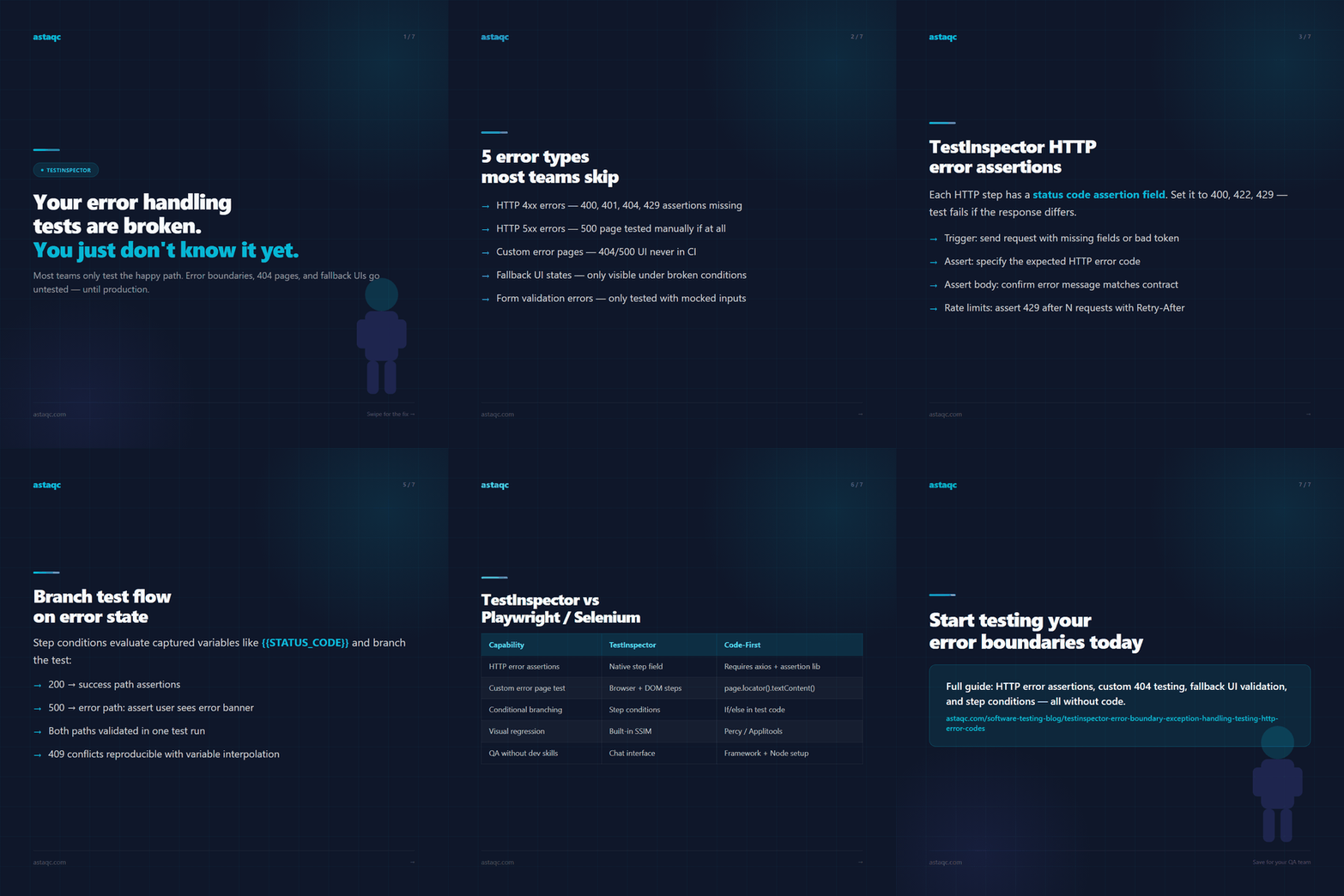
| HTTP 4xx errors | Status code, response body structure, error message content | Teams check 200s but skip 400/404/429 assertions |
| HTTP 5xx errors | Response status, retry behavior, user-facing error page | 5xx handling tested manually only |
| Custom error pages | Page renders, contains expected text, no broken assets | 404 and 500 pages untested in CI |
| Fallback UI states | Loading spinner, empty state, error banner visibility | Only visible under specific network or API conditions |
| Form validation errors | Error message text, field highlighting, submit block | Often tested with mocked inputs, not live validation |
The challenge for most QA teams is that error states are harder to trigger reliably in a test environment. TestInspector’s HTTP request steps solve the API-side problem directly: you send a request designed to produce a specific error code and assert the response. For UI-side error testing, browser steps trigger the error condition and DOM assertions verify the rendered output.
How TestInspector Sends HTTP Requests and Asserts on Error Codes
TestInspector’s HTTP request steps support GET, POST, PUT, PATCH, and DELETE methods with configurable headers, request bodies, and variables. Each step includes a status code assertion field where you specify the expected HTTP response code, and the test fails immediately if the response differs. This makes error code validation a first-class test step rather than something bolted onto a UI test after the fact.
For testing error conditions, the flow typically looks like this:
- Trigger the error — Send a request with missing required fields, an invalid auth token, or a resource ID that does not exist.
- Assert the status code — Specify 400, 401, 403, 404, or 422 depending on what your API contract requires for that condition.
- Assert the response body — Use body assertion fields to confirm that the error response includes the expected message or error code field.
- Store response data with variables — Use variable interpolation to capture error codes or correlation IDs from the response for downstream steps.
An example: testing that a payment API returns a 422 with a specific error message when a card number fails the Luhn check. Without TestInspector, this requires a developer to write a test function, import an HTTP client, and handle assertions in code. In TestInspector, it is a two-field HTTP step: body with the bad card number and status assertion set to 422. The same step can assert the response body field for the error message text.
Rate limit testing follows the same pattern. Send the same request N times using a loop or repeated steps, assert that the Nth response returns 429, and optionally assert the Retry-After header value. These are the error conditions that most API test suites skip entirely, and they are exactly the ones that cause production incidents at scale.
For more on API testing without code, see Astaqc test automation services.
Testing Custom Error Pages and UI Fallback Behavior Without Code
HTTP-level error code assertions cover the API contract. Browser-based testing covers the user experience of those errors. In TestInspector, browser steps navigate to URLs, interact with DOM elements, and assert on text, visibility, and element state. This applies directly to custom error page testing.
To test a custom 404 page in TestInspector:
- Add a browser navigation step pointing to a URL that does not exist on the application (for example,
/nonexistent-resource-12345). - Add a DOM assertion step to verify that the 404 page heading text matches what your design specifies (for example, “Page not found”).
- Add further assertions for critical elements: the navigation bar still renders, the call-to-action button is present, and no broken image placeholders appear.
The same approach applies to server error pages. Stage a condition that produces a 500-equivalent response in your test environment and assert the rendered fallback UI. For applications with loading skeletons or empty states, navigate to a page in a state where data has not loaded yet and assert that the skeleton component is visible before the content appears.
Visual regression via SSIM screenshot comparison is available as an additional check. After establishing a baseline screenshot of a correctly rendered 404 page, subsequent test runs fail if the page layout changes — catching regressions in error page design that DOM assertions alone would miss.
For teams that want to validate that errors do not leak sensitive stack trace information to users, a text-not-present assertion in TestInspector can check that strings like “at Object.” or “undefined is not a function” are absent from the rendered page. This is a low-effort security boundary check that production monitoring rarely catches before the user does.
Using Step Conditions to Branch on Error States in TestInspector
Not all error states follow a linear test path. Some tests need to behave differently depending on whether an error occurred: retry the action, skip subsequent steps, or record the error state for reporting. TestInspector’s step conditions allow test flows to branch based on the outcome of a previous step.
A common pattern for error boundary testing with step conditions:
- Submit a form that may produce a server error — The first step submits, and the response is captured as a variable.
- Condition on status code value — If the response code is 200, continue the success path. If it is 500, branch to an error-path set of steps that assert the user-facing error message.
- Assert both paths independently — The success path and error path each have their own assertions, so the test validates both outcomes in a single run configuration without needing two separate test cases.
Variable interpolation enables condition logic. When TestInspector captures an HTTP response status code or a JSON field value into a variable like {{STATUS_CODE}}, subsequent step conditions can evaluate that variable. This is how you build tests that handle real-world ambiguity: not every request to a staging environment returns a perfectly clean response, and step conditions let the test document and assert on the actual behavior rather than failing on noise.
TestInspector’s {{TIMESTAMP}}, {{ALPHANUMERIC}}, and custom variables also help with error boundary testing because many error conditions require unique resource identifiers. To test a 409 conflict error, create a resource, then attempt to create it again with the same identifier: variable interpolation ensures the second request uses the same value that was just created, making the conflict condition reproducible.
See TestInspector for the full variable system and a walkthrough of step conditions in the AI chat interface.
TestInspector vs. Code-First Frameworks for Error Boundary Testing
The comparison below reflects practical experience with Playwright and Selenium as the most common code-first alternatives for the same class of tests.
| Dimension | TestInspector | Code-First (Playwright / Selenium) |
|---|---|---|
| HTTP error code assertions | Native step field; no import required | Requires axios/fetch and an assertion library |
| Custom error page validation | Browser navigation + DOM assertion steps | Navigate + page.locator().textContent() assertion |
| Conditional branching on error | Step conditions on variable values | If/else logic in test code |
| Visual regression on error page | Built-in SSIM comparison with baseline approval | Requires Percy, Applitools, or custom diffing |
| Scheduling for error monitoring | Built-in cron/interval scheduling | Requires CI cron job or external scheduler |
| Maintenance when UI changes | AI selector suggestions on selector drift | Manual selector update in code |
| Onboarding for QA without dev skills | No framework setup; chat interface generates steps | Requires Node.js/Python environment and framework knowledge |
The trade-off: code-first frameworks give developers complete control over test logic and integrate with existing code review workflows. TestInspector makes error boundary testing accessible to QA engineers without a development background and removes framework maintenance overhead. For teams where QA engineers own the test suite independently of the development team, TestInspector’s approach significantly reduces the barrier to adding error path coverage.
Frequently Asked Questions
Can TestInspector test what happens when an API returns a 500 error?
Yes. TestInspector’s HTTP request steps assert on any status code. You configure the expected status code in the step, and the test fails if the actual response differs. For 500-class errors, you typically need a staging environment or a specific API endpoint that returns a server error on demand. The same step can also assert on the response body to confirm that error details are formatted correctly.
How do I test that a custom 404 page renders correctly?
Navigate to a nonexistent URL in a browser step, then add DOM assertion steps to verify that the page heading, CTA, and navigation elements are present and contain the expected text. TestInspector also supports screenshot comparison, which lets you baseline the correct 404 page layout and fail the test if it regresses visually in future runs.
Can I use TestInspector to test error handling in a multi-step flow?
Yes. Step conditions let you branch test logic based on variable values captured from previous steps. A common pattern is to submit a form, capture the HTTP response status, and branch to different assertion paths depending on whether the response was a success or an error. Both paths can be fully asserted in a single test run.
Does TestInspector support testing rate limit handling?
TestInspector’s HTTP request steps can be used to send repeated requests and assert that the response after a threshold returns a 429 status code. You can also assert the Retry-After header value if your API returns one. This is not a load test — for volume-based rate limit testing at scale, a dedicated load testing tool is required alongside TestInspector.
What is the difference between error boundary testing and negative testing?
Negative testing broadly means testing with invalid inputs or actions the application should reject. Error boundary testing is a subset focused specifically on the application’s response when an error condition is reached: the error code, error message, fallback UI, and recovery path. TestInspector handles both via HTTP assertions for API-level negative tests and DOM assertions for UI-level error state validation.
Astaqc provides dedicated QA engineers who build and maintain test suites covering error boundaries, API contracts, and fallback behavior. Learn more about Astaqc software testing services or manual testing services, or read the complete guide to software testing.
Error boundary and exception handling tests are the ones most teams skip in CI and most regret skipping in production. TestInspector makes them straightforward enough that there is no longer a good reason to leave them out of the suite.
Avanish Pandey
November 3, 2026


Avanish Pandey is a QA engineer and founder of Astaqc Consulting, specialising in test automation strategy and AI-native testing tools.