How to Integrate AI-Assisted Code Review into Your QA Pipeline in 2026: GitHub Actions, Automated Test Generation, and Defect Triage
Integrating AI-assisted code review into a QA pipeline means adding a layer that reads changed code before tests run and identifies likely defect categories, missing test coverage, and edge conditions that automated suites typically miss. In 2026, the most practical implementations use GitHub Actions to trigger AI review on pull requests, output structured findings that QA teams use to guide test additions, and combine that output with existing coverage data to close the assertion gap before code merges. This guide covers how to wire that flow together, where AI review adds reliable value, and where human QA judgment still determines whether software ships.
AI code review is not a replacement for test execution. A review that identifies a missing null check or an unhandled exception path is a signal that a test case needs to be written — it is not evidence that the code works. The teams getting the most from AI-assisted review in 2026 treat its output as a prioritized backlog for QA, not as a quality gate on its own.
For teams asking whether this belongs in their pipeline: if your QA engineers are reviewing diffs manually to find untested branches, AI review reduces the time spent on that task by an order of magnitude. The value is in coverage identification, not code quality judgment. See Astaqc software testing services and test automation services for how QA teams build this into their workflow.
What AI-Assisted Code Review Actually Does in a QA Context
AI code review tools analyze a code diff and return structured findings. The categories most useful to QA engineers include:
| Finding Category | What It Identifies | QA Action |
|---|---|---|
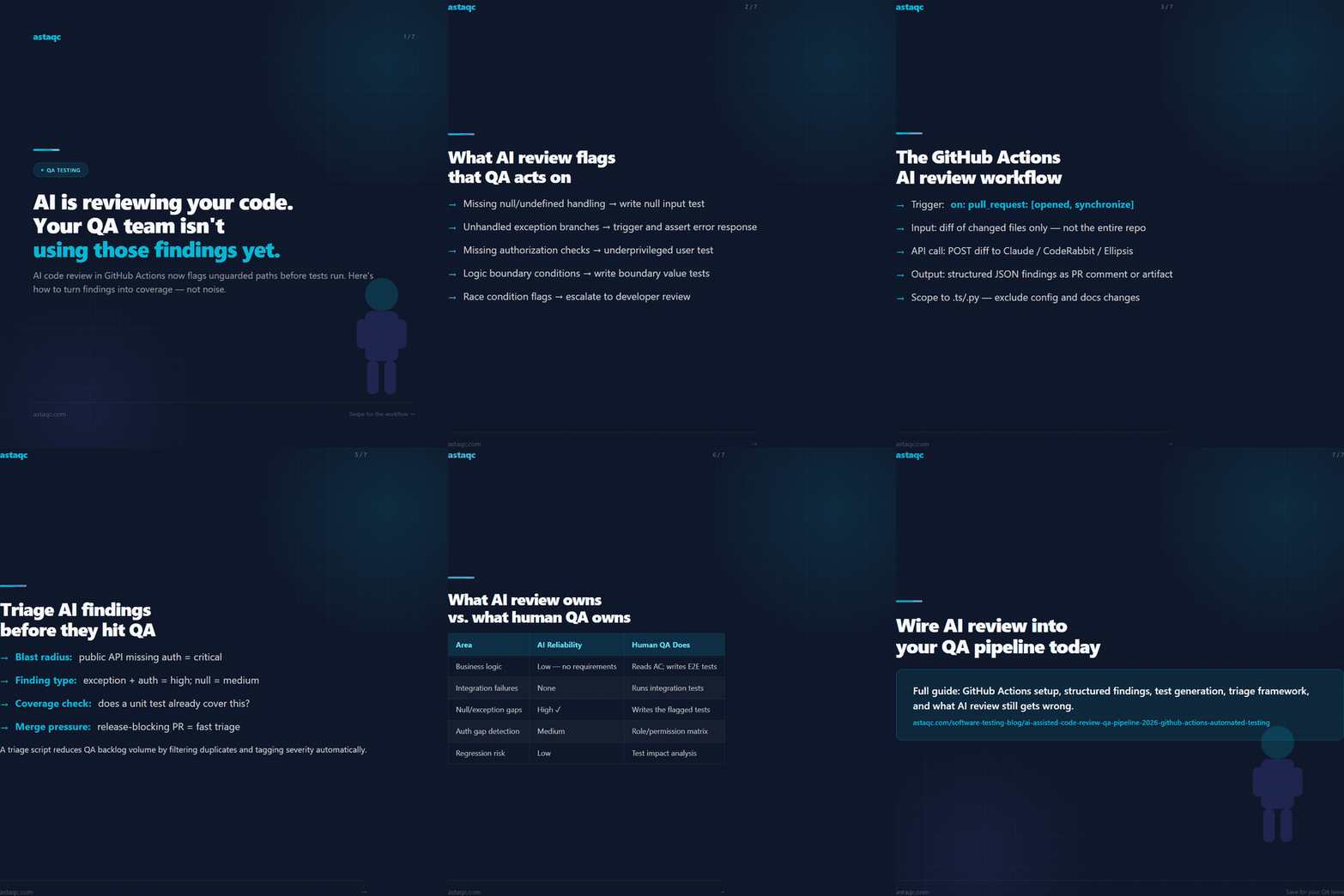
| Missing null/undefined handling | Code paths that assume a value is present without checking | Write a test that passes null to the affected input |
| Unhandled exception branches | Catch blocks missing, or exceptions caught and silently swallowed | Write a test that triggers the exception condition and asserts the error response |
| Missing authorization checks | API endpoints or actions without role validation | Write an authorization test with an underprivileged user |
| Logic boundary conditions | Off-by-one, inclusive/exclusive range handling, date edge cases | Write boundary value tests for the identified range |
| Race condition flags | Shared state accessed without locks in concurrent code | Escalate to developer review; hard to test with functional tools |
What AI review does not do reliably: it does not determine whether the business logic is correct, whether the user experience makes sense, or whether the change breaks a downstream integration in a way the static diff cannot reveal. Those remain human QA concerns. The finding categories above are where AI review has a genuine track record in 2026, and the QA action column is how teams convert findings into coverage rather than noise.
Wiring AI Code Review into GitHub Actions
The most common 2026 implementation uses a GitHub Actions workflow triggered on pull_request events. The workflow calls an AI review API — Claude API, OpenAI, or a dedicated tool like CodeRabbit or Ellipsis — with the diff as context and returns structured findings as a PR comment or a JSON artifact.
A minimal workflow structure:
- Trigger:
on: pull_request: types: [opened, synchronize] - Input: The diff between the base branch and the head commit, filtered to changed files only, not the entire repository.
- API call: POST the diff to an AI review endpoint with a prompt that specifies the finding categories you care about (null handling, exception branches, auth checks).
- Output: Parse the structured response and either post it as a PR comment or write it to a JSON file for downstream QA tooling to consume.
Scoping matters here. Sending the entire diff of a large feature branch to an AI review API produces unfocused output and high token costs. The teams getting the best signal in 2026 scope the review to files modified in the last commit, or filter to specific file types such as .ts or .py files, excluding config or documentation changes. This keeps the output manageable and the findings actionable.
A second pattern is using GitHub’s built-in code scanning with a model that produces SARIF output. The advantage is that SARIF integrates natively with GitHub’s security tab and code scanning API, so findings can be queried programmatically by QA tooling. The disadvantage is that SARIF-producing tools are generally more constrained in the finding categories they cover compared to an open-ended AI API call.
For teams using manual testing services alongside automation, AI review findings are useful input for manual test session planning — the findings tell testers where to look, and testers determine whether the code change actually behaves correctly under those conditions.
Using AI Review Output to Guide Test Generation
The most concrete value of AI-assisted code review for QA teams is in test case generation. When AI review identifies a missing null check on line 47 of a service file, a QA engineer can write a test that passes null to the affected input and asserts that the application handles it gracefully rather than crashing. Without the review, that test case might never have been written because the null path is not visible in the UI-level test suite.
Structured review output makes this more scalable. If the review API returns findings in a consistent JSON format — file path, line number, finding category, description — QA tooling can consume that output and pre-fill test templates. In practice, the most mature 2026 implementations:
- Parse the AI findings JSON from the GitHub Actions artifact.
- Filter to actionable categories (null handling, exception branches, auth gaps) and discard stylistic observations.
- Route findings to the QA backlog automatically, for example by creating a GitHub issue with the finding text and the relevant file path.
- Link the created issue to the open PR so developers see that a test gap was identified before they merge.
For teams using TestInspector, the HTTP request steps and DOM assertions cover a significant portion of what AI review flags at the API and UI layer. A finding that says “this endpoint returns 200 when the resource does not exist rather than 404” translates directly into a TestInspector HTTP step that asserts on the status code. The AI review identified the gap; TestInspector closes it without requiring anyone to write framework code.
Read the guide to outsourcing software testing for how teams structure QA responsibilities when AI tools are handling part of the review workload.
Triage and Prioritization: Turning AI Findings into Test Work
Not all AI review findings are equal. A finding about a missing null check in a utility function that runs on every request is a high-priority test gap. A finding about an edge case in an internal admin tool used by two people is low priority. Triage logic needs to be explicit, or the team will either ignore all findings or spend too much time on low-risk items.
A practical triage framework for 2026:
- Severity by blast radius: How many users or workflows does the affected code path touch? A missing auth check on a public API endpoint is critical; the same gap on an admin-only endpoint is medium.
- Severity by finding type: Exception branches and auth gaps are high by default. Null handling is medium unless it affects a critical flow. Logic boundary conditions depend on context.
- Existing coverage check: Before creating a new test case, check whether an existing test already covers the flagged condition. AI review has moderate recall on this — it may flag a gap that is already tested in a unit test the AI did not see.
- Time-to-merge pressure: A PR that is blocking a release needs fast triage. A PR in a feature branch has more lead time for coverage additions.
The teams with the most efficient QA pipelines in 2026 run AI review output through a triage script before it reaches the QA backlog. The script applies the severity rules above, deduplicates against existing open issues, and tags each finding with a test priority. This reduces the volume of noise that QA engineers see and keeps the backlog focused on items that are worth testing.
For performance-sensitive applications, AI review findings about unguarded loops or missing caching often signal performance test cases as well as functional ones. See Astaqc performance testing for how performance testing integrates with QA pipelines that include AI review.
What AI Code Review Gets Wrong and What Human QA Still Owns
| Area | AI Review Reliability | What Human QA Does Instead |
|---|---|---|
| Business logic correctness | Low — AI does not know your requirements | Reads acceptance criteria; writes end-to-end test cases |
| Integration failure detection | None — static analysis cannot see downstream systems | Runs integration tests; monitors staging behavior |
| UX and accessibility | Partial — some accessibility patterns are flaggable | Manual accessibility review; automated WCAG scanner |
| Null/exception boundary finding | High — this is where AI review consistently adds value | Writes the tests AI finding identifies; runs them in CI |
| Authorization gap detection | Medium — works well for obvious missing checks; misses complex RBAC | Authorization test matrix with role/permission combinations |
| Regression risk assessment | Low — cannot assess which existing tests are at risk from the change | Test impact analysis; targeted regression suite selection |
AI-assisted code review in 2026 is most effective as a QA coverage amplifier: it helps a lean QA team find test gaps faster than manual diff review. It is least effective as a standalone quality gate, because its output depends on the diff alone and cannot validate actual runtime behavior. Teams that implement it as one signal among several — alongside test execution results, coverage reports, and manual review — get the most reliable quality signal before release.
Frequently Asked Questions
Which AI review tools work best with GitHub Actions for QA pipelines?
Tools with structured JSON output that can be consumed by downstream scripts are most useful for QA teams: CodeRabbit, Ellipsis, and custom implementations using the Claude or OpenAI API with a fixed output schema. Tools that only post PR comments without machine-readable output are useful for developers but harder to integrate into QA triage automation.
Does AI code review replace unit tests?
No. AI code review identifies potential gaps; unit tests verify behavior. The relationship is complementary: AI review tells you where to look, and the unit test or integration test confirms whether the code actually handles that condition correctly. Teams that treat AI findings as a test backlog rather than a test substitute get better outcomes.
How do I prevent AI review from generating too much noise for QA?
Scope the review to changed files only, filter findings to actionable categories such as null handling, exceptions, and auth gaps, and run a deduplication check against existing open issues before routing to the QA backlog. A triage script that applies severity rules reduces the volume QA engineers see to the items that are worth the time to test.
Can QA engineers use AI review output even if they do not read code?
Yes, with structured output. If the review API returns findings in plain language with file path and line number, a QA engineer can use that to determine what functional test to write or which manual test session to prioritize, without reading the code change itself. The finding “this endpoint does not validate the user’s organization membership before returning data” tells a QA engineer exactly what authorization test to add.
What is the difference between AI code review and SAST tools?
Static application security testing tools scan for known vulnerability patterns against a fixed rule set. AI code review is more flexible: it can flag contextual issues that do not match a predefined rule, including business-logic-adjacent gaps and missing test coverage hints. SAST is more consistent and auditable; AI review has higher recall for novel patterns. In 2026, the best-configured QA pipelines use both.
Astaqc provides QA engineers who integrate AI-assisted code review into delivery pipelines alongside automated testing. Learn more about test automation services, hiring a dedicated QA team, or read the guide to AI in software testing.
AI code review tells QA where the unguarded paths are. It does not tell them whether the software works. Teams that treat AI findings as a test backlog rather than a quality verdict get the most from it.
Avanish Pandey
November 3, 2026


Avanish Pandey is a QA engineer and founder of Astaqc Consulting, specialising in test automation strategy and AI-native testing tools.