October 20, 2026
Web performance testing has split into two distinct tracks over the past few years, and teams that treat them as the same thing build incomplete coverage. The first track is synthetic testing: running Lighthouse or WebPageTest on a controlled device over a controlled connection and measuring time-to-interactive, total blocking time, and the lab-mode Core Web Vitals proxies. The second track is real-user monitoring: collecting field data from actual Chrome sessions through the Chrome User Experience Report (CrUX) and reporting on the real Interaction to Next Paint (INP), Cumulative Layout Shift (CLS), and Largest Contentful Paint (LCP) values your users experience. Both tracks matter, and gaps appear when teams have only one. This guide covers what each approach measures, how to automate synthetic testing in CI/CD with Lighthouse CI, what to monitor in CrUX field data, and where both miss. Astaqc's performance testing page covers how we structure performance test coverage as part of broader application testing engagements.
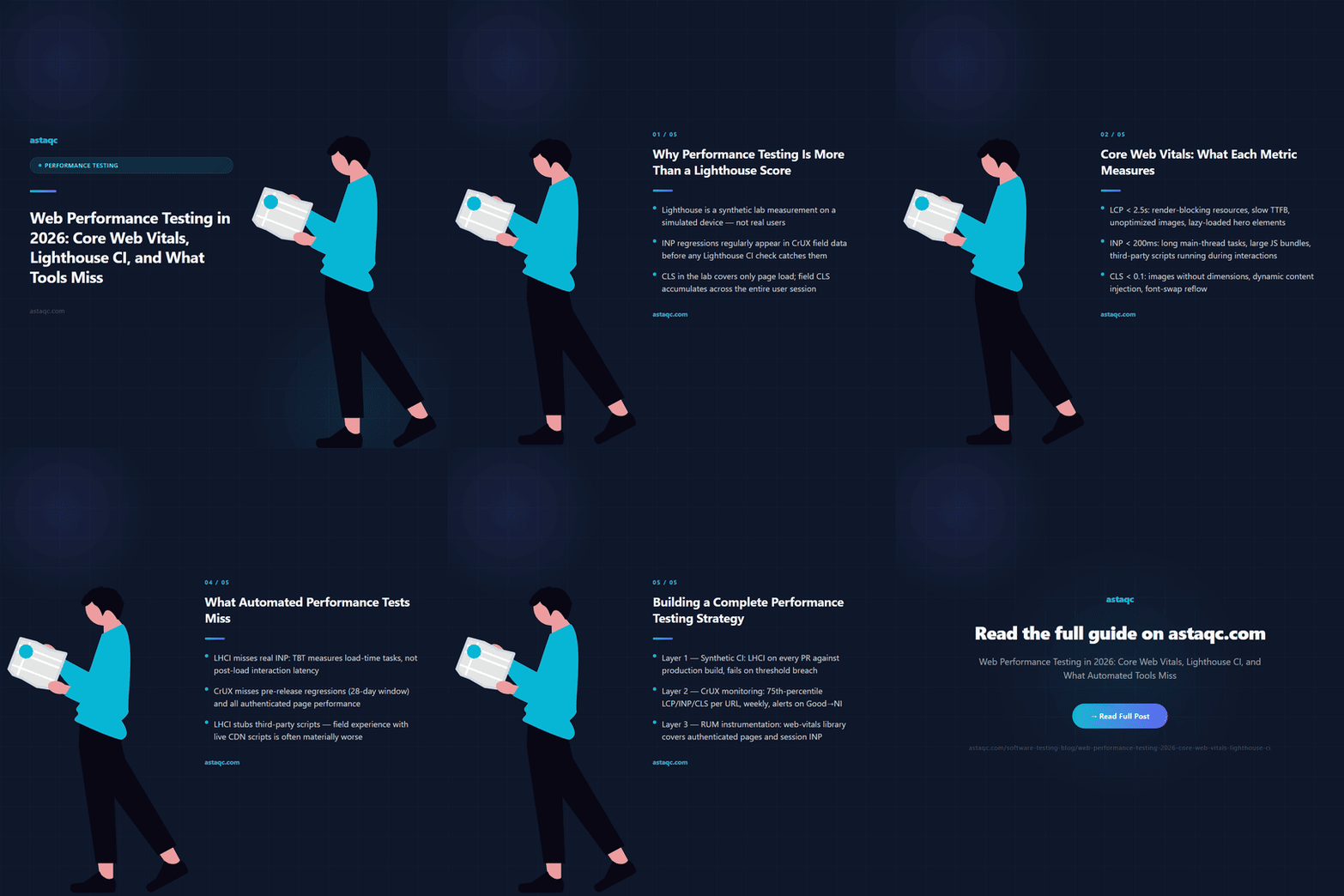
Lighthouse is a widely used synthetic performance tool, and its output is easy to read and act on. That accessibility has a downside: teams treat the Lighthouse score as a pass/fail gate and stop there. The score is a composite of weighted metrics measured in a lab environment on a simulated mid-range device over a throttled connection. It answers the question: how does this page perform under consistent, reproducible conditions? It does not answer: how does this page perform for your actual users, on their actual devices, over their actual connections?
The distinction matters in practice. A page that scores 95 in Lighthouse on a desktop Chrome instance can score poorly on INP in CrUX field data because the interaction timing measured in the lab does not capture the layout thrash that appears on a low-powered Android device during a peak-traffic session. CLS scores in Lighthouse are measured during page load; CLS in the field accumulates across the session including after user interactions. The two measurements are different by design, not by error.
The 2024 shift from First Input Delay (FID) to Interaction to Next Paint (INP) as the Core Web Vitals responsiveness metric widened this gap further. INP measures the latency of all interactions during a session and reports the worst-case one. Lighthouse's lab mode cannot fully replicate this because lab runs do not generate the full interaction pattern of a real user session. The practical effect is that INP regressions routinely appear in field data before any Lighthouse-based CI check would catch them. The complete testing guide covers how performance testing fits alongside functional and security testing in a complete QA strategy.
The three Core Web Vitals — LCP, INP, and CLS — measure distinct aspects of perceived performance. Each has a different failure mode and requires a different testing approach.
Largest Contentful Paint (LCP) measures when the largest visible content element in the viewport finishes rendering. Good LCP is under 2.5 seconds; poor is over 4 seconds. The most common causes of poor LCP are render-blocking resources (CSS or JavaScript that blocks the parser before the LCP element can load), slow server response times (Time to First Byte above 600ms is a reliable LCP killer), unoptimized images (uncompressed JPEGs or PNGs where WebP or AVIF would be used, images without explicit width/height that trigger layout), and lazy-loaded hero images (which correctly defer loading but delay LCP when applied to above-the-fold content).
Interaction to Next Paint (INP) measures the latency between user input (click, tap, key press) and the next frame paint that confirms the browser responded. Good INP is under 200ms; poor is over 500ms. The primary causes of poor INP are long tasks on the main thread that delay input processing, large JavaScript bundles that compete with interaction handling, and layout thrash triggered by interaction handlers that force layout recalculation before painting. Third-party scripts are a particularly common INP culprit: analytics, chat widgets, and ad tags that run on the main thread during user interactions without being yielded to the event queue.
Cumulative Layout Shift (CLS) measures the total unexpected layout movement during the page lifetime. Good CLS is under 0.1; poor is over 0.25. CLS failures usually come from images and embeds without explicit dimensions (the browser reserves no space and shifts when they load), dynamically injected content above existing content (the classic case is a cookie banner or notification that pushes page content down), and late-loading web fonts that substitute a different-width fallback (causing text reflow when the custom font arrives).
| Metric | Good Threshold | Common Failure Causes | Lab or Field? |
|---|---|---|---|
| LCP | <2.5s | Slow TTFB, render-blocking resources, unoptimized images, lazy-loaded hero | Both (lab proxy is close to field) |
| INP | <200ms | Long main-thread tasks, large JS bundles, third-party scripts, layout thrash | Primarily field |
| CLS | <0.1 | Images without dimensions, dynamic content injection, font-swap reflow | Both (lab misses post-load CLS) |
Understanding which metrics are reliably measurable in a lab and which require field data shapes how you design your performance testing pipeline. Astaqc's performance testing page covers how we instrument both synthetic and real-user measurement across different application types.
Lighthouse CI (LHCI) is the official CLI tool for running Lighthouse audits in automated pipelines. It runs a Lighthouse audit against a URL, stores the results, and can assert that specific metric thresholds are met or fail the build if they are not. Setting it up for a project requires three steps: adding the LHCI CLI to the project's dev dependencies, configuring the assertion thresholds in a lighthouserc.json or lighthouserc.js file, and adding the CI step to the pipeline that starts the dev server and runs LHCI against it.
A minimal lighthouserc.json configuration for enforcing Core Web Vitals thresholds looks like this:
{"ci": {"collect": {"url": ["http://localhost:3000/", "http://localhost:3000/about"], "numberOfRuns": 3}, "assert": {"assertions": {"categories:performance": ["error", {"minScore": 0.8}], "largest-contentful-paint": ["error", {"maxNumericValue": 3000}], "total-blocking-time": ["error", {"maxNumericValue": 300}], "cumulative-layout-shift": ["error", {"maxNumericValue": 0.1}]}}}}The numberOfRuns: 3 setting runs three separate Lighthouse audits and uses the median result, which reduces the variance in individual run measurements. Without this, a single slow CI run can produce a spurious failure that retrying would pass, which erodes confidence in the check. Using the median of three runs makes failures meaningfully reproducible before the team invests time investigating.
Key CI/CD integration considerations:
Run against a production-equivalent build: run LHCI against the production build artifact, not the development server. The development server typically serves unminified JavaScript and skips production optimizations, so its Lighthouse scores do not reflect what production users experience. The CI step should build the production artifact and start a local server serving that artifact, then run LHCI against it.
Use a stable URL set: run Lighthouse against the same set of URLs on every run. Include the pages that drive the most traffic (typically the home page and landing pages) and any pages known to have performance-sensitive content (pages with large images, heavy JavaScript bundles, or complex layouts). Avoid dynamic URLs that change per build.
Capture and compare trends: LHCI's server component stores historical audit results, making it possible to plot metric trends across commits and identify when a specific commit introduced a regression. Without historical storage, a CI check only tells you whether the current commit meets the threshold; with it, you can see whether performance is trending toward the threshold before it crosses it. Astaqc's test automation services page covers how we integrate performance CI into broader pipeline automation.
Synthetic testing with LHCI catches the performance regressions that are measurable in a controlled lab environment. Field data from CrUX captures what real users experience. But each has gaps, and knowing those gaps prevents false confidence.
What LHCI misses:
INP under real interaction patterns. Lighthouse's Total Blocking Time (TBT) is a proxy for INP, but it measures long tasks during page load, not interaction latency during a real user session. A page with low TBT can still have poor INP if interactions after load trigger expensive rendering work. LHCI does not simulate post-load interactions.
Network conditions beyond the configured throttle. LHCI uses a fixed simulated throttle setting. It does not replicate the variable packet loss, bandwidth fluctuation, and TCP behavior of mobile networks in the field. Pages that perform adequately under the fixed throttle can perform poorly on mobile networks in regions with high latency.
Third-party script behavior from production endpoints. LHCI blocks or stubs third-party requests by default in some configurations. When third-party scripts load from production CDNs in real user sessions, they often have variable load times. A Lighthouse run that stubs these out measures the first-party performance in isolation, which may be materially better than the field experience where third-party scripts compete for main-thread time.
What CrUX misses:
Pre-release regressions. CrUX data has a minimum traffic threshold and a 28-day rolling window. A regression introduced today will not appear in CrUX data until it has been live for several days and accumulated enough sessions. By the time CrUX shows the regression, it has already affected users. Synthetic CI testing catches the regression before release.
Authenticated page performance. CrUX does not include data from pages that require authentication (because the Chrome data collection cannot log in). Internal dashboards, account pages, and any authenticated flows are invisible to CrUX. Synthetic testing is the only automated option for these pages.
| Approach | What It Catches | What It Misses |
|---|---|---|
| Lighthouse CI (synthetic) | Pre-release regressions, authenticated pages, consistent baselines | Real INP, variable network conditions, third-party script production behavior |
| CrUX field data | Real user INP, real device/network mix, post-load CLS | Pre-release regressions, low-traffic pages, authenticated flows |
| RUM (real-user monitoring) | Authenticated pages, custom interaction events, segment-specific data | Pre-release regressions, requires instrumentation |
A complete performance testing strategy combines synthetic CI testing, field data monitoring, and real-user monitoring in layers that complement each other's gaps.
Layer 1 — Synthetic CI (pre-release): Lighthouse CI runs on every pull request against a production-equivalent build. Thresholds cover LCP, TBT (as an INP proxy), and CLS. The build fails if any threshold is exceeded. This catches load-time regressions before they reach production.
Layer 2 — CrUX monitoring (post-release): CrUX field data is monitored via the PageSpeed Insights API or directly from the CrUX API on a weekly basis. Dashboards track the 75th percentile of LCP, INP, and CLS per page URL over the 28-day rolling window. Alerts trigger when any metric crosses from Good to Needs Improvement. This catches real-user regressions that synthetic testing misses.
Layer 3 — RUM instrumentation (continuous): Real-user monitoring via the web-vitals JavaScript library captures Core Web Vitals for each session and sends them to an analytics endpoint. Unlike CrUX, RUM data covers authenticated pages, enables segmentation by user cohort or device class, and has no minimum traffic threshold. This fills the CrUX gap for authenticated flows and provides richer segment data for diagnosing the source of field regressions.
Layer 4 — Scheduled synthetic audits (production baseline): WebPageTest or LHCI scheduled runs against the production URL weekly confirm that the production environment itself is stable between deployments. CDN configuration changes, third-party script updates, and infrastructure changes can affect production performance without triggering a CI check. Scheduled production audits catch these.
The combination of these four layers provides coverage that no single tool can: pre-release regression prevention from synthetic CI, real-user performance visibility from CrUX and RUM, and production baseline stability from scheduled synthetic audits. Astaqc's performance testing page covers how we structure this kind of layered performance coverage for client applications. Astaqc's dedicated QA team page covers how we staff performance testing alongside broader application QA.
Lighthouse scores are synthetic measurements taken in a controlled lab environment by running an automated audit tool. Core Web Vitals in Google Search Console are drawn from the Chrome User Experience Report, which aggregates real-user measurements from Chrome sessions over the past 28 days. A Lighthouse score can be high while Core Web Vitals data shows poor field performance, or vice versa. They measure different things: Lighthouse measures how fast the page can load under ideal conditions; CrUX measures how fast the page loads for the distribution of actual users, devices, and connections that visit it.
Lighthouse measures Total Blocking Time (TBT) as a proxy for INP, but TBT only covers long tasks during initial page load. INP measures interaction latency across the full user session, including interactions after the page finishes loading. A page can have low TBT (fast initial load, few blocking tasks at startup) while still having poor INP if interactions after load — clicks, form inputs, navigation — trigger expensive JavaScript execution or layout recalculation on the main thread. The most common causes of this pattern are third-party scripts that register event listeners and run synchronous code during interactions, and React or other framework re-renders that process large component trees in response to state changes.
Install @lhci/cli as a dev dependency, create a lighthouserc.json with your target URL and assertion thresholds, add a CI step that builds the production artifact and starts a local server, then runs lhci autorun. Set numberOfRuns: 3 in the collect section to use the median of three audits instead of a single run. The assertion section supports both score-based thresholds ("categories:performance": ["error", {"minScore": 0.8}]) and metric-based thresholds ("largest-contentful-paint": ["error", {"maxNumericValue": 2500}]). Metric-based thresholds are preferable because they are not affected by Lighthouse's weighting changes between versions; score-based thresholds can fail on a Lighthouse version update without any real performance change in the page.
Start by identifying which interactions are slow in the field. The web-vitals JavaScript library can be added to the page to capture INP attribution data: it reports which interaction triggered the poor INP and which event handler was responsible. Collect this data from a small sample of real sessions (add it to an existing RUM endpoint or log it to the browser console in a canary deployment). Once you have the attribution data, reproduce the specific interaction in Chrome DevTools with performance profiling enabled and look for long tasks in the event trace that overlap with the interaction's processing time. Common culprits are JavaScript frameworks running expensive reconciliation passes and third-party analytics scripts that fire during interactions without deferring to the event queue.
Core Web Vitals are a confirmed Google ranking signal since 2021, bundled into the Page Experience ranking update. The weight of the signal relative to other ranking factors like relevance and authority is modest: a page with excellent content and poor Core Web Vitals will generally still outrank a page with mediocre content and excellent Core Web Vitals for competitive queries. The practical impact of improving Core Web Vitals on organic rankings depends on how competitive the query is, how far below the Good threshold the current field data is, and how many competing pages are already passing. For queries where the competing pages are all at a similar content quality level, Core Web Vitals can be a meaningful differentiator. For queries dominated by authoritative domains, the performance signal matters less. Astaqc's performance testing page covers the relationship between performance improvements and SEO outcomes in more detail.
SPAs have a specific performance testing challenge: the meaningful performance moment for most pages is a client-side navigation, not an initial page load. Lighthouse and LHCI measure page-load performance. For SPAs, the initial page load Lighthouse score covers the shell or the first route; subsequent navigations are not measured by Lighthouse because they do not involve a full page reload. For SPA route performance, real-user monitoring is more important than synthetic testing: the web-vitals library supports soft navigations and captures INP and CLS across client-side route changes when the Soft Navigations experiment is enabled in Chrome. Supplement Lighthouse CI coverage with RUM instrumentation that captures performance on the most-visited routes, not just the initial load. Astaqc's test automation services page covers SPA-specific testing patterns including performance instrumentation alongside functional test coverage.
A Lighthouse score is a synthetic lab measurement. Core Web Vitals from the Chrome User Experience Report are real-user measurements. Both are valid. Neither substitutes for the other. A complete performance testing strategy includes both.
October 20, 2026


Sign up to receive and connect to our newsletter

We founded ASTAQC as a tight-knit group of professional Software Testers and software developers.
Subscribe to our Newsletter