October 24, 2026

TestInspector tests search and filter functionality by combining HTTP request steps to validate query parameter construction, DOM assertions to verify result content and counts, and variable interpolation to run the same test flow with multiple input values. Teams use TestInspector's structured step model to build search and filter test suites that cover query logic, filter state management, result ordering, and edge case inputs without writing automation framework code. The result is test coverage that validates the full search interaction from query construction to result verification, rather than checking only whether a search results page loads.
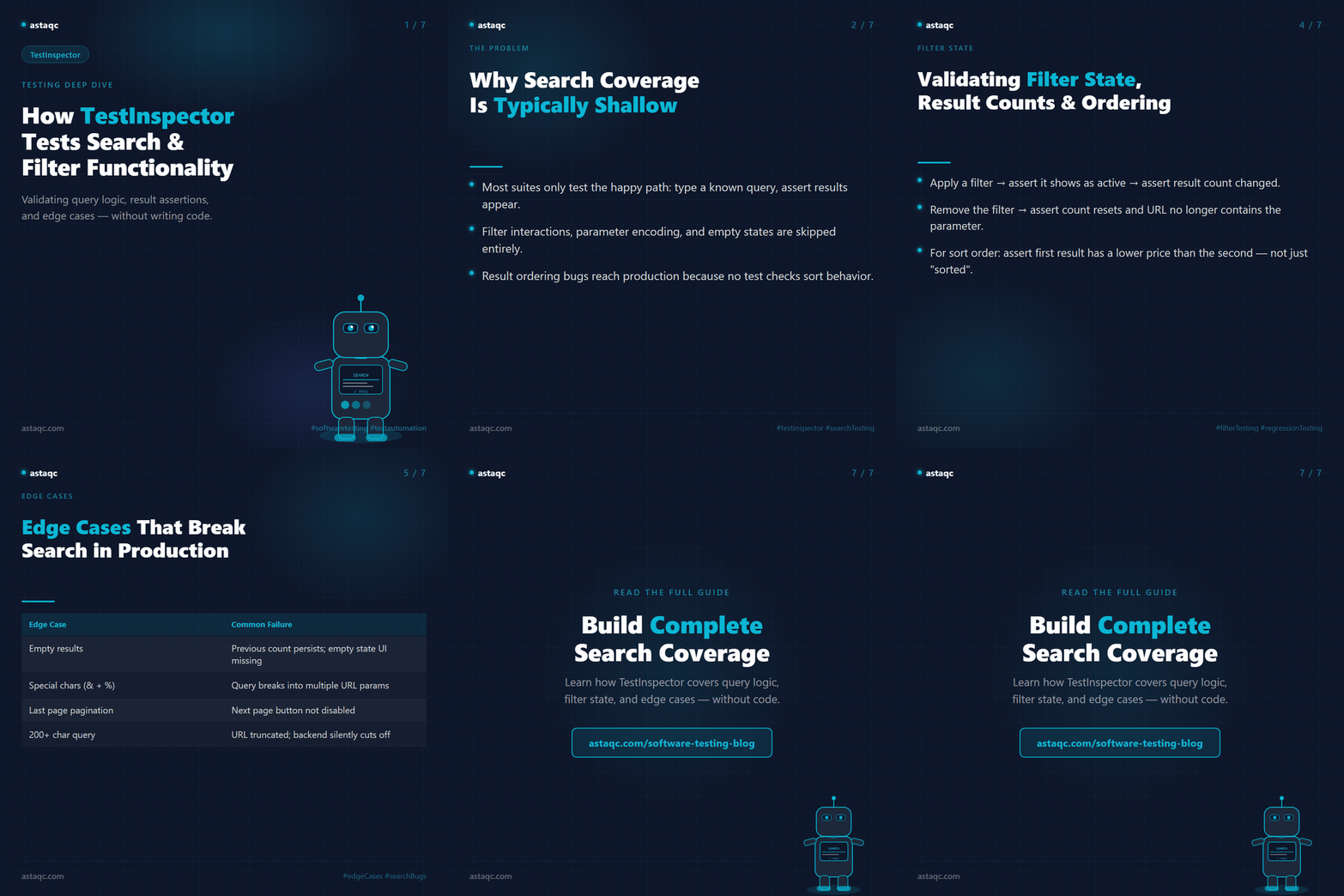
The practical problem with search and filter coverage is that most automated suites check the happy path — type a known query, assert that results appear — and skip the test cases that most commonly produce production bugs: filter parameter interactions, edge case inputs that return empty result sets, result ordering that changes when sorting parameters are applied, and state management behavior when filters are cleared or combined. This guide covers how to build that coverage in TestInspector across the full range of search and filter behaviors that matter for web application quality. Astaqc's software testing services page covers how search and filter testing fits into the broader functional test planning process.
Search and filter functionality presents a test coverage problem different from most form testing. The input space is large — queries, filter combinations, sort options, and pagination parameters interact in ways that create hundreds of potential test scenarios — while the observable outputs are often difficult to assert precisely: result counts depend on backend data, result ordering depends on ranking logic, and filter states have both URL parameter representations and UI state representations that can get out of sync.
Teams typically cover search testing with a small number of happy-path cases: a query that returns results, a common filter combination, and a negative query. They miss the interaction cases because building parametrized test suites for filter combinations is time-consuming in code-first frameworks. They miss result ordering tests because asserting the order of DOM elements requires more complex assertions. And they miss the URL state tests because those require checking query parameter values rather than visible content — a test type that falls outside the browser interaction model most suites use.
The consequence is that search regression bugs are caught late. A change to how filter parameters are encoded in the URL breaks existing bookmarked search URLs but does not break the click-and-filter user flow — and the test suite only covers the click-and-filter path. A change to result ordering logic produces different results for the same query but the test only asserts that some results appear, not that the correct results appear in the correct order. These regressions reach production and are reported by users rather than caught in CI. TestInspector's HTTP request steps and variable interpolation address both the parametrization problem and the URL state assertion problem without requiring test code.
TestInspector's HTTP request steps allow a test to make API calls directly and assert against the response body — which means search test coverage can operate at two levels simultaneously: the UI level, testing the visible results on the page, and the API level, testing the query parameters sent to the backend and the response structure returned. For applications where search is backed by a REST or GraphQL API, the API-level test is often more reliable and faster to run than the UI-level test, and the two together provide coverage that neither provides alone.
A typical search API test in TestInspector uses an HTTP GET step to call the search endpoint with a specific query parameter, then asserts on the response status code (200), the response body structure (a top-level "results" array is present), and one or more specific result properties (the first result has a "name" field that contains the query string). Variables allow the same test structure to run with multiple query values: a suite that runs with {{SEARCH_QUERY}} as the query parameter can be executed against any query value by changing the variable, without modifying the test steps.
The HTTP step approach also tests filter parameter construction precisely. A test can verify that applying two filters in the UI produces a request with the correct combined query parameters — ?category=automation&status=active rather than only ?category=automation — by clicking both filter controls in UI steps, then adding an HTTP step that asserts the most recent request to the search endpoint included both parameters. This validates the frontend filter state management logic, not just the search result output.
| Test Type | TestInspector Step | What It Validates |
|---|---|---|
| Query parameter test | HTTP GET with {{QUERY}} variable | Backend receives correct query; response contains results |
| Filter combination test | Click filters → HTTP step asserts request params | Frontend correctly encodes combined filter state into API call |
| Result content test | DOM assertion on result list items | Correct results appear; result format matches specification |
| Sort order test | HTTP step asserts sort param; DOM asserts first result | Sort parameter applied; first result matches expected sort order |
Astaqc's test automation services page covers how HTTP step testing is applied in service integration test planning alongside UI automation.
Filter state testing verifies that the UI correctly reflects the currently applied filters and that removing a filter correctly updates both the filter UI and the search results. The common failure mode is that a filter is applied and produces correct results, but clearing the filter does not correctly reset the state — either the filter chip remains in the UI after removal, or the results revert to the unfiltered state but the URL still contains the filter parameter, so a page refresh re-applies the removed filter.
TestInspector tests this with a step sequence: apply a filter, assert the filter is shown as active (DOM assertion on the filter chip or checkbox state), assert that the result count has changed (DOM assertion on a result count element), remove the filter, assert the filter is no longer shown as active, and assert the result count has returned to the unfiltered value. This sequence catches both the application regression (filtering does not reduce results) and the removal regression (cleared filter persists in URL state).
Result count assertions require knowing an expected count, which means the test data must be controlled or the assertion must be relative rather than absolute. For applications with a stable test dataset, exact count assertions are reliable. For applications with live data, relative assertions work better: after applying a category filter, the result count should be less than or equal to the unfiltered count. This assertion is still meaningful — it catches the case where a filter produces more results than the unfiltered view, which indicates a bug in filter logic — without requiring knowledge of the exact data state.
Sort order testing is the most precise form of result validation. A test that applies a "price: low to high" sort filter, then asserts that the first displayed result has a price lower than the second displayed result, validates the sort logic rather than just asserting that the sort was applied. This requires reading two DOM element values and comparing them — a test step type that TestInspector supports through chained assertions on sequential DOM elements. The test remains valid even when the data changes, because the assertion is about relative ordering rather than specific values. Astaqc's performance testing services page covers how search query performance is tested alongside functional search test coverage.
The search edge cases that produce the most user-visible bugs are: queries that return empty result sets, queries that contain special characters or reserved URL characters, and pagination behavior at the last page of results. Each of these requires a different type of assertion and a different test construction approach.
Empty result testing validates three things: the empty state UI element appears (a "no results found" message or illustration), the result count is correctly displayed as zero rather than a previous count, and the filter and sort controls are still functional when no results are shown. Many implementations break on the third point — a filter applied to an empty result set produces an error or shows a loading spinner that never resolves, because the empty result path was not tested with filters applied.
Special character handling in search is a common source of XSS and query injection bugs in addition to broken search behavior. Queries containing <, >, ", &, +, and # characters can break query parameter encoding if the frontend does not correctly URL-encode inputs before constructing the search request. A test that sets a search field to a query containing test&debug=true and asserts that the search endpoint receives the query as a single parameter (not two parameters) validates the encoding. If the application also renders the query string in the results page (a "Results for: test&debug=true" message), the test should also assert that the rendered text is properly escaped.
| Edge Case | Test Construction | Common Failure Mode |
|---|---|---|
| Empty result set | Query a term known to return zero results | Previous result count persists; empty state UI missing |
| Special characters in query | Input query with &, +, %, # | Query breaks into multiple URL params; raw chars rendered in page |
| Pagination at last page | Navigate to final page of known limited result set | Next page button not disabled; page N+1 returns error or empty |
| Long query string | Input 200+ character search query | URL exceeds browser limit; backend truncates silently |
Pagination boundary testing verifies that the "next page" and "previous page" controls behave correctly at the boundaries. TestInspector's variable interpolation allows running pagination tests with {{PAGE_NUM}} as a variable, making it easy to test multiple pagination depths with a single test structure. See Astaqc's complete software testing guide for how edge case testing fits into a full test planning framework. Astaqc's TestInspector page covers the full step type catalog including HTTP steps and variable interpolation.
A well-structured search and filter test suite in TestInspector separates UI interaction tests from API-level validation tests, keeps variable-driven input values at the suite level rather than hardcoded in steps, and organizes suites by feature area rather than by test type. For search functionality, this means one suite for core search behavior (query input, result display, result count), one suite for filter functionality (apply, remove, combine, clear), one suite for sort and ordering, and one suite for edge cases and pagination boundaries.
Variable scoping in TestInspector allows search input values to be set at the test level (for test-specific values), the suite level (for values shared across a group of tests), or the organization level (for values that apply across all environments). Search queries used to test a specific feature belong at the test level. Base URLs and API endpoints belong at the organization level. This scope hierarchy prevents the maintenance problem where changing a base URL requires editing every test step.
For teams using CI/CD integration, search and filter tests in TestInspector can be triggered via the API trigger endpoint before deployment to production, treating a failing search test as a deployment gate condition. The live WebSocket streaming gives CI pipelines real-time visibility into which step failed. This is especially useful for search tests that interact with external search infrastructure — the streaming output identifies whether the failure is at the query construction step (frontend issue) or the API response assertion step (backend issue) immediately on failure.
TestInspector tests autocomplete behavior through a combination of type steps and DOM assertions. A type step that enters the first three characters of a known term triggers the autocomplete request, and a DOM assertion verifies that the suggestion dropdown appears and contains the expected suggestion. Selecting a suggestion from the dropdown and asserting that the search field is populated with the full term validates the autocomplete selection flow. HTTP steps can additionally validate that the autocomplete API endpoint is called with the correct partial query parameter.
For search tests that depend on backend data state, TestInspector's HTTP request steps can perform a setup call before the search test to create the test record via the application's API, then run the search test against the known record, then perform a teardown call to delete the record. This pattern makes search tests independent of persistent data state. For applications without a seed or setup API, relative assertions — result count is greater than zero, the first result contains the query string — are more reliable than exact-match assertions against specific known records.
The reliable approach is a two-step count assertion: assert the unfiltered result count before applying the filter, apply the filter, then assert the filtered result count is different from — and in most cases less than or equal to — the unfiltered count. This relative assertion is valid across different data states. If the test data is controlled and stable, an exact count assertion after filtering provides a stronger guarantee that the filter is applying the correct exclusion logic.
TestInspector supports keyboard interaction steps that allow testing Tab, Enter, and arrow key navigation within search interfaces. For search implementations where keyboard navigation selects from an autocomplete dropdown, the test sequence is: type the query, assert the dropdown is visible, press the Down Arrow key to select the first suggestion, press Enter to confirm, and assert the search field contains the suggestion text. This covers the keyboard navigation path that screen reader users and keyboard-only users follow.
Search tests benefit from being organized as a separate suite group from other functional tests because they share infrastructure — search API base URLs, common query variables, and result assertion patterns — that is distinct from other feature test infrastructure. Within the search suite group, organizing by behavior (core search, filters, sorting, edge cases) makes it easier to add tests for new filter types or edge cases without restructuring existing suites.
Astaqc's testing documentation services page covers how test suite structure decisions are documented in QA plans for complex feature areas like search. See the manual vs. automated testing guide for context on where search and filter testing fits in the broader automation strategy.
Search and filter testing produces reliable regression coverage when it operates at both levels: HTTP steps that validate query parameter construction and response structure, and DOM assertions that verify result content and filter state. Checking only visible results misses the parameter encoding bugs that break bookmarked searches and API integrations without affecting the on-screen experience.
October 24, 2026


Sign up to receive and connect to our newsletter

We founded ASTAQC as a tight-knit group of professional Software Testers and software developers.
Subscribe to our Newsletter