November 2, 2026
TestInspector replaces Selenium WebDriver 4 for teams whose primary objective is validated test coverage of web applications without maintaining a test framework. Selenium WebDriver 4 is the most widely deployed browser automation protocol in the industry; it provides direct communication with browsers via the W3C WebDriver standard, BiDirectional Protocol (BiDi) support for real-time browser events, and native support for Chrome DevTools Protocol. These are real technical advances. What Selenium WebDriver 4 did not change is the fundamental requirement: teams must write code, maintain a test framework, manage browser drivers and infrastructure, and own the full engineering lifecycle of their test suite. TestInspector eliminates that requirement by moving test creation and execution to a managed, AI-native platform that runs tests on cloud browsers without framework overhead.
This comparison matters because Selenium WebDriver 4 and TestInspector are frequently evaluated against each other by QA teams and engineering managers who have different constraints. A team with senior engineers who want fine-grained control over browser automation has different needs than a team under delivery pressure that needs reliable test coverage for a complex web application without hiring or retaining framework specialists. The right tool depends on which problem the team is actually solving.
Selenium WebDriver 4 key capabilities:
What this list does not include: a test editor, a way to write tests without code, built-in test scheduling, visual regression capability, self-healing on selector changes, AI-driven test generation, or a way to run tests without provisioning and maintaining a browser execution environment. Those are product concerns, not protocol concerns. Selenium WebDriver 4 is the infrastructure layer; the product layer must be built on top of it, and that build cost is what most teams underestimate.
For teams evaluating TestInspector against Selenium, the comparison is not between two code libraries. It is between owning and operating a test automation stack versus subscribing to a managed testing product. The manual testing vs. automated testing guide covers the broader context of when teams should invest in automation infrastructure and when managed tools are the better choice.
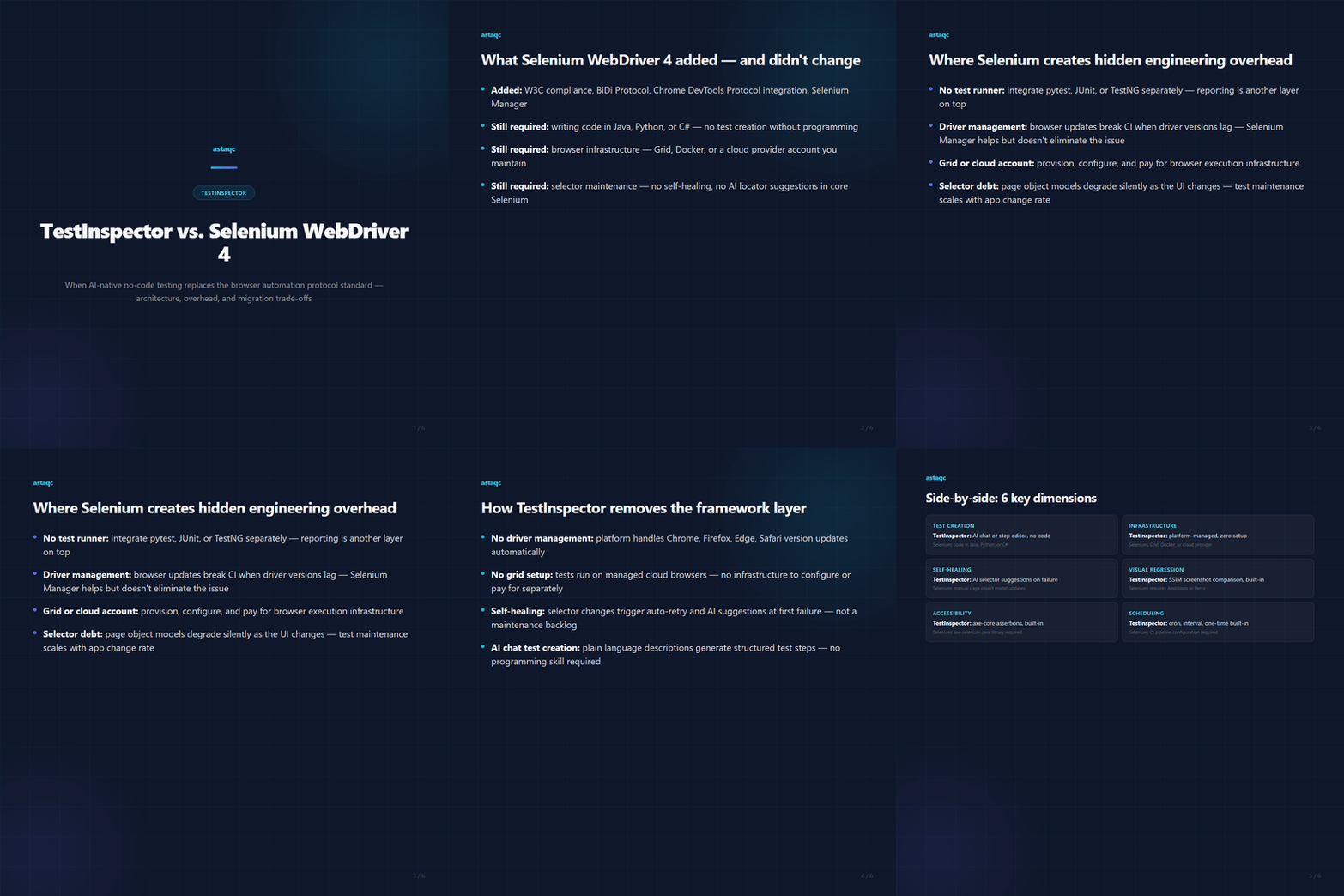
Selenium WebDriver 4 is a browser automation protocol, not a complete test automation product. Teams that choose Selenium are choosing to build the product layer themselves. The engineering overhead this creates is predictable and consistent across teams, regardless of their experience level with the framework.
The infrastructure components a Selenium-based test suite requires beyond the core library:
The total cost of ownership for a Selenium-based test suite scales with the number of tests, the rate of application change, and the seniority of the engineers maintaining it. A team of two senior SDETs can maintain a Selenium suite of 500 tests effectively. A team of QA engineers without strong coding backgrounds cannot maintain the same suite without significant ongoing support from developers.
The practical consequence is visible in many QA organizations: a Selenium test suite that started with strong coverage gradually degrades as selectors change, tests become unreliable, and the maintenance backlog exceeds the team's capacity to address it. Test debt in Selenium suites is one of the most consistently reported QA scaling problems in 2026. For teams working with test automation services or evaluating how to scale coverage, this maintenance overhead is often the deciding factor in moving to a managed platform.
TestInspector runs tests via Selenium on Chrome, Firefox, Edge, and Safari — it uses Selenium as its underlying browser automation layer, managed and maintained by the platform rather than by the customer's team. The QA engineer sees an AI chat interface that generates test steps from natural language descriptions, a test editor for structured step-based tests, and a run console with live WebSocket streaming of test execution. The Selenium infrastructure, browser driver management, grid configuration, and execution environment are fully abstracted.
What this means in practice for a team that would otherwise build and maintain a Selenium framework:
TestInspector's AI chat interface accepts test descriptions in plain language and generates structured test steps. This means a QA engineer without strong programming skills can create, edit, and maintain tests at the same pace as an engineer who would write Selenium code. For teams that need to scale coverage without scaling headcount, this is the core value proposition.
The platform also provides HTTP request steps (GET, POST, PUT, PATCH, DELETE with status code and response body assertions), accessibility assertions via axe-core at configurable severity levels, variable interpolation with TOTP support and encrypted storage, and multi-tenant organization management with owner, admin, and member roles. These cover the test scenarios that Selenium teams typically implement through additional libraries and framework code.
For teams managing QA team growth or planning coverage expansion, the comparison between building Selenium infrastructure and subscribing to a managed platform often resolves in favor of the managed approach once total engineering cost is accounted for.
| Dimension | TestInspector | Selenium WebDriver 4 |
|---|---|---|
| Test creation | AI chat or step editor, no code required | Code in Java, Python, C#, or similar language |
| Browser support | Chrome, Firefox, Edge, Safari (managed) | Chrome, Firefox, Edge, Safari (self-managed) |
| Browser infrastructure | Managed by platform, no setup required | Self-hosted Grid, Docker, or cloud provider account |
| Self-healing | Auto-retry with AI selector suggestions | Not included; requires custom implementation |
| Visual regression | SSIM screenshot comparison, built-in | Not included; requires additional tool |
| Accessibility testing | axe-core assertions, built-in | Requires axe-selenium-java or similar library |
| API testing | HTTP request steps with assertion support | Not included; requires RestAssured or similar |
| Scheduling | Cron, interval, one-time, built-in | CI pipeline configuration required |
| Exports | Playwright TypeScript, Selenium IDE (.side), Gherkin | N/A — Selenium is the code format |
| Maintenance model | Platform-managed infrastructure and driver updates | Team-owned: drivers, frameworks, infrastructure |
| Required skill level | QA engineers without coding experience | Software developers or SDETs with framework experience |
Selenium WebDriver 4 is the right choice when:
TestInspector is the right choice when:
For teams currently running a Selenium suite that has become difficult to maintain, TestInspector's export features (Playwright TypeScript, Selenium IDE, Gherkin) mean that tests built in TestInspector can be exported into standard formats if a future migration back to code-based testing is needed. This is a one-way export, not a live sync, but it removes the concern about lock-in for teams that value portability.
Test automation services from Astaqc support both Selenium-based and no-code test suite builds, depending on team composition and organizational requirements.
Yes. TestInspector runs tests via Selenium on Chrome, Firefox, Edge, and Safari. The Selenium layer is maintained by the platform, not the customer. This means tests run on the same browser automation protocol that Selenium tests use, but without the team needing to manage driver versions, browser compatibility, or grid infrastructure. The practical effect is that tests written in TestInspector validate browser behavior using the same underlying mechanism as hand-coded Selenium tests.
For most use cases involving CDP — network interception, performance metrics, console log capture — TestInspector's HTTP request steps, run logs, and visual comparison cover the validation needs without requiring direct CDP access. However, tests that depend on low-level browser internals not exposed through the TestInspector step interface are better implemented in a code-based framework where CDP access is direct. The distinction is whether the test is validating application behavior (TestInspector handles this) or exercising browser-level technical mechanisms (Selenium with CDP access handles this).
When a selector changes in TestInspector, the affected step triggers an auto-retry and surfaces AI selector suggestions based on the current DOM state. The QA engineer reviews and approves the corrected selector. In Selenium, selector changes cause test failures that require a developer to identify the broken locator in the test code, update the page object model or locator utility, and commit the change. TestInspector's self-healing model shifts this from a code maintenance task to a review task, which reduces the engineering skill level required to keep tests current.
TestInspector runs tests on Chrome, Firefox, Edge, and Safari on managed infrastructure. Teams do not configure or pay separately for browser environments — the platform handles execution across browsers. Selenium Grid requires the team to provision, configure, and maintain the grid nodes, or pay for an equivalent cloud provider. For teams whose multi-browser requirement is validation of consistent behavior across browsers (not browser-specific performance optimization or CDP feature testing), TestInspector's managed multi-browser execution covers the use case without the infrastructure burden.
Yes. TestInspector exports tests to Selenium IDE (.side) format, Playwright TypeScript, and Gherkin. The export is a snapshot, not a live sync — changes made to the exported file do not propagate back into TestInspector. This gives teams a migration path if they choose to move to a code-based framework in the future without being locked into the TestInspector format permanently. For teams evaluating the lock-in risk of a managed platform, the export capability is a meaningful risk mitigation.
The practical migration path is incremental: identify the tests in the Selenium suite that are most frequently broken or most expensive to maintain, and rebuild those in TestInspector first. Tests that cover stable, high-value user journeys are the strongest candidates. Tests that exercise browser-level technical behavior are better kept in the Selenium framework. A mixed-platform approach during migration — TestInspector for new and rebuilt tests, Selenium for legacy tests that still function correctly — is the most common pattern. The complete software testing guide covers how to structure this kind of transition.
Teams evaluating TestInspector as a Selenium replacement can explore TestInspector directly. Astaqc’s testing services support both Selenium framework builds and TestInspector-based test automation programs, depending on team composition and engineering requirements.
Selenium WebDriver 4 is an excellent browser automation protocol. TestInspector is an excellent testing product. These are different things, and the gap between them is where most QA teams lose time.
November 2, 2026


Marcus Chen is a software testing engineer specializing in API testing, performance engineering, and security QA. He has led QA programs for enterprise SaaS, fintech, and healthcare technology companies across three continents.

Sign up to receive and connect to our newsletter

We founded ASTAQC as a tight-knit group of professional Software Testers and software developers.
Subscribe to our Newsletter