October 22, 2026

TestInspector manages test dependencies through its suite hierarchy model, which controls execution order, and through scoped variable storage, which passes state from one test to the next without shared global state. When a dependency fails, TestInspector's self-healing auto-retry limits how far the failure propagates before the run stops. This means teams can build multi-step test sequences that share data across steps — login state, created resource IDs, session tokens — without writing dependency management code in a framework. Astaqc's test automation services page covers how structured test dependency management reduces maintenance overhead across automation engagements.
A test dependency exists when test B requires state that test A was supposed to create. A test that validates a user dashboard assumes a prior test successfully logged in and established a session. When the login test fails — or runs in a different order than expected — the dashboard test has no session to work with and fails for reasons unrelated to the dashboard behavior it was meant to validate. In a large test suite, a single upstream dependency failure can cascade through ten downstream tests, filling the CI run report with failures that all share the same root cause.
Debugging a cascade failure is harder than debugging an isolated failure because each downstream failure points to a symptom rather than the root cause. An engineer looking at ten failures across a suite must trace each one back to find that they all originate from a single login test. Without explicit dependency tracking, this analysis is manual and time-consuming. With it, the run stops or flags downstream tests as blocked, and the engineer sees one root failure rather than ten symptoms.
Test dependencies appear at three levels in typical automation suites. Step-level dependencies occur within a single test: step 3 relies on data created by step 2. Suite-level dependencies occur across tests in the same suite: a test that validates a created resource relies on a prior test having created it. Cross-suite dependencies occur across separate suites: a regression suite relies on a smoke suite having validated that the environment is accessible before running. Each level requires a different mechanism for dependency management.
| Dependency Level | Example | Cascade Risk |
|---|---|---|
| Step-level | Step that uses an element created by a previous step in the same test | Test fails partway through; remaining steps produce misleading errors |
| Suite-level | Test that validates a resource created by a prior test in the same suite run | Multiple downstream tests fail with missing-resource errors |
| Cross-suite | Regression suite assumes smoke suite validated environment accessibility | All regression tests fail on environment errors rather than application errors |
Astaqc's complete software testing guide covers how dependency management fits into the broader structure of a well-designed automation suite, particularly at the suite-level and cross-suite levels where cascades most commonly occur in CI pipelines.
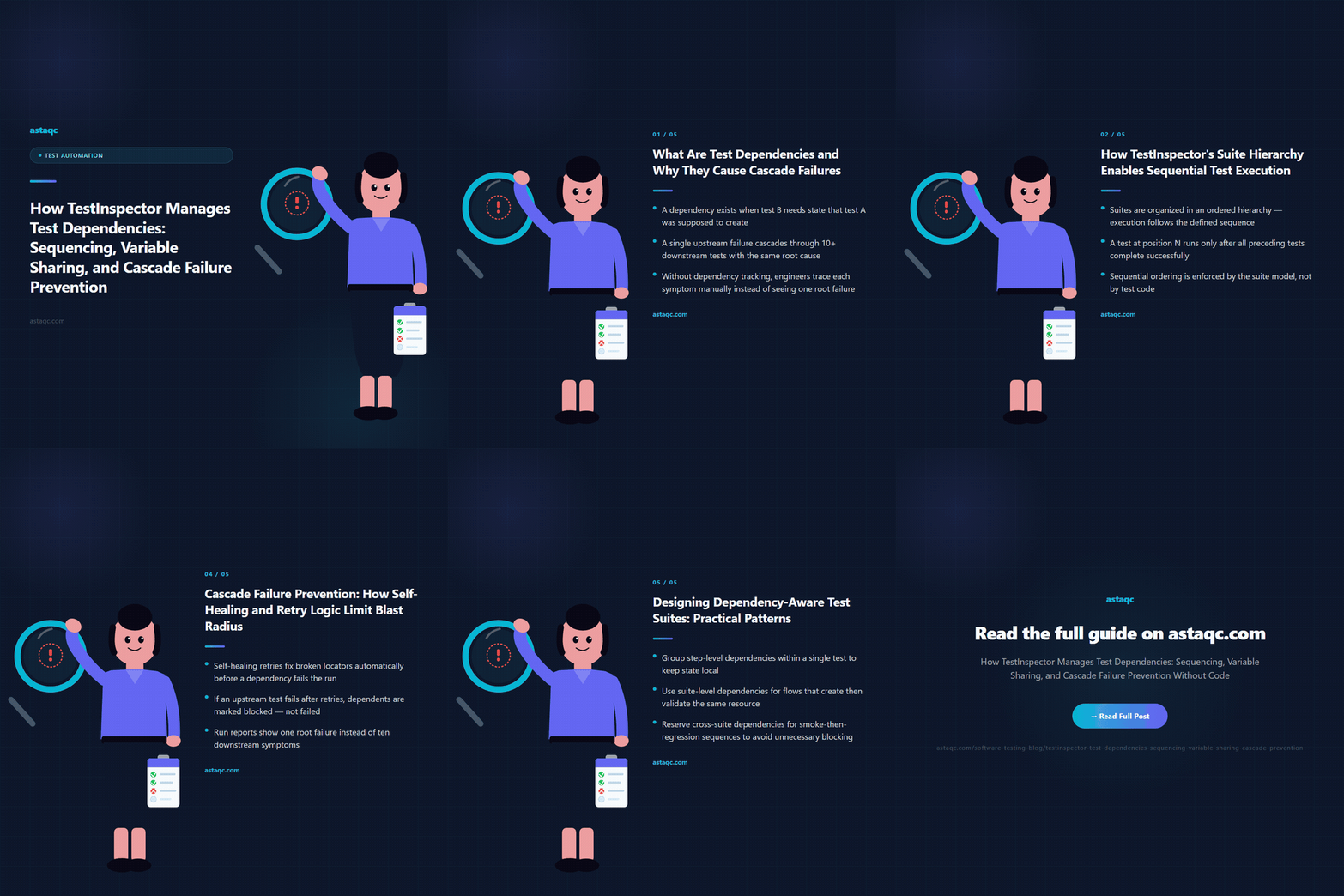
TestInspector organizes tests in a three-level hierarchy: organization, suite, and test. Within a suite, tests run in the order defined by the suite configuration. This controlled sequence is the foundation of dependency management in TestInspector. If test B depends on state created by test A, placing test A before test B in the suite execution order ensures the state exists when test B runs. The execution order is visible and editable in the suite configuration, not hidden in test framework setup code.
This matters because most code-first frameworks make execution order implicit. Tests in a JUnit suite run in a defined order only if the developer uses a @TestMethodOrder annotation and explicitly specifies ordering. Tests in Playwright run in file order by default but can be parallelized at the runner level, breaking that order. In each case, a developer who does not understand the framework's ordering semantics can write dependent tests that happen to pass in local development and fail in CI when the runner executes them differently.
TestInspector makes execution order explicit by design. The suite editor shows tests in their run sequence. Reordering is a drag-and-drop operation that reflects immediately in how the suite runs. There is no annotation to learn and no runner configuration to check. The order you see in the editor is the order the suite runs, making dependency chains visible to anyone reading the suite configuration regardless of whether they wrote the tests.
For suites that cover multi-step user workflows — registration followed by login followed by profile editing followed by account deletion — this sequential execution model maps directly to the workflow structure. Each step in the workflow is a test. The suite runs them in the workflow's natural order. The state built up by earlier tests is available to later tests through the variable scoping model described in the next section. Astaqc's TestInspector product page covers the full suite configuration model, including scheduling options that apply at the suite level.
TestInspector's variable system has three scopes: test-level, suite-level, and org-level. Test-level variables exist for the duration of a single test run and are not accessible to other tests in the same suite. Suite-level variables persist across all tests in a suite run, making them the natural mechanism for passing state from one test to the next within a sequenced suite. Org-level variables are accessible to all suites and tests in the organization and are appropriate for configuration values that do not change between runs: base URLs, API endpoints, or feature flags.
For dependency management, suite-level variables are the primary tool. A test that creates a resource — a new user account, a draft document, a payment record — can store the resource ID in a suite-level variable. A subsequent test in the same suite run reads that variable to reference the resource. The variable value is set at runtime during the first test and consumed at runtime by the second test. There is no hardcoded ID to maintain and no fixture file to update when the application's ID generation strategy changes.
TestInspector supports variable interpolation in test steps using the syntax {{VARIABLE_NAME}}. A URL step can reference {{BASE_URL}}/resources/{{RESOURCE_ID}} where BASE_URL is an org-level variable and RESOURCE_ID is a suite-level variable set by a prior test in the run. The same interpolation works in assertion values, request headers, request bodies, and element selector strings, making the scoping model applicable across all step types in TestInspector.
For sensitive values — authentication tokens, API keys, TOTP secrets — TestInspector provides encrypted variable storage at the org and suite level. Encrypted variables are write-only from the UI: values are set but cannot be read back from the interface. They are interpolated into test steps at runtime but are not visible in run logs. This means dependent tests can share authentication state across a suite run without exposing session tokens in the test configuration or in run output. Astaqc's manual vs. automated testing guide covers the trade-offs between stateful test design and stateless test design, including when shared state across tests creates maintenance risk rather than reducing it.
When an upstream test fails, tests that depend on it will likely fail too. TestInspector addresses cascade propagation through two mechanisms: self-healing auto-retry for transient selector failures within a step, and configurable stop behavior when a test within a sequenced suite fails.
Self-healing works at the step level. When TestInspector encounters a step that targets an element using a selector that no longer matches, it attempts to locate the element using alternative selector strategies before marking the step as failed. If an alternative selector succeeds, TestInspector uses it for the current run and surfaces an AI selector suggestion for review. This means that a selector change in the application — a class renamed, an ID changed, a data attribute added — does not immediately cascade into a test failure if the element is still present and reachable by an alternative strategy. The self-healing mechanism absorbs a class of transient selector failures that, without it, would cause the upstream test to fail and block all downstream tests in the suite.
For suite-level cascade control, TestInspector's suite configuration allows specifying what happens when a test fails during a suite run. The options are to continue running subsequent tests regardless, or to stop the suite run at the first failure. Stopping at the first failure is the appropriate setting for suites where tests have explicit dependencies: if test 2 fails, tests 3 through 10 that depend on state created by test 2 have no valid state to work with, and continuing them would produce misleading failures. Stopping at the first failure surfaces one root cause instead of ten symptoms.
For teams running scheduled suites as environment health monitors or regression checks, the combination of suite-level sequencing, variable sharing, and cascade-controlled stop behavior means a single scheduler run covers the full workflow path from setup to cleanup. If the environment is unhealthy and the setup step fails, the suite stops immediately rather than generating a cascade of application-level failures that look like application bugs. Astaqc's AI in software testing guide covers how AI-assisted mechanisms like self-healing fit into broader test strategy, and Astaqc's dedicated QA team page covers how dependency-aware test design is applied across client automation engagements.
Building test suites that handle dependencies well requires a small set of consistent design decisions applied across all suites. The most important are: make every dependency explicit in the variable scope, design each test to fail clearly when its dependencies are missing, and keep dependency chains as short as possible.
Making dependencies explicit means never relying on implicit state that survives between test runs. Browser cookies from a previous run, application data created manually in the test environment, or configuration values left in the environment by a prior suite are implicit dependencies. They break when the environment is reset, when another suite cleans up after itself, or when the test runs in a different environment. Explicit dependencies — variables set during the current suite run — are predictable and reproducible.
Each test in a dependency chain should be designed to fail with a diagnostic message when its dependency is missing rather than failing with a generic application error. A test that reads a suite-level variable for a resource ID should include an assertion that the variable is non-empty at the start of the test. When the variable is empty because the upstream test failed, this assertion fails immediately with a clear message: the upstream test did not produce the expected resource ID. This is faster to diagnose than a downstream test that fails with a missing-resource error from the application five steps in. Astaqc's testing documentation services cover how dependency documentation and explicit failure design are incorporated into test suite documentation standards.
Yes. If a test references a suite-level variable that has no value in a given run — because the prior test that was supposed to set it was not included in the run, or because the test is being run individually for debugging — TestInspector substitutes an empty string. The test can detect this with a pre-condition assertion on the variable value. Individual test execution is supported for development and debugging; the dependency chain is only active when the full suite runs in sequence.
TestInspector maintains browser context — cookies, session storage, local storage — across tests within a suite run by default. A test that logs in establishes session state that subsequent tests in the same suite run inherit. For more explicit control, authentication tokens obtained through HTTP request steps can be stored in encrypted suite-level variables and injected into subsequent request step headers. The encrypted variable approach is more portable and works for both browser-based and API-based authentication flows.
Suite-level variables retain their values regardless of whether subsequent tests succeed or fail. A variable set by test 2 is available to tests 3 through 10 even if test 3 fails. The cascade stop behavior determines whether tests 3 through 10 run at all; the variable retention behavior determines whether they have valid data to work with if they do run. When cascade stop is configured, the run halts at test 3's failure and tests 4 through 10 do not execute, which is typically the correct behavior for suites with strict sequential dependencies.
Yes. A suite can be structured with a setup test at the start that creates the test data and stores resource IDs in suite-level variables, a set of validation tests in the middle that consume those variables, and a teardown test at the end that deletes the created resources using the same stored IDs. This pattern keeps the test data lifecycle contained within the suite run, avoids accumulating test data across runs, and makes the suite self-contained and repeatable. The teardown test runs last in the sequence and uses the same resource IDs stored by the setup test.
Selenium data-driven testing uses external data files — CSV, Excel, or JSON — to parameterize a single test with multiple data sets. This handles variation within a test but not state passed between tests. TestInspector's suite-level variable scoping handles state passed between tests in a sequence. The two approaches address different problems: data-driven testing manages input variation, dependency-aware sequencing manages state continuity. TestInspector supports both: org-level and suite-level variables handle static parameterization, and runtime variable setting by prior tests handles dynamic state continuity. For teams automating with Astaqc's testing services, both patterns are used depending on the nature of the test workflow.
TestInspector's suite hierarchy controls execution order, scoped variables pass state between tests, and self-healing retry limits how far an upstream failure propagates — three mechanisms that together replace the dependency management code other frameworks require you to write yourself.
October 22, 2026


Sign up to receive and connect to our newsletter

We founded ASTAQC as a tight-knit group of professional Software Testers and software developers.
Subscribe to our Newsletter