How TestInspector Tests Real-Time UI Updates and Live-Reload Applications: Polling Loops, State Change Assertions, and Timing-Sensitive Validations Without Code
TestInspector validates real-time UI updates by combining DOM assertions with configurable step retry logic, allowing tests to wait for a specific element state to appear rather than sleeping for a fixed duration. This means a test that checks whether a notification badge updates after a background job completes does not need a hard-coded delay — it asserts the expected state and retries until the timeout. For teams building applications with WebSocket-driven dashboards, polling-based data refresh, or live status indicators, this approach produces tests that are more stable than timer-based approaches and faster when the expected update arrives early.
Real-time UI applications present a specific test challenge: the state you need to assert does not exist at the moment the action is taken. A user triggers a background process, and the UI updates asynchronously. If the test asserts immediately, it will fail consistently. If the test waits a fixed amount of time, it becomes slow and breaks whenever the system is under load. TestInspector’s retry-on-assertion model fits this pattern directly — write the assertion for the target state, set the step timeout to cover the realistic maximum wait time, and the step will keep checking until the state appears or the timeout expires.
See TestInspector and test automation services for how AI-native testing handles asynchronous application behavior.
What Real-Time UI Updates Mean as a Test Target
Real-time UI covers several distinct application patterns, each with different test implications:
| Pattern | How the UI Updates | Test Challenge |
|---|---|---|
| WebSocket push | Server sends data to the client without a client request | UI state changes at an unpredictable time after the triggering event |
| Short polling | Client requests data at a fixed interval (every 5–30 seconds) | The UI may not reflect a change until the next poll cycle |
| Long polling | Client holds an open HTTP request; server responds when new data exists | Response timing depends on when the server-side event occurs |
| Server-sent events (SSE) | One-directional push over HTTP/2 | Multiple sequential updates may need to be validated in order |
| SPA reactive state | Client-side state management triggers re-renders after local mutations | Render timing depends on the UI framework’s update cycle |
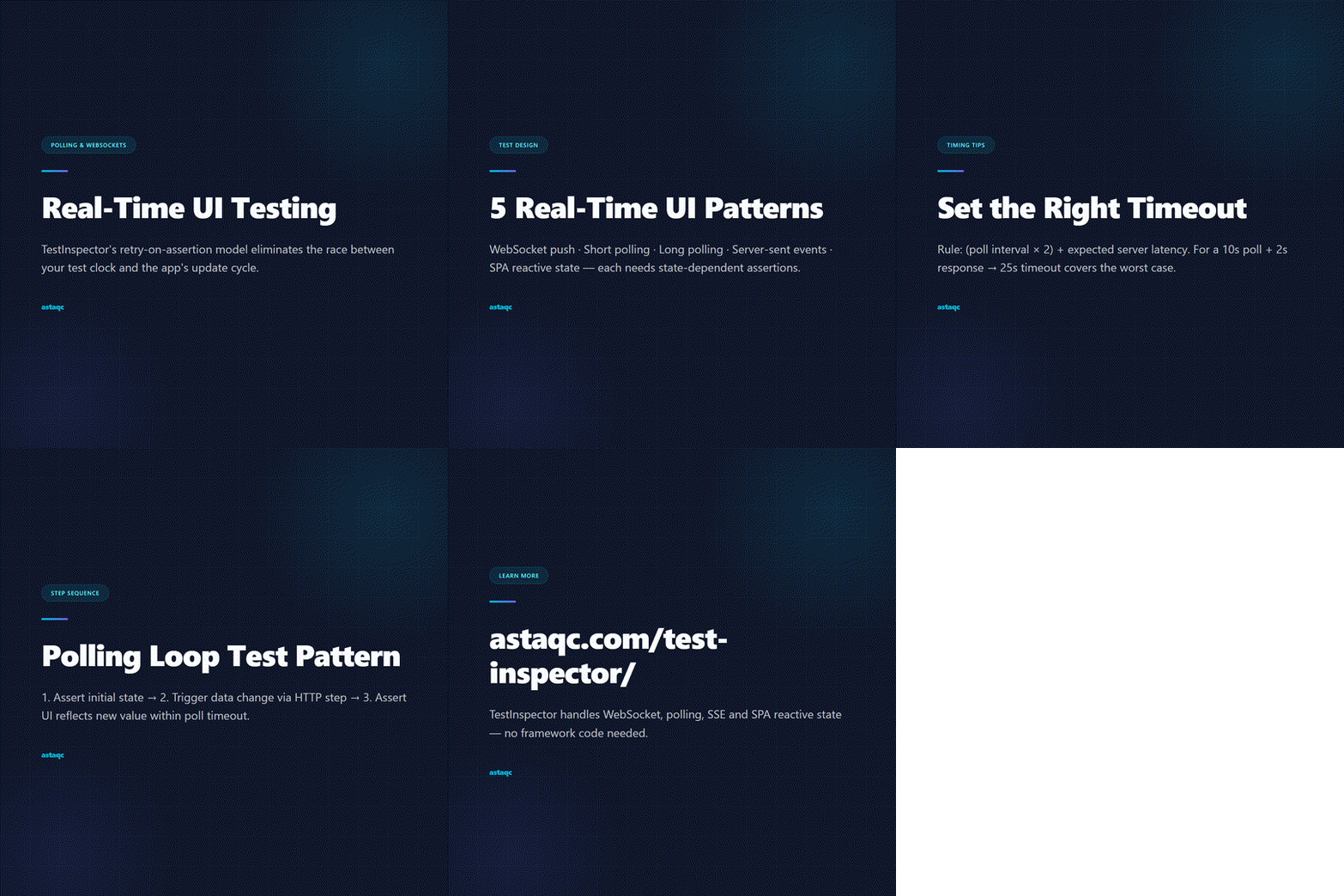
From a test design standpoint, all of these patterns share one requirement: the test must assert the expected state rather than assert at a fixed time. The difference between a stable test and a flaky one in real-time UI applications is almost always whether the assertion is state-dependent or time-dependent.
How TestInspector Handles Timing-Sensitive Assertions
TestInspector’s self-healing step retry mechanism is the main tool for timing-sensitive assertions. When a step includes a DOM assertion — checking that an element contains specific text, that a class has changed, or that an element has appeared — the step retries the assertion until it passes or until the configured step timeout expires. The default retry behavior is built into the platform; there is no code to write to enable it.
For real-time UI scenarios, the relevant settings are:
- Step timeout: The maximum time the step will wait for the assertion to pass. Set this to cover the realistic maximum delay for the application under test — if a background job typically completes in 3–8 seconds but can take up to 20 seconds under load, set the timeout to 25 seconds.
- Assertion type: Choose the most specific assertion available. Asserting that an element contains a specific text value is more reliable than asserting that an element is visible, because visibility can be true before the content updates.
- Step sequencing: If multiple UI elements update in sequence, write separate assertion steps for each one rather than combining them. This gives cleaner failure messages and allows the retry timer to reset between steps.
A concrete example: testing a job processing dashboard that shows a status badge. After submitting a job, the badge starts as “Queued”, changes to “Processing”, and finally to “Completed”. A well-structured TestInspector test would have three sequential assertion steps — one for each status — each with a timeout that covers the expected transition time for that specific stage. If “Processing” typically takes 2–5 seconds but “Completed” can take up to 30 seconds, those steps get different timeouts.
This model works because TestInspector runs tests through a real browser (Chrome, Firefox, Edge, or Safari via Selenium) and can observe the actual DOM state at each retry interval. The retry is not polling a screenshot — it is reading live DOM state, which means changes that happen between retries are visible on the next check.
See Astaqc software testing services and the complete guide to software testing for how assertion strategies fit into a broader quality practice.
Testing Polling Loops and Interval-Based Updates
Short polling — where the client requests updated data at a regular interval — creates a specific test scenario: a change in server state may not appear in the UI until the next poll cycle completes. If your application polls every 10 seconds and the test triggers a change, the UI may not reflect that change for up to 10 seconds even if the server responds instantly.
TestInspector handles this correctly as long as the step timeout is set to cover at least one full poll cycle plus the expected processing time. The practical rule: set the timeout to (poll interval × 2) + expected server latency. For a 10-second poll with a 2-second server response, a 25-second timeout covers the worst case with margin.
For testing that a polling loop is functioning at all — that the UI is refreshing data as expected rather than showing stale data — the approach is to:
- Assert the initial state of a data element (a count or a timestamp).
- Trigger a change via an HTTP request step or a UI interaction that modifies the underlying data.
- Assert that the displayed value has changed to the expected new value, with a timeout that covers the poll interval.
This tests the full polling loop: the application must have polled, received the new data, and updated the DOM for the assertion to pass. If any step in that chain fails — the poll does not fire, the response is incorrect, or the render does not update — the test catches it.
For applications where polling drives critical UI like monitoring dashboards or order status screens, this test pattern directly validates user-facing behavior that unit tests cannot reach. TestInspector’s HTTP request steps can also validate the API layer alongside the UI: a test can first assert the API returns the updated value, then assert the UI reflects it, confirming both the API response and the render are correct. See the manual vs. automated testing guide for where polling tests fit in a mixed strategy.
State Change Assertions After User Interactions
Many real-time UI patterns are triggered by a user action rather than by a background process. Clicking a button that queues an async operation, submitting a form that triggers a notification, or performing an action that updates a live feed — all of these follow the same test pattern: the user acts, the UI changes asynchronously, and the test must validate the final state.
In TestInspector, this maps directly to a step sequence:
- Interaction step: Click the button or submit the form.
- Assertion step: Assert the loading or processing state appears (optional but useful for debugging slow failures).
- Assertion step: Assert the final success or error state appears, with a timeout covering the full expected async duration.
Visual regression is relevant here too. If the real-time update changes the visual layout — a spinner appears, then a results table loads — TestInspector’s SSIM screenshot comparison can be used to validate that the before-state and after-state match approved baselines. This catches cases where the data appears but the layout breaks, or where an update partially renders and leaves the page in a broken intermediate state.
Variable interpolation is useful in these tests too. TestInspector supports {{TIMESTAMP}} variables that generate a unique value at run time. For applications that display timestamps alongside updated data, using a timestamp variable in an HTTP request step and then asserting the UI shows a timestamp within the expected range validates both the data delivery and the display logic.
| Scenario | TestInspector Approach | What It Validates |
|---|---|---|
| Button triggers async job | Click step then retry-assert final state | Job completes and UI reflects it within timeout |
| Poll-driven dashboard | HTTP step changes data then retry-assert UI value change | Poll fires, response correct, DOM updates |
| WebSocket status push | Trigger event then retry-assert text changes | WebSocket message received and rendered |
| Live form validation | Input step then retry-assert error or success state | Validation logic fires and displays correct result |
Learn more about hiring a QA team that handles real-time UI testing, and read the guide to AI in software testing for how tools like TestInspector fit into modern QA stacks.
Frequently Asked Questions
Can TestInspector test applications that use WebSocket connections?
TestInspector tests the DOM outcome of WebSocket-driven updates rather than the WebSocket protocol layer directly. If a WebSocket message causes the UI to display new content, TestInspector asserts that content with retry logic covering the expected update delay. For testing WebSocket protocol behavior — message format, connection handling, error recovery — HTTP request steps can validate the API endpoints that drive the WebSocket data, while DOM assertions validate the rendered result.
How do I set the right timeout for a real-time assertion?
Measure the actual update latency in your application under normal and loaded conditions, then add 20–30% margin. For a job that takes 5–15 seconds in production, a 20-second timeout is a reasonable starting point. If your CI environment is slower than production, increase the timeout to cover CI-specific latency. Avoid setting timeouts much longer than necessary — a 120-second timeout on a step that should take 10 seconds will make a failed test take 2 minutes to report rather than 10 seconds.
What happens when a real-time update does not arrive?
The assertion step times out and the test fails with a clear message showing the expected state and the actual state at the time of failure. TestInspector’s run log captures the state at each retry, so you can see whether the element was found but had the wrong content, or whether it did not appear at all. This is significantly more useful for debugging than a simple “element not found” error from a single-attempt assertion.
Can I validate the order of real-time updates?
Yes. Write sequential assertion steps for each expected state in order. If a process goes from “Queued” to “Processing” to “Completed”, write three assertion steps in that order, each asserting the next expected state. If the application skips a state or updates in the wrong order, the corresponding step will fail, and the run log will show exactly where the sequence broke.
Does TestInspector support multi-user real-time test scenarios?
TestInspector’s multi-tenant organization structure supports running tests with different user credentials in the same suite through variable interpolation and org-level credential management. For multi-user real-time scenarios — testing that user A’s action triggers an update visible to user B — the typical approach is to run separate test suites in coordinated schedules, or use HTTP request steps to simulate the second user’s actions while browser steps assert the first user’s view.
Astaqc provides QA engineering support for teams building real-time applications, including test strategy for WebSocket, polling, and event-driven interfaces. See test automation services, software testing services, and testing documentation services to learn how we approach complex UI test coverage.
Real-time UI tests fail when they assert at a fixed time rather than a target state. The retry-on-assertion model eliminates the race between the test clock and the application’s update cycle.
Avanish Pandey
November 4, 2026


Avanish Pandey is a QA engineer and founder of Astaqc Consulting, specialising in test automation strategy and AI-native testing tools.