October 6, 2026
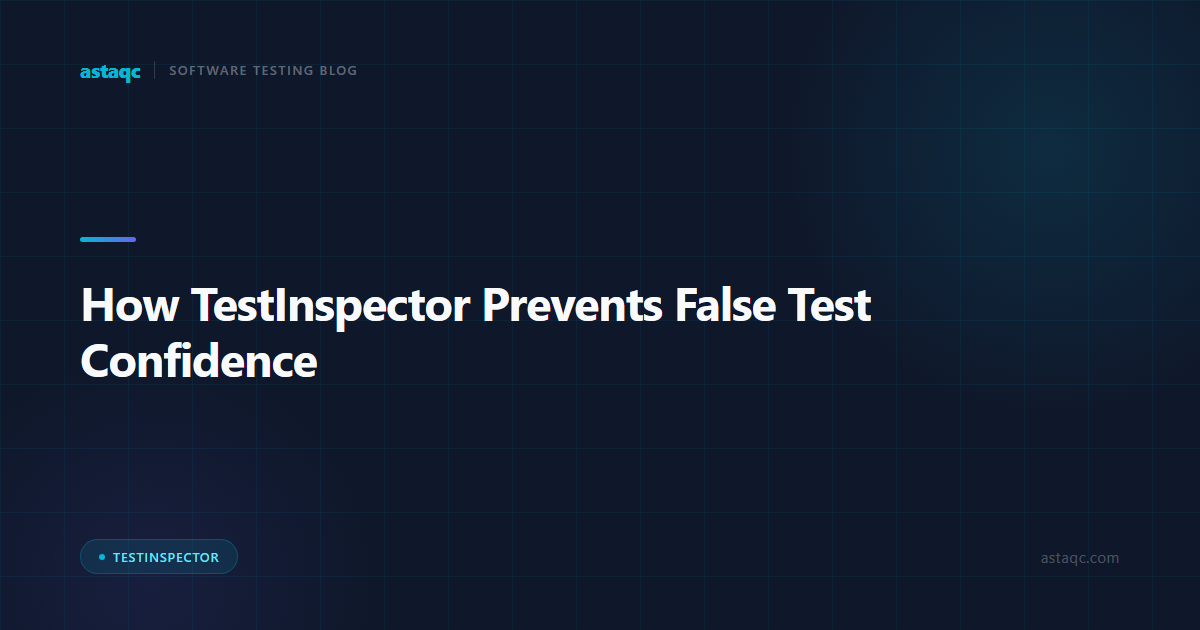
How TestInspector Prevents False Test Confidence: Multi-Layer Assertions, Visual Regression, and Run History Baselines
False test confidence occurs when a test suite reports green while the application contains failures the tests are not designed to detect. TestInspector addresses this through three layered mechanisms: assertion depth (combining HTTP status code, response body content, and UI selector state), visual regression using SSIM screenshot comparison with baseline approval, and run history analysis that surfaces dead tests, declining pass rates, and coverage gaps before they cause production incidents. These three mechanisms are not independent features — they form a verification stack that distinguishes between a test completing execution and a test proving that the application behaves correctly.
The most common cause of false test confidence is shallow assertions: tests that assert on HTTP status codes without checking the response body, UI tests that assert on element presence without checking element content, and API tests that assert on response shape without checking field values. A checkout flow that returns HTTP 200 with an error message in the body will pass a status-code-only assertion. A form that renders correctly but submits to the wrong endpoint will pass an element-presence assertion. A price calculation that returns the right structure but the wrong value will pass a schema assertion.
Teams that use TestInspector's AI-generated tests often discover this pattern when they examine what the AI generates: the AI creates specific assertions on response body values, form submission outcomes, and selector state content — not just element presence. The contrast between AI-generated assertions and manually written tests that only check status codes surfaces the assertion gap quickly. Astaqc's software testing services include assertion audits as part of QA framework reviews, and the complete software testing guide covers assertion design in the context of test strategy.
False test confidence is a state where the test suite passes reliably but the application has real defects that the tests cannot detect. It is distinct from flaky tests — a flaky test fails intermittently and draws attention to itself. False confidence produces consistently green results while actual behavior degrades. The result is that QA teams and engineering managers trust a passing test suite that is not actually measuring what they believe it measures.
The pattern appears across all testing levels. At the unit level, tests that mock all dependencies and only assert on the return value of the function under test will pass even if the integration between the function and its dependencies is broken. At the API level, tests that assert only on HTTP status codes will pass even if the response body contains error messages or incorrect values. At the UI level, tests that assert only on element presence will pass even if the element is rendered with wrong content or in a broken layout. Each level has its own version of the assertion gap, and the cumulative effect is a green suite that provides low confidence in the actual state of the application.
The business impact is significant: engineering teams ship changes confidently based on a green test suite, discover defects in production, and then invest significant time in root cause analysis before learning that the defect was within the existing test coverage but outside the assertion scope. Astaqc's test automation services include assertion depth evaluation as a standard deliverable in QA audits, and the manual vs automated testing guide covers how manual exploratory testing complements automated suites by surfacing the behavioral failures that shallow assertions miss.
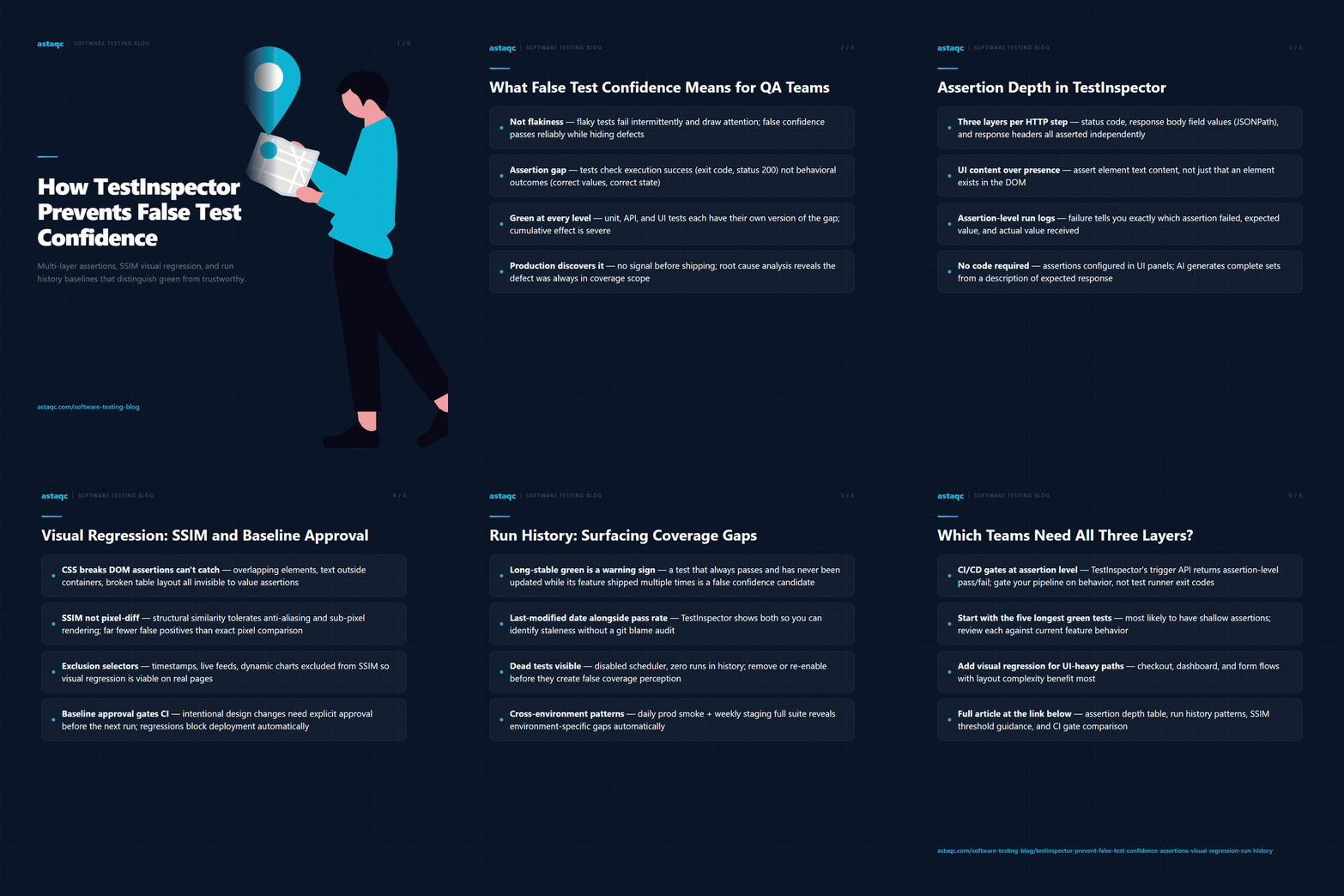
TestInspector's HTTP request steps support assertions across three layers for every API call: status code, response body fields (with JSONPath extraction and value matching), and response headers. A test that validates a login endpoint can assert that the status code is 200, that the response body contains a token field with a non-null value, and that the Set-Cookie response header contains the expected session cookie name. Each assertion is a separate, discrete check — the test fails if any one of them fails, and the run log reports which specific assertion failed and what value was received versus expected.
For UI tests, TestInspector steps support selector-based assertions that check not just the presence of an element but its text content, attribute values, and CSS state. A test validating a dashboard load can assert that the revenue metric element is present, that its text matches a numeric pattern, and that the error banner element is not visible. These three assertions together prove the dashboard loaded correctly — not just that the page rendered without a crash. The distinction between presence and content assertions is the difference between a test that would pass with a blank dashboard and one that would not.
The practical benefit of multi-layer assertions becomes visible in run logs: when a step fails, the log identifies the exact assertion that failed, the value that was expected, and the value that was received. Teams using TestInspector can identify the root cause of a failure without re-running the test manually, because the assertion-level detail in the run log is sufficient to diagnose the specific behavior that deviated. This reduces time-to-diagnosis from minutes to seconds for common assertion failures. The AI in software testing guide covers how AI tools generate and evaluate assertions across different testing levels.
| Assertion Type | What It Proves | What It Misses |
|---|---|---|
| HTTP status code only | Server responded without a 4xx/5xx | Response body content, field values |
| Response body schema | Response has the expected structure | Actual field values may be wrong |
| Response body field value | A specific field has the correct value | Other fields, side effects |
| UI element presence | Element exists in DOM | Element content, visibility, state |
| UI element text content | Element displays the correct value | Visual layout, interaction behavior |
| Status + body field + error absence | Full behavioral assertion for API step | Visual regression (needs separate layer) |
Visual regression testing addresses a class of failure that assertion-based tests cannot catch: changes to the visual presentation of a page that do not affect the values that assertions check. A CSS change that breaks the layout of a table, overlaps two elements, or renders text outside a container will not be caught by a status code or body value assertion. It will not be caught by a UI selector assertion unless the selector specifically checks the element's visual position or CSS properties. Visual regression testing catches it by comparing screenshots at defined checkpoints.
TestInspector implements visual regression through SSIM (Structural Similarity Index Measure) screenshot comparison. In the test configuration, a step can be designated as a visual regression checkpoint: on the first run, TestInspector captures a screenshot at that step and sets it as the approved baseline. On subsequent runs, TestInspector captures a new screenshot and computes the SSIM score against the baseline. A score below the configured threshold (the default is 0.95) triggers a visual regression failure. The QA team reviews the screenshot diff in the run log, approves the new baseline if the change was intentional, or flags the run as a failure if the change was unintended.
Crop and exclusion selectors allow teams to exclude dynamic regions from the visual comparison. A page that includes a timestamp, a live activity feed, or a dynamically generated chart will produce visual differences on every run that are not related to any regression. Exclusion selectors mark those regions as excluded from the SSIM calculation, so the comparison focuses on the stable structural elements. This makes visual regression viable for pages with dynamic content — a common reason teams skip visual testing in standard Playwright or Selenium test suites.
The baseline approval workflow in TestInspector gives QA teams control over what constitutes an intentional change versus a regression. When a design change is intentional, the team approves the new screenshot as the baseline in the test configuration before the next run. When a regression is detected, the run fails with a screenshot comparison that shows exactly which region changed. Teams using TestInspector as part of their visual regression strategy can link visual regression runs to their deployment pipeline via the CI/CD trigger API — visual regressions gate the deployment the same way assertion failures do. Astaqc's test automation services include visual regression baseline setup and threshold calibration for teams adopting this testing layer.
A test that always passes and has not been updated in twelve months is either covering a stable feature or covering a feature that has changed in ways the test cannot detect. Run history in TestInspector provides the data to distinguish between these two cases: the run log for each test shows every execution over the configured history window, the assertion results for each run, and whether the test content has been updated since the last change to the feature it covers.
The coverage gap signal comes from the intersection of two run history patterns: tests that always pass across a long history window and tests that have never been updated. A test covering a login flow that has been modified six times in the last three months but has not had its assertions updated is a candidate for false confidence. TestInspector's run history view surfaces the last-modified date for each test alongside the run results, making this pattern identifiable without requiring a manual audit of every test in the suite.
Declining pass rates are a different signal: a test that passes 85% of the time over a 30-day window is a flakiness signal. A test that passes 100% of the time but whose assertions were last updated nine months ago while the feature has been shipped four times is a false confidence signal. Both patterns matter, and run history analysis requires looking at both. Astaqc's test automation services include run history analysis as a diagnostic step when QA teams suspect false confidence, and the manual testing services complement automated coverage for features that have changed frequently but lack updated test assertions.
| Run History Pattern | Signal | Recommended Action |
|---|---|---|
| Always passes, assertions recently updated | Healthy coverage | Continue as-is |
| Always passes, not updated in 3+ months | Potential false confidence | Review assertions against current feature behavior |
| Intermittent failures | Flakiness | Investigate selector, state leakage, or timing issue |
| Pass rate declining over 30 days | Increasing instability | Identify environmental or behavioral change |
| Scheduler disabled, never runs | Dead test | Re-enable or remove from suite |
| Fails only on feature branch | Regression detection working correctly | Block deployment, investigate the specific failure |
TestInspector's scheduling supports run history accumulation by making regular runs easy to configure: tests run on cron or interval schedules, results stream via WebSocket during execution, and the run history accumulates automatically. Teams that schedule daily smoke tests on production and weekly full suite runs on staging can compare pass rate patterns across environments, which surfaces environment-specific behavior gaps that would otherwise require manual investigation. Astaqc's performance testing services extend this pattern to load-based runs that reveal behavior under different throughput conditions.
False test confidence occurs when a test suite passes reliably but does not actually verify the application's behavior. Flaky tests fail intermittently and draw attention through their inconsistency. False confidence is more dangerous because there is no signal of a problem — the suite is green, the deployment proceeds, and the defect the tests cannot detect reaches production. Flaky tests are a quality maintenance problem; false confidence is a quality assurance gap that produces no visible warning before causing a production incident.
No. TestInspector's HTTP request steps include a dedicated assertions panel where each assertion is configured through the UI: select the assertion target (status, body field path, header), select the comparison operator (equals, contains, matches pattern, is not null), and enter the expected value. The AI chat interface can generate a full assertion set for an HTTP step by describing the expected response — the AI creates the individual assertions as structured steps, not as code. Teams that prefer to use the browser extension for recording can review and add assertions to each recorded step without writing code. The TestInspector product page details how assertion configuration works within the no-code interface.
SSIM measures structural similarity rather than exact pixel values, making it more tolerant of minor rendering differences caused by anti-aliasing, sub-pixel font rendering, and minor timing variations in animations. Pixel-by-pixel comparison produces false positives on every run where rendering differs slightly from the baseline, which in practice means almost every run on a modern browser. SSIM with an appropriate threshold (0.95 to 0.98 depending on the page's dynamic regions) is significantly more stable, producing fewer false positives while still detecting meaningful layout changes. TestInspector's exclusion selectors address remaining dynamic regions that SSIM would otherwise flag as regressions.
Run history analysis identifies tests that have not failed recently and have not been updated recently, which is a proxy signal for false confidence but not a direct measure of assertion quality. A proper assertion audit requires reviewing each test's assertions against the current feature specification to verify that the assertions would catch a realistic defect. Run history analysis should be used to prioritize which tests to audit first — high-traffic, long-stable tests are the highest priority — rather than as a substitute for the audit itself. Astaqc's software testing services include assertion audits for teams that need a structured review with external validation.
TestInspector exposes a CI/CD trigger API that starts a test suite run and returns a pass/fail result. Visual regression failures count as test failures in the trigger API response, so a deployment pipeline that gates on the API response will block deployments when a visual regression is detected. The baseline approval workflow runs separately: when a design change is intentional, the team approves the new baseline in TestInspector before the next CI/CD run, so the visual comparison succeeds on the next trigger. This means the gate is always active — intentional changes require explicit baseline approval rather than threshold adjustments that could mask real regressions.
The most effective first step is to review the assertion content of the five tests that have had the longest unbroken green run — these are the tests most likely to have shallow assertions or assertions that no longer reflect the feature's current behavior. For each test, manually perform the action the test covers and observe the actual behavior, then compare it against what the test's assertions would catch. Any gap between actual behavior and assertion coverage is a false confidence point. TestInspector's run history view makes identifying long-stable tests straightforward, and Astaqc's test automation services include false confidence audits for teams that need structured external guidance on assertion depth and coverage gaps.
A consistently green test suite is only trustworthy if the assertions behind it verify behavioral outcomes, not just execution success. The difference between the two determines whether your CI pipeline is a quality gate or a confirmation theater.
October 6, 2026


Sign up to receive and connect to our newsletter

We founded ASTAQC as a tight-knit group of professional Software Testers and software developers.
Subscribe to our Newsletter