October 23, 2026

TestInspector tests form validation and user input flows using DOM assertions to check element states, error message text, and attribute values on each input field after interaction steps. You build test steps that fill input values, trigger validation events, and assert that specific error messages appear or disappear, that fields transition to invalid states, or that the form submits correctly when valid data is provided — all without writing assertion code. The browser extension records the interaction sequence, and the AI chat interface generates assertion steps for the validation behaviors you describe.
Form validation bugs are disproportionately likely to reach production because teams test the happy path thoroughly and the error paths minimally. A form that accepts invalid email addresses, fails to enforce character limits, or shows incorrect error messages passes existing tests when those tests only cover valid-input submission. Building automated coverage for the error states and boundary conditions requires asserting specific DOM changes in response to specific inputs and events, which is where TestInspector's structured step model applies directly. Astaqc's TestInspector page covers the full range of assertion types available for form testing scenarios.
TestInspector's browser extension records user actions on forms as structured steps: click, type, clear, select, and focus events are captured with stable selector resolution. When you fill a form field, the recorder captures the element reference, the input value, and the sequence of events. When you submit and a validation error appears, clicking the error element adds an assert-text or assert-visible step that checks the error message content or visibility state.
After recording, each step is editable. You can replace hardcoded test values with variable references — {{EMAIL}}, {{INVALID_EMAIL}}, {{LONG_STRING}} — and define those variables at the suite level so the same form test runs with multiple input scenarios by changing only the variable values. TestInspector's variable interpolation supports {{ALPHANUMERIC}} for randomized inputs and {{TIMESTAMP}} for time-dependent fields like username or email uniqueness validation.
The AI chat interface generates test steps from natural-language descriptions of the validation behavior. Typing "assert that the email field shows Enter a valid email when the field is blurred with an invalid format" produces a step sequence: blur the email field, assert that the error element with the specified text is visible. Generated steps follow the same structured format as recorded steps and can be edited, reordered, or combined with steps from other tests in the same suite.
Form validation testing requires asserting two distinct types of output: the content of error messages and the state of the validated field. TestInspector supports both. Text assertions verify that a specific string appears in a specific element — the error message text matches the specification exactly. Attribute assertions verify that a field has transitioned to an invalid state — the aria-invalid attribute is set to true, or a CSS class indicating an error state has been applied to the input element.
Error message assertions should be specific to the exact text the application displays rather than a partial match that would pass if the message changes to something misleading. An assertion checking for "valid email" would pass for "Enter a valid email," "This is not a valid email," and "Invalid email address" — all of which have different user impact. Asserting the exact string catches changes to error messaging that would otherwise go undetected until a user reports confusion about what correction is needed.
Field state transitions matter for accessibility and UX correctness. A field that fails validation but does not apply the correct ARIA attributes is visually broken and fails assistive technology users. TestInspector's DOM assertions verify attribute values, so you can assert that aria-invalid="true" is set on the input after a failed validation attempt and that it is removed after the user corrects the input and re-validates.
| Assertion Type | What It Validates | When to Use |
|---|---|---|
| Assert Text | Exact content of an error message element | Every validation error path where the message text is specified |
| Assert Visible | Whether an error element is shown or hidden | Validation triggered by blur or form submit events |
| Assert Attribute | Value of an HTML attribute on the input element | ARIA state, disabled state, or CSS class validation |
| Assert Not Visible | Absence of an error element after user correction | Clearing the error state when the user fixes the input |
Astaqc's software testing services page covers how form validation testing is structured in QA engagements as part of functional test coverage planning.
Three categories of validation logic account for the majority of form validation bugs in production: required field enforcement, character limit enforcement, and format validation. Each has a distinct set of test cases that cover the boundary conditions where client-side logic fails.
Required field testing requires three test cases per field: submit with the field empty and assert the error; fill the field with only whitespace and assert the error (many implementations do not strip whitespace before checking required status); and fill the field with valid content and assert the error is absent. The whitespace case catches a common bug where the frontend trims display text but not the validation check, or where the check uses value.length > 0 instead of value.trim().length > 0.
Character limit testing covers four boundary values per field with a defined maximum length. If a field has a 50-character limit, test with 49 characters (valid, one below), 50 characters (valid, at the limit), 51 characters (invalid, one above), and a significantly long string such as 256 characters. TestInspector's {{ALPHANUMERIC}} variable generates strings of specified lengths, and defining maxLength as a suite variable lets the boundary tests adapt when the specification changes without rewriting step content.
Format validation — email, phone, postal code, URL, and other pattern-constrained fields — should be tested with a valid example, a structurally invalid example, a boundary-valid example such as an email with a subdomain, and a bypass attempt using special characters that might escape client-side validation but are rejected server-side. The bypass case is important for forms that submit to an API: client-side validation that fails to reject an input the server rejects produces a confusing experience where the form appears to submit successfully but returns an error. Astaqc's test automation services page covers how format validation testing is included in comprehensive automated test coverage strategies for web applications.
Multi-step forms introduce validation dependencies between steps that are not present in single-page forms. A registration flow that collects email on step one and verifies it on step two has a cross-step validation dependency. A checkout flow that validates a shipping address on step two before accepting payment on step three has a sequencing dependency where a failure on step two blocks execution of step three. Testing these flows requires TestInspector's suite hierarchy and variable sharing to pass values between steps without re-entering them in each step.
The test structure for a multi-step form uses a suite with steps corresponding to each form step, passing intermediate values through suite-level variables. A step that selects a shipping option sets a {{SELECTED_SHIPPING}} variable, and the assertion on the order summary step verifies that the variable's value appears in the total display. This makes each step readable and allows intermediate state to be verified independently if a later step fails.
Validation at step boundaries — submitting an incomplete step and asserting the user stays on the current step rather than advancing — is a commonly missed test case. Many implementations validate on the Next button click and should display step-level errors while keeping the user on the current step. A test that clicks Next without filling required fields and asserts the step counter has not advanced validates this boundary without requiring knowledge of the form's internal state management.
| Form Type | Key Validation Test Cases | TestInspector Approach |
|---|---|---|
| Registration | Duplicate email, weak password, terms not accepted | {{TIMESTAMP}} in email for uniqueness; assert error texts exactly |
| Checkout | Invalid postal code, expired card, mismatched addresses | HTTP step to verify server-side rejection; assert UI error state |
| Onboarding wizard | Step advancement with incomplete data, back-navigation resets | Suite steps per form step; assert step indicator element text |
| Contact form | Empty subject, message too short, file attachment size limit | Variable-length inputs; assert HTTP response status via HTTP step |
Astaqc's complete software testing guide covers how functional test planning identifies validation test cases that belong in the automated suite versus those that belong in exploratory testing sessions.
The edge cases in form validation that reach production are not the obvious ones — empty submissions and invalid emails are well-tested. The cases that reach production are at the intersection of two validation rules, timing-dependent cases where validation fires before the user has finished typing, and cases where the validation state is correct but the error recovery behavior is broken.
Copy-paste input is a common source of production bugs. Users paste an email address that includes a trailing space or non-breaking space character, and the format validation passes because the pattern matches when ignoring the invisible character, but the backend rejects it when the email is normalized. A test that clears a field and sets its value to a string with a trailing space validates the specific boundary that copy-paste creates. TestInspector's variable system supports setting input values to strings with specific whitespace characters for exactly this scenario.
Validation state after page navigation is another edge case. Single-page applications using client-side routing sometimes fail to reset validation state when the user navigates away from a form and returns. A test that partially fills a form, navigates to another route, returns to the form, and asserts that error messages are not still visible validates this reset behavior. This is a regression easy to introduce in a component that manages its own validation state without resetting on unmount.
Keyboard interaction differences affect validation trigger behavior. A form that fires blur validation correctly for mouse users but not for keyboard users who tab through fields has an accessibility bug that automation using click-only navigation misses. TestInspector runs through a real browser via Selenium, and steps that navigate fields by pressing Tab rather than clicking reproduce the keyboard navigation path. Astaqc's manual testing services page covers the exploratory testing approach to uncovering form interaction edge cases, and Astaqc's dedicated QA team page covers how form validation coverage is structured across automated and manual test layers.
Yes. TestInspector's HTTP request steps assert the response body and status code from the server, and the browser steps assert the error messages that appear in the UI after the server returns a validation error. You can combine both in a single test: submit the form via browser steps, add an HTTP step to verify the API response status, and assert the UI error message the frontend renders from that response. This verifies that the full round-trip validation is working correctly.
TestInspector step timing can introduce delays between keystrokes by adding a pause step between type actions. For real-time validation that fires after a debounce period, add a pause step long enough to allow the debounce to complete, then assert the validation state. The AI chat interface generates pause-then-assert sequences when you describe the timing behavior. This approach works for character count indicators, real-time availability checks, and pattern validation that runs on input events rather than blur events.
TestInspector's variable system handles this. Define the base URL as an organization-level variable, and every step that navigates to a form uses {{BASE_URL}}/path/to/form as the target URL. When running the same test suite against staging and production, change the BASE_URL variable value without modifying any test steps. TestInspector's scheduling and CI trigger API both accept variable overrides at run time, so the same form validation suite can run against multiple environments in a single CI pipeline pass.
Each distinct validation rule should have at least one test case — one for valid input and one for the specific invalid input the rule is meant to reject. Do not group multiple validation rules into a single test that fills a form with all-invalid input and asserts a single error message; a test structured that way cannot distinguish between a rule that is working and one that has been silently removed. One test per rule, with variable names indicating what the input represents, produces a suite where each failure maps to exactly one broken validation rule.
Conditional fields are tested by asserting the visibility of the field before and after triggering the condition. A step that selects a specific value in a dropdown should be followed by an assertion that the dependent field is now visible, and changing the selection back should be followed by an assertion that the field is hidden. TestInspector's assert-visible and assert-not-visible steps handle this directly, and the complete interaction path can be built by recording in the browser extension or generating steps with the AI chat interface.
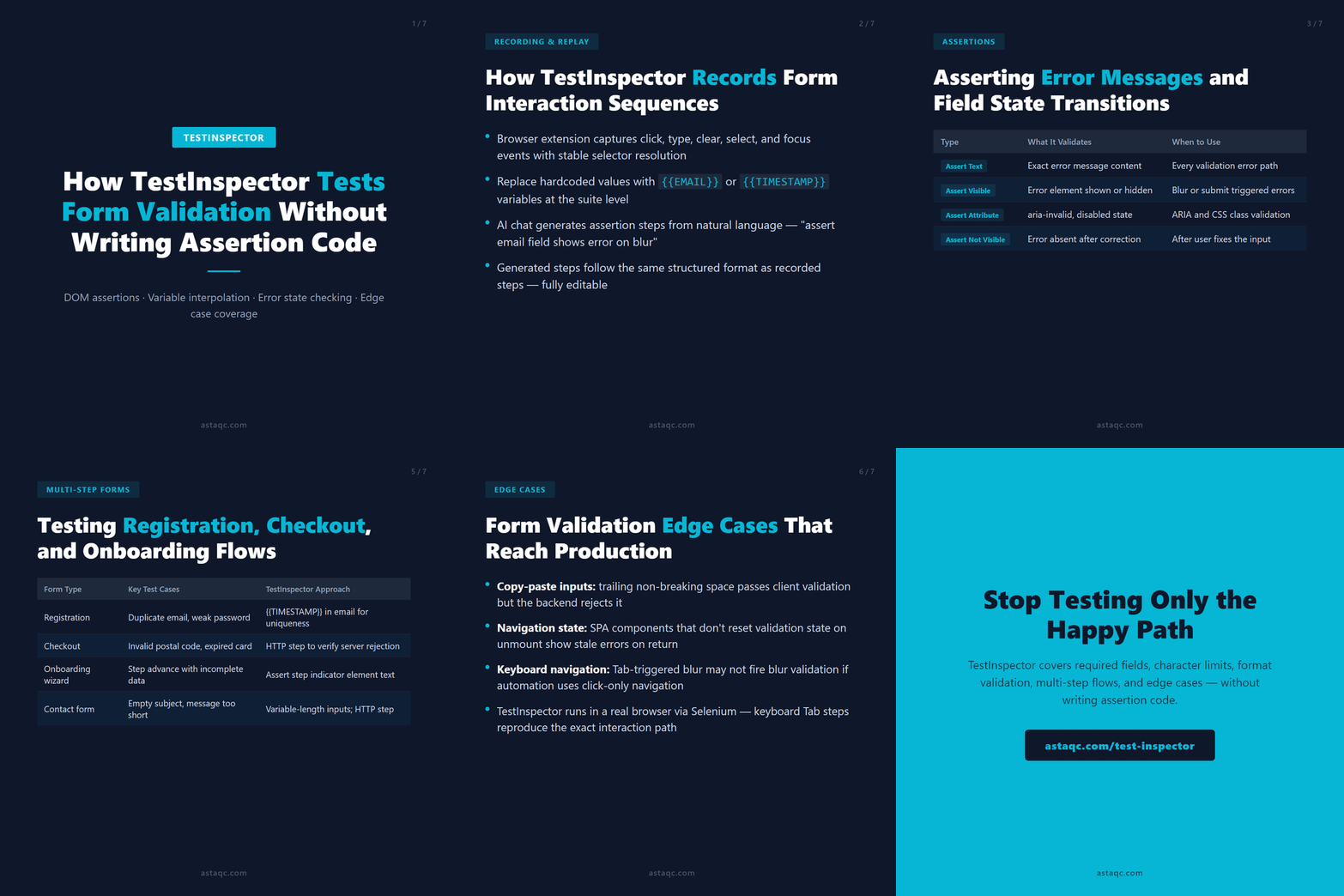
Form validation bugs reach production because teams test the happy path thoroughly and the error paths minimally. TestInspector's DOM assertions and variable interpolation make it practical to test every validation rule, error message, and state transition with the same no-code approach used for the happy path.
October 23, 2026


Sign up to receive and connect to our newsletter

We founded ASTAQC as a tight-knit group of professional Software Testers and software developers.
Subscribe to our Newsletter