October 20, 2026

File upload testing is one of the more underspecified areas of QA automation. Most teams confirm that the upload button is clickable and that a success message appears, but they skip the more consequential checks: whether the server correctly stores the file, whether size and type limits are enforced before the upload completes, whether partial upload failures are handled gracefully, and whether the downstream system that needs the file receives it in the correct format. TestInspector addresses each of these through a combination of HTTP request steps, browser-driven UI steps, and visual regression, without requiring any test framework code. This guide walks through how to build a complete file upload test suite in TestInspector, organized by the distinct failure modes you need to cover. Astaqc's test automation services page covers how we build upload test coverage as part of broader application QA engagements.
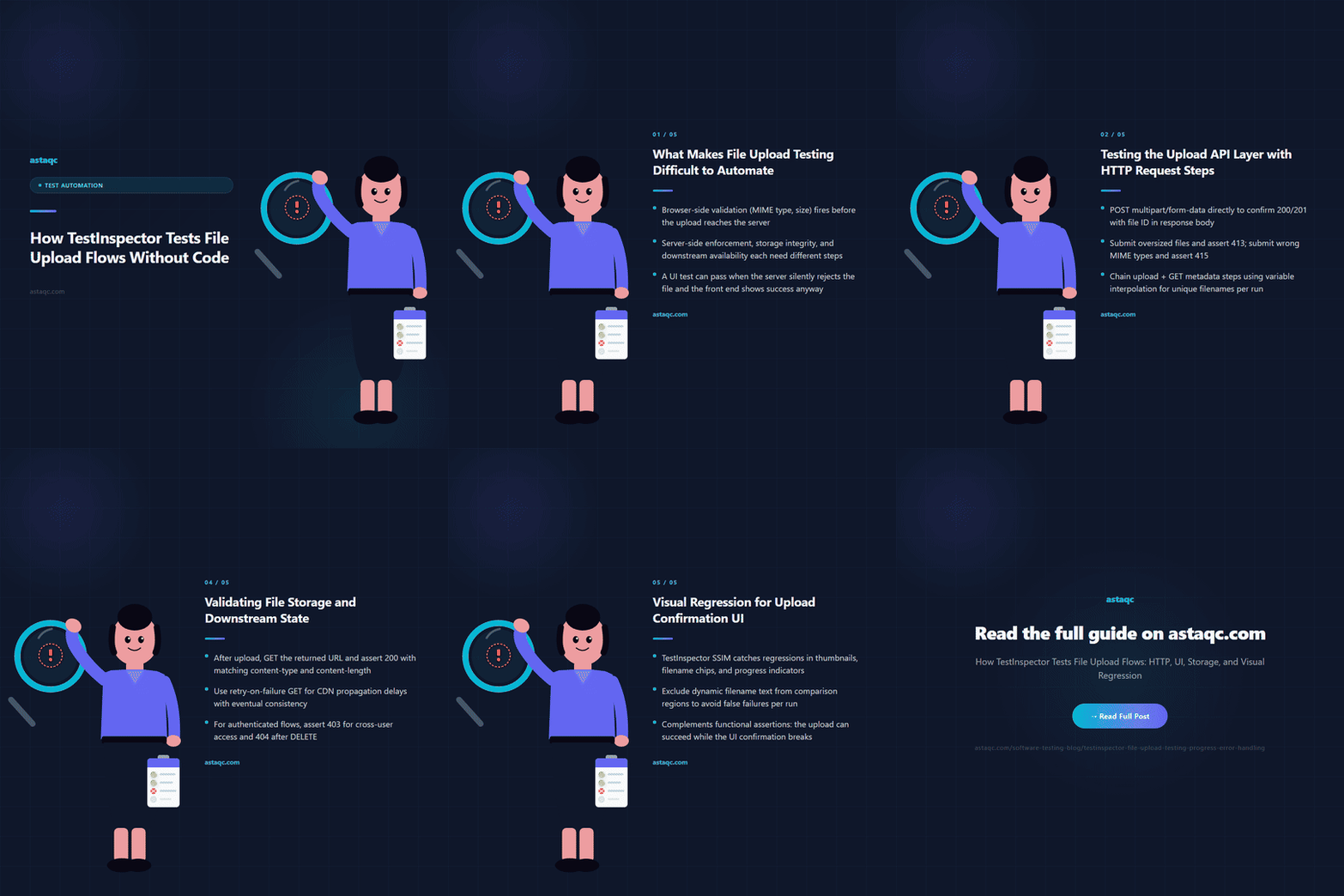
File upload flows fail at several distinct points, and each requires a different testing approach. Browser-side validation — file size limits, accepted MIME types, maximum file count — happens before the upload reaches the server and is implemented in JavaScript or HTML attributes. Server-side validation — actually enforcing those limits, scanning for malware, checking file integrity — happens after submission. Storage confirmation — that the file is actually written to the correct location with the correct permissions — happens after the server accepts the upload. And downstream availability — that the file is usable by the system that depends on it — happens after storage.
Standard UI tests cover the browser side. They confirm the upload dialog opens, a file can be selected, and a success message appears. They do not confirm server-side validation enforcement, storage integrity, or downstream availability. A test suite that stops at the UI layer can pass when the upload is broken: if the server rejects the file silently and the front end shows success anyway, the UI test still passes.
TestInspector's approach is to test the complete sequence: the UI interaction that triggers the upload, the HTTP response that confirms the server accepted it, the storage state that confirms the file was written, and the visual state that confirms the UI reflects reality. Each layer requires a different step type in TestInspector, and the combination produces coverage that a UI-only or API-only test suite does not. The complete testing guide covers how to sequence functional, API, and visual layers in an integrated test strategy.
TestInspector's HTTP request steps support multipart form data submissions directly, which means you can test the upload API independently of the browser UI. A multipart POST step can submit a file with a specific content type, a specific size, and a specific payload, then assert on the response status code, the response body structure, and any headers that indicate where the file was stored.
Key API-level upload tests to build in TestInspector:
Valid upload acceptance: submit a correctly formed multipart POST with a file within size limits and an accepted MIME type, and assert that the response is 200 or 201 with a file ID or URL in the response body. This is the baseline that confirms the upload endpoint is functional.
Size limit enforcement: submit a file that exceeds the allowed size limit and assert that the response is 413 (Payload Too Large) or whatever status your application returns for oversized uploads. If the application accepts an oversized file silently, this test fails, confirming a gap in server-side validation.
Type restriction enforcement: submit a file with a MIME type that the application should reject and assert that the response is 415 (Unsupported Media Type) or your application's equivalent rejection. MIME type spoofing is a common upload vulnerability, and testing it at the API layer confirms the server inspects content, not just the file extension.
Unauthenticated upload: submit a POST without an Authorization header and assert the server returns 401. This confirms the endpoint is not publicly accessible without credentials.
| Test Scenario | HTTP Step Type | Expected Assertion |
|---|---|---|
| Valid file upload | POST multipart/form-data | 200/201 with file ID in response body |
| Oversized file | POST with payload exceeding limit | 413 response with error message |
| Wrong MIME type | POST with disallowed content type | 415 or 400 rejection |
| Unauthenticated upload | POST without auth header | 401 unauthorized |
| Empty file | POST with 0-byte file | 400 validation error or 201 per spec |
TestInspector's HTTP steps can chain: an upload step that stores the file ID in a variable, followed by a GET step that retrieves the file metadata using that ID, followed by an assertion that the metadata matches what was uploaded. Variable interpolation using {{ALPHANUMERIC}} or custom test data variables generates unique filenames per run, preventing test runs from colliding when the upload endpoint enforces unique filename constraints. Astaqc's test automation services page covers how we build these chained HTTP step patterns for upload-heavy applications.
Browser-side file upload testing covers the interaction layer: the upload button or drag-and-drop area, the file picker dialog, the progress indicator, and the success or error state. TestInspector handles these through its standard browser step recording and AI chat step generation, without requiring Selenium or Playwright code.
File picker interaction: a step that clicks the upload button, selects a file from a predefined test path, and confirms that the filename appears in the UI after selection. This confirms the file input element is correctly wired to the display logic.
Drag-and-drop upload: for applications that support drag-and-drop, a step sequence that simulates dragging a file to the drop zone and confirms the drop zone responds correctly, showing the file name, a preview, or a processing indicator.
Progress indicator: for large file uploads that display a progress bar, a step that starts an upload of a test file, waits for the progress indicator to appear, and waits for it to reach completion. TestInspector's self-healing retry handles the timing variation in progress indicators without requiring sleep statements.
Error state display: a step that attempts to upload a file that should fail browser-side validation and confirms the error message appears with correct wording. This tests the front-end validation feedback users see before the upload reaches the server.
Multi-file upload: for endpoints that accept multiple files, a step sequence that selects multiple files, confirms all appear in the staging area, submits the batch, and asserts on the count of confirmed uploads in the response UI.
TestInspector's visual regression is directly applicable here: capture a baseline of the upload success state, then run the regression check after UI changes to confirm the success display has not been broken. The SSIM comparison catches changes to the upload confirmation UI that functional assertions miss. Astaqc's manual testing page covers how exploratory testing complements automated upload UI coverage by identifying edge cases the structured test suite does not anticipate.
Upload confirmation in the UI confirms the front end received a success response. It does not confirm the file was actually written to storage, that the file is correctly accessible at the URL the response returned, or that the downstream system that processes the file has received it. Storage and downstream validation require additional HTTP steps after the initial upload.
Storage validation: after an upload completes and the server returns a file URL or ID, add an HTTP GET step that fetches that URL and asserts on the response status (200), the content type (matching the uploaded file's type), and the content length (matching the original file size). A server can return 201 and a CDN URL without the file being available at that URL yet. This test catches that gap.
CDN propagation: for applications that upload to a CDN or object storage with eventual consistency, storage validation tests may need a retry-on-failure GET step that retries up to a defined limit with a wait interval, passing once the file is available.
Downstream processing: for applications where an uploaded file triggers processing, downstream validation checks that the processing result is accessible. A document upload that produces a parsed output should have a test that fetches that output and asserts on its structure. An image upload that triggers thumbnail generation should confirm the thumbnail URL is populated and returns a valid image.
| Validation Point | TestInspector Step | Assertion |
|---|---|---|
| File accessible at returned URL | HTTP GET to returned URL | 200 with correct content-type and size |
| File metadata correct | HTTP GET metadata endpoint | filename, size, type match upload payload |
| Downstream processing complete | HTTP GET processing result with retry | Processing artifact exists and is well-formed |
| Access control | HTTP GET with different user credentials | 403 forbidden for cross-user access |
| Deletion | HTTP DELETE then GET | GET returns 404 after successful DELETE |
TestInspector's variable system makes these multi-step chains practical: store the file ID from the upload response in a variable, reuse it in the GET and DELETE steps, and the test runs the full lifecycle in a single suite without hardcoded IDs. Astaqc's performance testing page covers how upload performance is measured separately from functional upload validation using load testing tools alongside TestInspector's functional coverage.
Functional upload tests confirm the system accepted the file. Visual regression tests confirm the UI reflects that acceptance correctly. After a successful upload, the expected visual state might include a thumbnail preview of the uploaded image, a filename chip with a remove button, a progress bar replaced by a checkmark, or a file list entry with correct metadata. CSS changes, JavaScript errors, or component refactors can break these display elements without breaking the upload API. Visual regression catches those regressions.
TestInspector's SSIM screenshot comparison captures a baseline image of the upload success state after the first passing run, then compares subsequent runs against that baseline. Changes beyond the configured threshold trigger a failure, surfacing any visual change to the upload confirmation UI. The baseline approval workflow ensures intentional UI changes are tracked without creating false failures.
Crop and exclusion selectors are important for upload UI testing: if the uploaded filename is dynamic, exclude that text region from the comparison to avoid failing on expected per-run variation. Compare only the structural elements and exclude the filename itself. Astaqc's software testing services page covers how we structure visual regression coverage for upload-heavy applications. The complete testing guide provides context on where visual regression fits in a broader test strategy alongside functional and API tests.
Yes. TestInspector's HTTP request steps support custom headers, including Authorization headers with bearer tokens or API keys stored as encrypted variables. For signed upload URL flows, the test can chain an authentication step to get the signed URL, store it in a variable, and then use it in the subsequent upload step. The variable system handles the dynamic URL without hardcoding it in the test steps.
TestInspector's browser step generation can simulate drag-and-drop interactions on elements that implement the HTML5 drag events. The AI chat interface can generate the drag-and-drop step from a natural-language description of the interaction. For browsers that implement a custom drag-and-drop library rather than native HTML5 events, the test may need to fall back to clicking a visible file input element instead. The self-healing retry handles minor selector changes in the drop zone element across UI updates.
Use small test files for the normal-path upload tests that run on every commit. Reserve the large-file tests for a scheduled suite that runs less frequently. The small-file tests confirm the upload flow works; the large-file tests confirm size limit enforcement and progress handling. Separating them keeps the fast suite fast while retaining coverage of the edge cases that only appear with larger files. TestInspector's scheduling system supports both the per-commit suite and the scheduled large-file suite from the same interface.
Submit test files with MIME type mismatches and assert that the server rejects them with the appropriate error status. If the server relies only on the file extension rather than inspecting actual content, these tests will fail, surfacing a security gap. For virus scanning, the standard approach is to use the EICAR test file and assert that the upload is rejected with a security error. These tests belong in the API-layer suite rather than the browser UI suite, because the enforcement happens server-side. Astaqc's software testing services include upload security validation as part of security-focused QA engagements.
TestInspector's self-healing retry and configurable wait steps handle timing variation in upload flows. For progress indicators that appear and disappear quickly, use an explicit wait step before asserting on the final state rather than asserting on the intermediate progress state. For CDN propagation delays, use a retry-on-failure GET step with a wait interval. Fixing flaky upload tests usually means identifying which specific step is timing-sensitive and applying a wait or retry at that point rather than adding a global sleep after the upload step completes.
TestInspector covers functional upload correctness: the upload succeeds, errors are handled, storage is confirmed, access control holds. Load testing confirms the upload endpoint handles concurrent upload requests within acceptable time bounds. The recommended pattern is to build functional test coverage in TestInspector first, confirm the upload flow works correctly for a single user, and then run load tests against the confirmed-functional endpoint to measure throughput and latency under concurrent load. A dedicated QA team can structure both layers as complementary coverage rather than treating them as alternatives.
File upload testing covers more than confirming a button works. It covers the full upload sequence: submission, server acceptance, storage state, and the UI changes that confirm the file is available to the systems that depend on it.
October 20, 2026


Sign up to receive and connect to our newsletter

We founded ASTAQC as a tight-knit group of professional Software Testers and software developers.
Subscribe to our Newsletter