How TestInspector Tests Drag-and-Drop and Complex UI Interactions: State Assertions, Drop Zone Validation, and Failure Recovery Without Code
Drag-and-drop interactions belong to a category of UI behaviors that most automated test frameworks handle inconsistently. The gap between what a test script simulates and what a modern JavaScript framework expects from browser events creates a persistent source of false passes: the test completes without error, but the application state does not reflect the interaction that was supposed to occur.
TestInspector addresses this through its browser extension recorder, which captures the event sequence that actually fires during a real drag-and-drop interaction, and replays it using an AI-driven selector system that locates elements by their attributes and content rather than by pixel coordinates or positional index. The result is drag-and-drop coverage that holds across re-renders, viewport changes, and DOM restructuring that would break position-based automation.
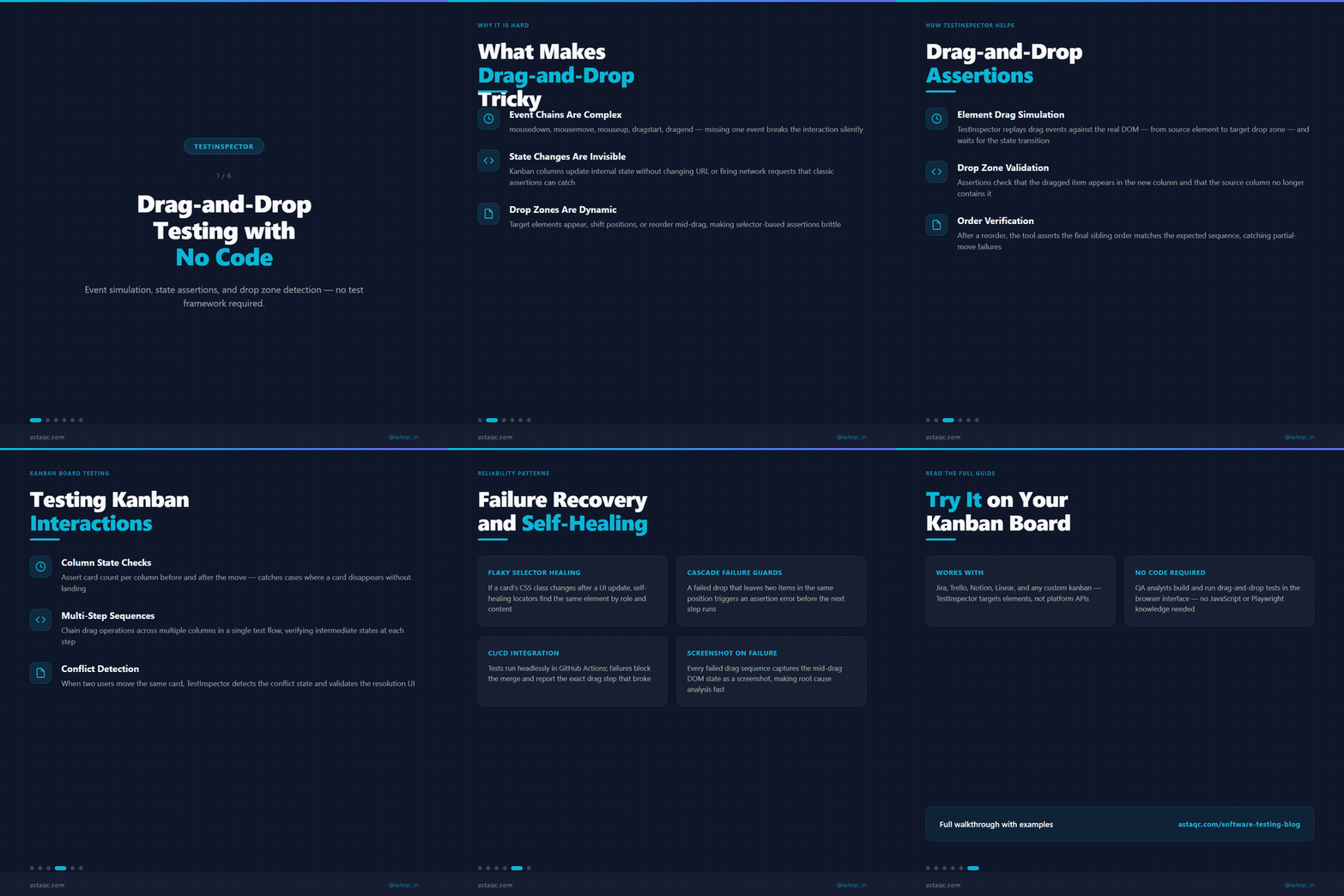
This post covers how TestInspector approaches drag-and-drop and complex UI interaction testing, what assertion types work reliably for post-drag state validation, how to structure drop zone and failure recovery tests, and where visual regression fits alongside DOM-based assertions.
Why Drag-and-Drop Testing Fails in Automated Test Suites
The core failure mode is event mismatch. Modern JavaScript drag-and-drop libraries—React DnD, dnd-kit, SortableJS, Interact.js—each implement their own pointer event handlers. Many of these libraries do not respond to the synthetic mouse events that most WebDriver-based automation tools generate by default. A test that calls the standard Actions API sequence (mousedown, mousemove, mouseup) may execute without error but produce no visible state change in the application, because the library is listening for pointerdown, pointermove, and pointerup events, not their mouse equivalents.
The second failure mode is coordinate dependency. Script-first automation that targets drop zones by x,y coordinates breaks whenever the viewport size changes, when a data load shifts the page layout before the drag completes, or when a previous step adds or removes an element that pushes the target down the page. This is a maintenance problem as much as a technical one: every significant layout change requires script updates to restore correct targeting.
The third failure mode is timing. Drag-and-drop interactions involve a sequence of events over time. If an assertion fires before the application has completed its post-drop state update—especially in applications that make API calls after a card is moved on a kanban board, or that re-sort a list server-side after a drag—the test may check for the new state before it exists. This produces intermittent failures that are difficult to distinguish from genuine application bugs during investigation.
Teams working with test automation services that handle complex interaction patterns typically find that drag-and-drop requires explicit library-specific treatment rather than a generic approach that works across some frameworks but not others.
How TestInspector Captures and Replays Drag-and-Drop Interactions
TestInspector's browser extension records interactions as the tester performs them in a real browser session. For a drag-and-drop operation, the extension captures the source element—identified by its DOM role, text content, aria label, or structural relationship to its container—and the target drop zone, along with the full browser event sequence that the interaction generated. When the test replays, the AI selector system resolves the source and target by their recorded attributes rather than by position, making the replay resistant to layout shifts and re-renders.
The recording-then-replay approach handles several drag-and-drop variants that break in script-first frameworks:
List reordering: When a tester drags an item from one position to another in a sorted list, TestInspector records the source item's identifying attributes (title, aria-label, text content) and the target position relative to surrounding items. On replay, the selector system finds the source item by its content and determines the correct target position regardless of how many items are in the list at replay time.
Kanban column moves: Moving a card from one column to another requires identifying both the card and the destination column. TestInspector captures the card's title or unique content and the destination column's header text, so replay targets the correct column even if columns have been reordered or the board has been filtered differently since the recording.
File drop zones: Dragging a file object to an upload zone is handled through the browser extension's file interaction support. For validating the upload result, TestInspector's HTTP request step runs immediately after the drop action, asserting on the upload API's response status and the returned file identifier. This validates both the UI behavior (the drop was accepted) and the backend state (the server received and stored the file).
Dashboard widget placement: Placing a widget on a grid-based dashboard involves dragging to a target cell and releasing. Because grid positions are inherently coordinate-based, TestInspector pairs the drag interaction with a visual regression comparison using SSIM screenshot analysis to validate the post-drop layout against a baseline. This catches placement failures that DOM assertions would miss—a widget that appears to be in the right container but is offset by one grid cell, for example.
The self-healing selector system handles the common re-render pattern: a kanban board that re-fetches card order after each move, a list that re-indexes items after a sort operation, or a dashboard that reassigns grid positions after a widget is added. When a recorded selector no longer matches the current DOM, TestInspector suggests updated selectors based on the element's current attributes and presents them for acceptance before retrying.
For teams managing test coverage across applications with multiple drag-and-drop contexts, the same manual testing approach that validates the interaction during exploratory sessions can be captured directly into an automated test through the browser extension recorder, without requiring a separate implementation step.
Drag-and-Drop Testing Approaches: A Technical Comparison
Different testing approaches produce different coverage characteristics. The table below compares five strategies by mechanism, failure mode, and appropriate use case.
| Approach | How It Works | Primary Failure Mode | Best For |
|---|---|---|---|
| WebDriver Actions API | Simulates mousedown, dragover, drop, mouseup via Selenium | Library-specific event mismatch; libraries expecting pointer events ignore mouse events | Applications using native HTML5 drag-and-drop without a framework overlay |
| Coordinate-based simulation | Moves mouse cursor to x,y coordinates of target element and releases | Coordinate drift when layout shifts due to viewport change or dynamic content | Fixed-layout dashboards with static content and predictable coordinates |
| JavaScript injection | Calls library's internal move or sort functions directly via script execution | Breaks on library upgrades; tests application logic rather than the full UI interaction | Emergency workaround for libraries that block external event simulation |
| Recorded replay with AI selectors (TestInspector) | Captures real browser event sequence; replays using element attributes and content | Requires at least one successful manual recording; selector suggestions needed after major DOM changes | General-purpose drag-and-drop in SPAs, kanban boards, and list reordering |
| Visual regression comparison | Screenshots before and after drag; SSIM comparison against baseline | Does not validate application data state; only catches visually apparent changes | Dashboard widget placement; grid layout validation where position is the primary concern |
For applications using React DnD or dnd-kit, the recorded replay approach through TestInspector's browser extension is the most practical starting point: it captures what the browser actually generates during a real interaction rather than synthesizing a predefined event sequence. The event sequence captured from a React DnD application differs from what a plain HTML drag-and-drop generates, and recording ensures the test uses the same events the library expects.
The choice of assertion type after the drag is as important as the drag simulation itself. Visual regression confirms visible layout state; DOM assertions confirm element containment and attribute values; HTTP assertions confirm server-side state. For complete coverage of a kanban move, all three contribute to the test: a visual regression for the visible card position, a DOM assertion that the card is in the destination column's container, and an HTTP assertion on the board's state API to confirm the move was persisted.

Drop Zone Validation, State Assertions, and Failure Recovery
A complete drag-and-drop test covers three checkpoints: the state before the drag begins, the state at the drop zone during the interaction, and the state after the drop completes. Each requires a different assertion type.
Pre-drag state assertion: Before initiating the drag, verify that the source element is in its expected starting position or container. For a kanban card, assert that the card is in the "In Progress" column before dragging it to "Done." For a sortable list, assert the item's current position by its relationship to adjacent items. This baseline assertion distinguishes a test failure caused by a drag-operation bug from a failure caused by the application being in an unexpected state before the test step ran.
Drop zone state assertion: Applications that accept drag-and-drop often signal a valid drop target visually: a highlight on the target container, a placeholder element showing where the dropped item will land, or a change in the drop zone border or background. TestInspector's visual regression step can capture this intermediate state when the dragged element is held over the target, though this step is typically omitted in production test suites due to timing sensitivity. It is most useful during initial test development to confirm that the application is registering the drag correctly before the drop.
Post-drop state assertion: This is the primary validation. For a kanban board move, assert that the target column's container now includes the moved card's title as a child element. This DOM containment assertion is more stable than a position-based assertion because column widths and card positions vary with viewport size, the number of cards in each column, and content length. For a list reorder, assert the item's new position relative to its neighbors using text content as the identifier. For a file upload zone drop, pair the UI assertion with an HTTP request step asserting the upload API response status and the file's presence in the response body.
Failure recovery testing: A drag-and-drop test suite is incomplete without coverage of invalid drops. This means dragging an item to a known invalid target—a column that the application's rules do not permit the card to enter, a drop zone that only accepts certain file types, a grid position that is already occupied—and asserting that the application handles the rejection correctly. The source element should return to its original position, no state update should occur, and any error feedback (a toast message, a shake animation on the invalid target, a tooltip) should appear as expected.
TestInspector tests invalid drop scenarios by sequencing the drag action with a negative assertion: after a drop that the application should reject, assert that the source element's container has not changed, and optionally assert the presence of an error feedback element. For applications that display error state visually without changing the DOM in an easily queryable way, a visual regression comparison against an error state baseline captures the feedback.
For QA teams working with applications that have multiple drag-and-drop contexts—kanban boards, file managers, dashboard builders, sortable form elements—the approach described here maps to the broader principles of structured software testing applied to interaction testing: establish a baseline, test the action, assert the outcome, test the rejection path.
Frequently Asked Questions
How does TestInspector differ from Cypress or Playwright for drag-and-drop testing?
Cypress and Playwright require test code that specifies both the interaction sequence and the element selectors. If the application uses a drag-and-drop library that does not respond to standard synthetic mouse events, additional workarounds are needed: custom commands, direct event dispatch, or library-specific plugins. TestInspector records the event sequence from an actual browser interaction, so the replay uses the events the library expects rather than a generic mouse sequence. The recorder also generates AI-based selectors tied to element attributes rather than positional coordinates, which eliminates the class of breakage that occurs when layout changes invalidate fixed-coordinate targeting.
What assertion types work best for validating post-drag application state?
DOM structure assertions and attribute change assertions cover the majority of post-drag validation needs. DOM structure assertions verify that an element exists in a new position relative to its siblings or parent container after the drag completes. Attribute change assertions verify that the application updated the dragged element's data attributes, aria-labels, or class names to reflect the new state. API response assertions cover the cases where the drag triggers a server-side state change—a card moved on a kanban board that persists to a backend, for example. Visual regression assertions cover pixel-level changes at the drop zone, which are useful when the application renders a visual indicator like a highlight or border on the active drop zone.
How should drop zone validation handle the case where a drag is not completed?
An incomplete drag—one where the item is released outside a valid drop zone—should leave the application in its pre-drag state. The test validates this by asserting that the dragged item's position, attributes, and any associated API calls match what they were before the drag started. TestInspector supports failure recovery test cases that explicitly capture a drag-cancel sequence and assert on the state restoration. These tests are distinct from the happy-path drag-to-valid-target tests and should run as part of the same test suite, since failure recovery is a defined behavior that can regress independently of the successful drag path.
How do multi-element drag operations differ from single-element drags in test coverage?
Multi-element drag operations—where a user selects multiple items and drags the selection as a group—require additional test coverage for the selection state before the drag, the drag behavior of the group, and the placement state after the drop. Each element in the selection needs its own post-drag position assertion. TestInspector records the selection interaction as part of the test case, so the replay handles the multi-select state before the drag sequence begins without requiring separate setup code. The drop zone validation for multi-element drags also needs to account for the case where only some elements in the selection can be dropped at a given target—partial acceptance behavior that some drag libraries implement and that requires explicit assertion coverage.
When should visual regression be added alongside DOM assertions for drag-and-drop testing?
Visual regression is most valuable for testing the visual states that do not have DOM counterparts: the drag ghost image that appears while an element is in motion, the drop zone highlight that activates as the dragged item approaches, and the visual feedback that appears on an invalid drop target. These states exist only during the drag interaction and cannot be validated with post-drag DOM assertions because they are transient. For post-drag state, DOM assertions are more reliable than visual regression because they are not affected by minor rendering differences between environments. A combined approach uses DOM assertions as the primary validation and visual regression as a secondary check for the visual appearance of the final state, particularly for applications where the visual feedback itself is a user-facing feature. Astaqc's QA team includes visual regression coverage alongside DOM validation for drag-and-drop features that have explicit visual requirements.
Recording what the browser actually generates during a drag-and-drop interaction is more reliable than synthesizing a predefined event sequence. The event the library expects is not always the event the test framework sends.

Avanish Pandey
November 12, 2026