October 16, 2026

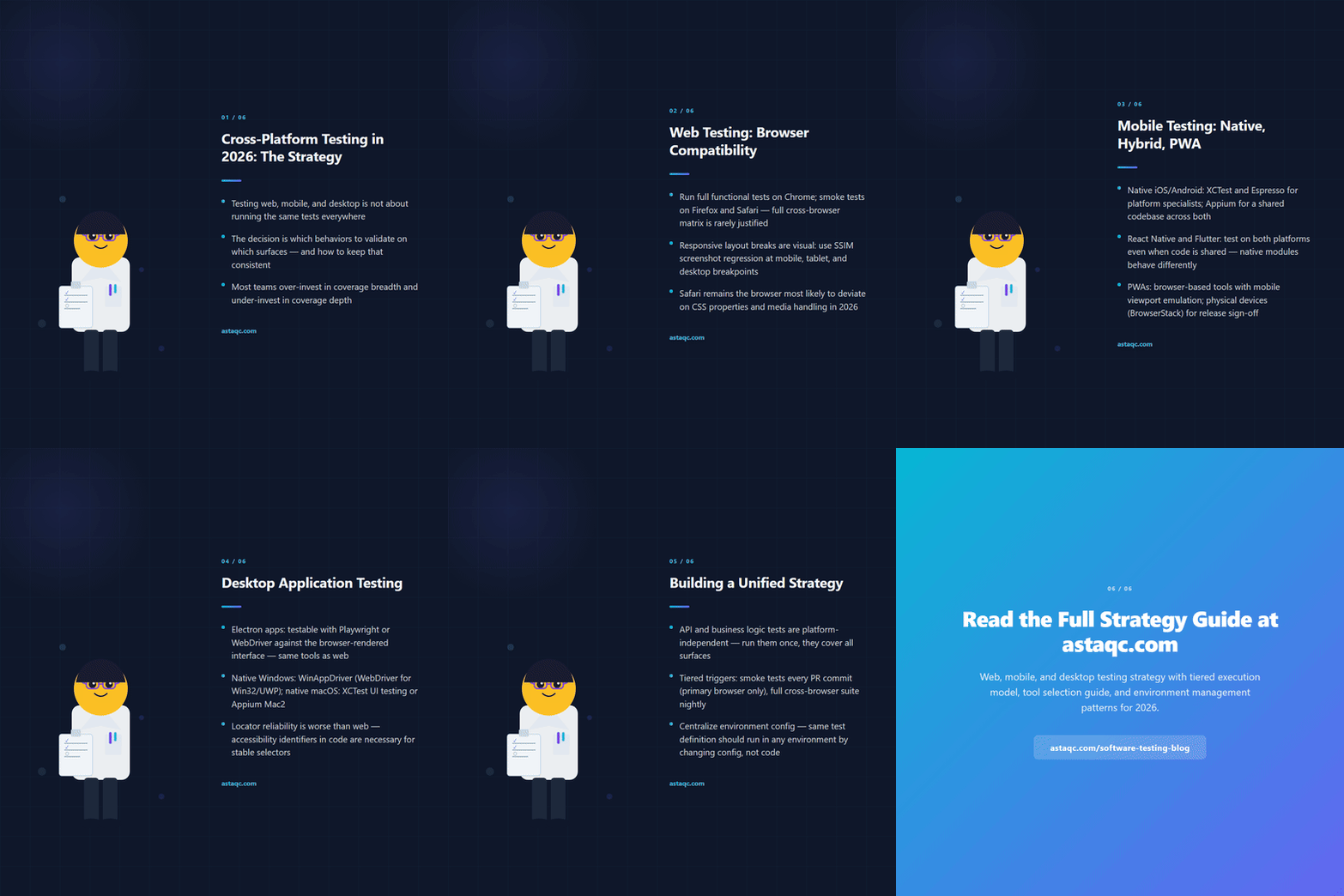
Cross-platform testing means validating that an application behaves correctly across different operating systems, browsers, screen sizes, and device types. In 2026, most applications have at least two platform surfaces: a web application accessed through browsers on desktop and mobile devices, and a native or hybrid mobile application. Some applications also include a desktop client. Each surface has different testing requirements, different tool ecosystems, and different categories of failure that automated tests need to catch.
A cross-platform testing strategy answers three questions: which surfaces the application runs on and which represent meaningful user populations, what coverage looks like for each surface type, and how tests across different surfaces integrate into a unified quality gate. For teams building their overall QA approach, Astaqc's software testing services page covers how cross-platform coverage fits into a complete testing program, and the complete software testing guide describes the testing types that apply across all platforms.
Web testing for cross-platform coverage splits into two concerns: browser compatibility, which is about whether the application behaves correctly in different browsers, and responsive layout validation, which is about whether the application renders correctly at different viewport sizes.
Browser compatibility failures come from differences in CSS rendering engines, JavaScript engine behavior, and how browsers implement web standards. In 2026, the browser share of most B2B applications is dominated by Chromium-based browsers (Chrome, Edge) with Firefox and Safari covering a smaller but non-trivial portion. Safari on iOS represents a distinct rendering path from Chrome on iOS because Apple requires all browsers on iOS to use WebKit — Chrome on iOS uses WebKit, not Blink. For applications where a significant portion of traffic comes from iPhone users, Safari/WebKit compatibility requires explicit test coverage, not an assumption that Chrome coverage is sufficient.
Responsive layout validation catches failures that are only visible at specific viewport widths or pixel densities. The most common failures are overlapping elements at narrow viewports, text that wraps incorrectly, touch targets that are too small on mobile viewports, and navigation patterns that do not adapt from desktop to mobile layouts. Automated visual regression testing, using SSIM screenshot comparison at predefined viewports, catches these failures more reliably than manual viewport checks during testing cycles. Astaqc's test automation services include responsive layout validation as part of cross-browser coverage programs.
Browser-based test automation frameworks — Selenium, Playwright, Cypress, TestInspector — all support multi-browser test runs. The difference is in how they handle browser-specific behavior: Playwright uses browser-native APIs for Chromium, Firefox, and WebKit; Selenium uses WebDriver for all browsers; TestInspector uses Selenium and supports Chrome, Firefox, Edge, and Safari. The choice of framework for cross-browser web testing does not change what browsers need to be covered, but it affects the ease of setting up parallel runs across different browsers.
Mobile testing strategy depends heavily on whether the application is a native mobile app (iOS/Android), a hybrid app (React Native, Flutter, Capacitor), or a Progressive Web App accessed through a mobile browser. Each category has different coverage requirements and different tools that apply well.
For native iOS and Android applications, the standard tool choices are XCTest for iOS and Espresso for Android when the team has the platform engineering skills to maintain test code in those frameworks. Appium is the cross-platform alternative that drives both through a WebDriver-based interface, allowing a single test codebase to cover both platforms at the cost of some performance and reliability compared to native frameworks. Teams with limited mobile QA capacity often hire specialist services for mobile coverage rather than building an in-house Appium suite. Astaqc's mobile app testing services cover how this is structured for different app types.
Hybrid applications built on React Native or Flutter share a codebase across iOS and Android but expose platform-specific rendering in some components. Test coverage should include both iOS and Android runs even when most functionality is shared, because native module integration, gesture handling, and OS-level permissions behave differently. For Flutter apps, the flutter_test and integration_test packages provide framework-native testing that is faster than Appium for most functional scenarios.
Progressive Web Apps accessed on mobile browsers are covered by the same browser-based test tools as desktop web, with viewport emulation for mobile screen sizes. The mobile-specific behaviors to validate are touch interactions, viewport scaling, and service worker offline behavior. TestInspector's Selenium execution can run with a mobile user agent and viewport, covering the functional behavior of a PWA without a physical device or emulator. Physical device testing via BrowserStack Device Farm or LambdaTest remains valuable for verifying rendering on actual iOS Safari and Android Chrome, which emulators do not fully replicate.
Desktop application testing covers three categories: Electron apps, native Windows/macOS applications, and web applications accessed through a desktop browser. Each has different tooling requirements.
Electron applications embed a Chromium browser and a Node.js runtime, making them testable with standard web automation tools. Playwright and Spectron (deprecated but still in use) can drive Electron's rendered web interface directly, while the main process logic is testable as Node.js code. The practical approach for Electron apps is to separate UI tests — covering the browser-rendered interface through Playwright or WebDriver — from integration tests of the main process and IPC behavior. TestInspector covers the UI layer of Electron apps where the rendered content is accessible through a browser-compatible interface.
Native Windows applications are testable through WinAppDriver (Microsoft's WebDriver implementation for Windows apps) or through UI Automation via tools like PyAutoGUI or AutoIt for simpler automation needs. WinAppDriver supports Win32 apps, UWP apps, and some Electron apps, and integrates with Appium as a driver. The challenge with native desktop automation is that locator reliability is worse than web: element IDs and accessibility names change between versions, and UI tree structure can vary by OS version and scale setting.
macOS native applications are testable through XCTest's UI testing framework or through Appium's Mac2 driver. Accessibility identifiers need to be set in the application code for reliable test targeting, which requires collaboration between QA and development teams — the same requirement as mobile testing.
For applications that are essentially web applications accessed through desktop browsers, the web testing approach applies directly. The desktop-specific additions are testing behavior at larger viewport sizes, keyboard navigation and accessibility (where desktop users are more likely to use keyboard-only workflows), and multi-monitor or window-resize scenarios.
A unified strategy does not mean running all tests on all platforms. It means structuring tests so that shared behaviors are validated once with shared tooling, and surface-specific behaviors are validated with the right tool for each surface.
The first step is categorizing the application's test scenarios by how platform-specific they are:
The second step is deciding on trigger and scheduling strategy. Not all tests need to run on every CI push. A tiered execution model works well:
| Trigger | Test scope | Platforms |
|---|---|---|
| Every PR commit | Unit + API + smoke UI | Primary browser only |
| PR merge to main | Full functional suite | Primary browser + visual regression |
| Nightly | Full suite + cross-browser | All supported browsers + mobile emulation |
| Pre-release | Full suite + device farm | Real devices (iOS Safari, Android Chrome) |
The third step is centralizing test data and environment configuration. Cross-platform test failures are often environment failures — the test ran against the wrong base URL, with the wrong credentials, or in an environment that was not reset between runs. TestInspector's organization-level variables and environment-scoped configuration handle this for browser-based tests; CI environment variables handle it for code-first tests. The principle is that the same test definition should run in any environment by changing configuration, not test code.
Astaqc's AI in software testing guide covers how AI-native tools are changing cross-platform coverage by automating selector maintenance and test generation across environments. For teams at the stage of deciding how to structure their first cross-platform strategy, the hire a QA team page describes how coverage responsibilities are structured in teams of different sizes.
Business logic and API tests can be shared completely — they are platform-independent by definition. Core UI flows can be shared across browser-based platforms (desktop web and mobile PWA) if the application uses responsive design, with separate viewport configurations rather than separate test definitions. Native mobile and desktop UI tests require separate tooling and are harder to share. A reasonable target is that 60–70% of functional test coverage is in API or shared browser tests, with 30–40% in platform-specific suites. The right split depends on how much of the application's behavior is genuinely platform-different.
No. Testing every browser on every PR commit slows pipelines significantly for marginal benefit. The practical approach is to run smoke tests on secondary browsers (Firefox, Safari, Edge) nightly or on merge to main, and to run the full cross-browser matrix pre-release or on-demand when CSS or JavaScript changes could have cross-browser effects. The exception is applications where browser-specific behavior is a known issue — in those cases, running secondary browser tests on every PR for the affected areas is worthwhile.
Emulators are sufficient for most functional test coverage during development. Real devices are necessary for validating rendering on actual iOS Safari, for testing camera, microphone, and other hardware integrations, for validating performance under real network conditions, and for release sign-off. BrowserStack Device Farm and LambdaTest provide cloud-based real device access without maintaining a physical device lab. For teams with limited QA resources, Astaqc's mobile app testing services include real device coverage as part of structured test engagements.
Centralize environment configuration in CI environment variables or a test configuration service, and ensure every platform's tests resolve base URLs, credentials, and feature flags from the same source. TestInspector's organization and environment-scoped variables handle this for browser-based tests. The failure mode to avoid is tests that have environment configuration baked into the test definition — these break whenever the environment changes and create a maintenance burden that scales with the number of platforms.
When the team lacks mobile or native desktop automation skills, when the application is early-stage and coverage requirements are changing rapidly, or when the time cost of building and maintaining cross-platform infrastructure exceeds the cost of buying it. Specialist QA services make sense for mobile coverage in particular because Appium, XCTest, and Espresso each have a learning curve, and building reliable mobile automation in-house requires sustained investment. Astaqc's test automation services cover how teams structure this decision based on application type and team size.
AI-native tools like TestInspector reduce the most time-consuming part of cross-platform maintenance: selector drift. When an application update changes the HTML structure, self-healing retries alternative selectors automatically, reducing the number of failures that require manual intervention. This benefit applies across all browser-based platforms — web, mobile PWA, and Electron apps — where the test runs through a browser interface. For native mobile and desktop, selector maintenance remains manual, which is one reason teams prefer browser-based wrappers (React Native with a web view, Electron) over fully native implementations when the choice is available.
Coverage breadth and coverage depth are not the same thing. A cross-platform strategy defines which behaviors matter on which surfaces, then builds just enough automated coverage to catch regressions without duplicating work across every environment.
October 16, 2026


Sign up to receive and connect to our newsletter

We founded ASTAQC as a tight-knit group of professional Software Testers and software developers.
Subscribe to our Newsletter


