August 30, 2026
TestInspector and Speedscale approach automated test coverage from fundamentally different angles. Speedscale records live HTTP and gRPC traffic from a deployed Kubernetes service, then replays that captured traffic as regression tests to validate API behavior under realistic conditions. TestInspector generates structured test steps through an AI chat interface and executes them against a real browser, covering UI workflows, embedded API calls, and accessibility assertions without needing running infrastructure or a traffic capture phase. Teams evaluating both are choosing between traffic-capture-based API regression and AI-driven UI and API testing through a structured no-code execution model.
Speedscale is a Kubernetes-native test automation platform that records inbound and outbound network traffic from services running in a cluster. Its sidecar-based traffic capture collects real request and response pairs, which it stores as test scenarios called traffic replays. When a developer makes a code change, Speedscale can replay the recorded traffic against the updated service and compare responses to a baseline, making it a form of regression testing based on observed real-world behavior rather than manually authored tests.
Beyond regression replay, Speedscale offers service virtualization, allowing teams to simulate upstream dependencies that are unavailable or expensive to call during testing. This is particularly useful in microservice architectures where a single service depends on six or eight downstream APIs. By simulating those dependencies from captured traffic, teams can run isolated service tests without needing a full integration environment.
Speedscale is designed for backend engineering teams working on Kubernetes deployments who want test coverage generated from real traffic rather than written by hand. The typical use case is a backend team running frequent service deployments who want to automatically validate that a refactor or dependency update has not changed the API contract or introduced performance regressions. It works best when the service is already deployed, traffic is available to capture, and the team is comfortable operating in a Kubernetes environment. For teams needing performance testing on microservices, Speedscale’s replay-based load generation from real traffic patterns is a meaningful differentiator.
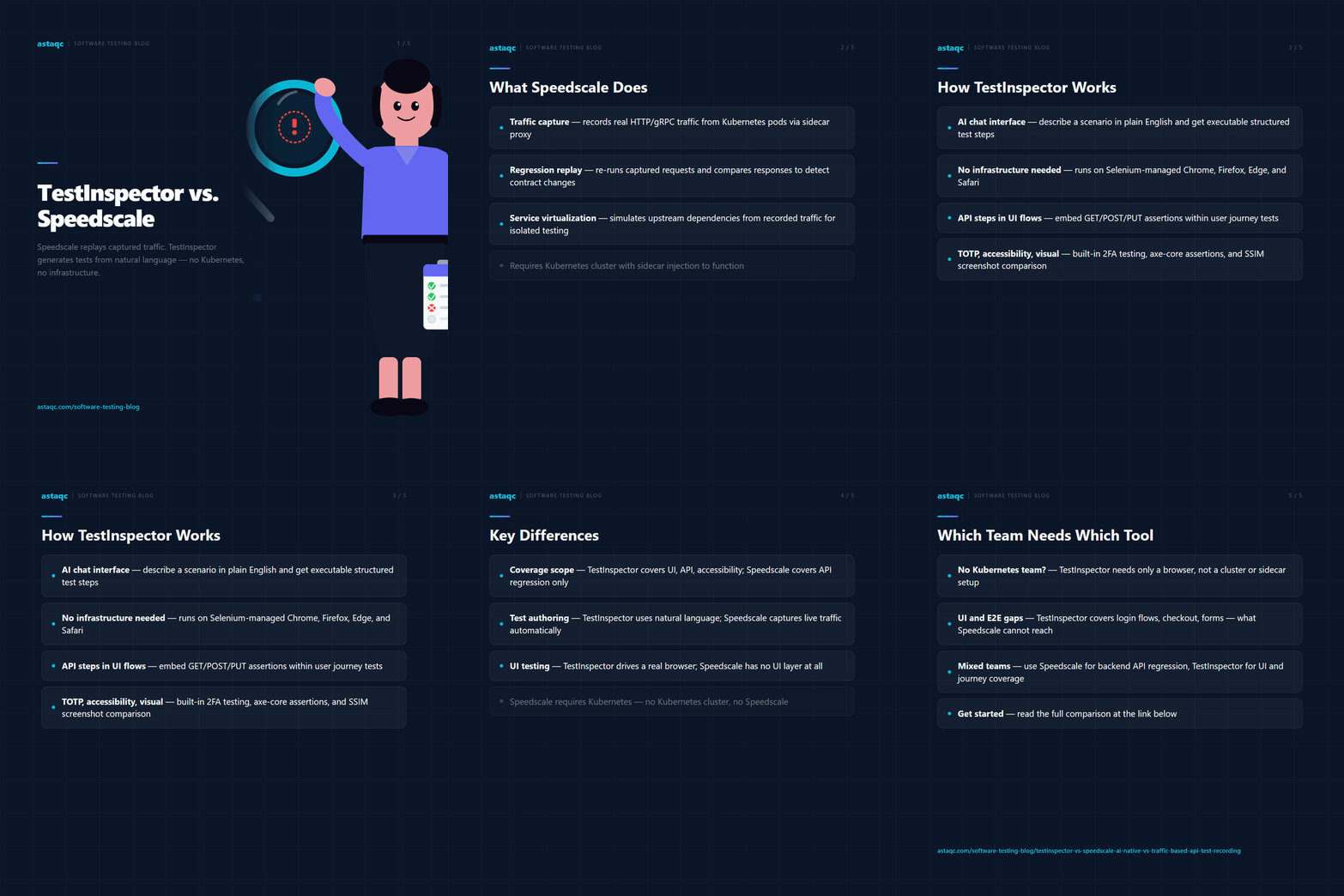
TestInspector uses an AI chat interface to generate structured test steps from natural language descriptions. A tester describes the scenario — navigate to the login page, enter credentials, click submit, assert the dashboard loads — and the AI returns a sequence of discrete steps that can be reviewed, edited, or immediately executed. The execution engine is Selenium-based and runs tests against Chrome, Firefox, Edge, and Safari without any script files, configuration layers, or framework dependencies.
Within a UI test flow, TestInspector supports HTTP request steps that let testers add GET, POST, PUT, PATCH, or DELETE calls with status code and response body assertions. This makes it possible to validate API behavior within the context of a user journey — checking that an API call triggered by a UI interaction returns the expected payload before the test proceeds to the next UI step. Unlike Speedscale, this approach does not rely on traffic capture; the tester defines the assertions directly, and they execute as part of the same test flow.
TestInspector also includes variable interpolation with a test-to-suite-to-org hierarchy, TOTP secret handling for two-factor authentication testing, visual regression via SSIM screenshot comparison with baseline approval, and axe-core accessibility assertions with severity-level filtering. Tests can be scheduled on cron, interval, or one-time triggers, and execution progress streams live over WebSocket. For teams that want to take tests back into a code-based framework, TestInspector exports to Playwright TypeScript, Selenium IDE, and Gherkin. CI/CD integration is handled through a REST trigger API, and MCP tokens allow AI assistants including Claude Code and Cursor to generate and run tests programmatically. The full feature set is available at TestInspector.
The table below covers the most significant differences across test creation, execution model, and coverage scope:
| Dimension | TestInspector | Speedscale |
|---|---|---|
| Test source | AI chat — tester describes the scenario | Captured network traffic from running service |
| Coverage scope | UI flows, API assertions, accessibility | API request/response regression |
| Infrastructure requirement | Browser (Selenium-managed) | Kubernetes cluster with sidecar injection |
| Service virtualization | Not applicable | Yes — simulates upstream dependencies from traffic |
| UI testing | Yes — full browser-based test execution | No — API-layer only |
| Visual regression | SSIM comparison with baseline approval | Not included |
| Accessibility testing | axe-core assertions with severity levels | Not included |
| 2FA / TOTP testing | Built-in TOTP variable type, encrypted storage | Not applicable to UI flows |
| Scheduling | Cron, interval, one-time triggers | CI-triggered replay on deployment |
| Test authoring skill | None — natural language description | None for capture; Kubernetes ops for setup |
| Performance replay | Not built in | Yes — replays at original or scaled traffic volume |
| Export formats | Playwright TS, Selenium IDE, Gherkin | OpenAPI, HAR — API-layer formats |
Speedscale addresses a specific problem in a specific context: validating API regression on Kubernetes-deployed services using real traffic. It does not test UI flows, does not validate what users see in a browser, and requires Kubernetes infrastructure to operate. Teams without Kubernetes deployments or teams whose primary testing gaps are in UI flows and integration-level user journeys will find Speedscale’s traffic-capture model does not address their needs.
TestInspector covers the user-facing layer that Speedscale does not touch. QA engineers validating login flows, checkout sequences, form submissions, and multi-step user journeys need a tool that drives a real browser against the deployed application. TestInspector handles this through structured test steps generated from natural language, with no script maintenance and no framework overhead. For teams whose test coverage gaps are at the UI or end-to-end layer rather than the raw API traffic layer, TestInspector is the relevant tool.
Mixed-coverage teams sometimes use both: Speedscale for backend service regression during CI deployment, and TestInspector for UI and integration-level coverage of user journeys. The tools do not overlap in coverage scope, so they can complement each other in a broader test strategy. Teams building out a coverage plan that spans UI, API, and accessibility testing can review the complete guide to software testing and the guide to outsourcing QA for a practical framework on deciding which layers to prioritize. If your team needs help building the right coverage model, Astaqc’s test automation services and software testing services can help structure the approach across both layers.
Yes. Speedscale uses a sidecar-based proxy injected into Kubernetes pods to capture traffic. Teams running applications on bare VMs, Docker Compose, serverless platforms, or non-Kubernetes orchestration cannot use Speedscale’s core traffic capture and replay functionality without moving to a Kubernetes deployment first.
Yes. TestInspector supports HTTP request steps that execute GET, POST, PUT, PATCH, and DELETE calls with assertions on status code and response body. These steps can run independently within a test or be embedded within a broader UI test flow. This covers scenarios like validating an API response after a form submission or checking a webhook payload as part of an end-to-end sequence.
Speedscale runs regression at the API traffic layer by replaying captured requests and comparing responses to a baseline. TestInspector runs regression at the UI and integration layer by re-executing structured test steps against the live application, including visual regression via SSIM screenshot comparison. The two regression models cover different layers and are not interchangeable.
TestInspector requires no infrastructure setup beyond a browser. Tests are authored through an AI chat interface, executed on Selenium-managed browsers, and scheduled without any server configuration. Speedscale requires Kubernetes cluster access, sidecar injection, and ongoing traffic capture management, which typically involves DevOps involvement to operate correctly.
Yes. TestInspector’s HTTP request steps can be placed at any point in a UI test flow to assert the behavior of API calls triggered by user interactions. This allows testers to validate both the UI state and the underlying API response within a single test sequence, without needing a separate API testing tool or a traffic capture mechanism.
Speedscale captures traffic to generate tests; TestInspector uses AI to generate tests without requiring any deployed infrastructure or traffic capture phase.
August 30, 2026


Sign up to receive and connect to our newsletter

We founded ASTAQC as a tight-knit group of professional Software Testers and software developers.
Subscribe to our Newsletter