September 23, 2026
Teams integrating testing into Azure DevOps pipelines often default to Azure DevOps Test Plans for test case management, but most teams running that combination eventually hit the same constraint: Test Plans manages test cases as documents, while actually running them still requires separate tooling or significant scripting effort. TestInspector is an AI-native no-code test automation platform that creates, executes, and reports on automated tests directly, without requiring a test case management layer or a scripting framework between the test definition and the browser. The decision depends on whether your team's primary bottleneck is tracking and managing manual test cases—in which case Test Plans is the right tool—or creating and running automated tests without framework overhead, in which case TestInspector addresses the gap that Test Plans does not.
This comparison covers what Azure DevOps Test Plans actually does, where it creates overhead for teams focused on automation, what TestInspector does differently, and how each tool positions within a CI/CD pipeline. For context on how these tools fit into a broader automation strategy, see Astaqc's test automation services and the manual vs. automated testing guide.
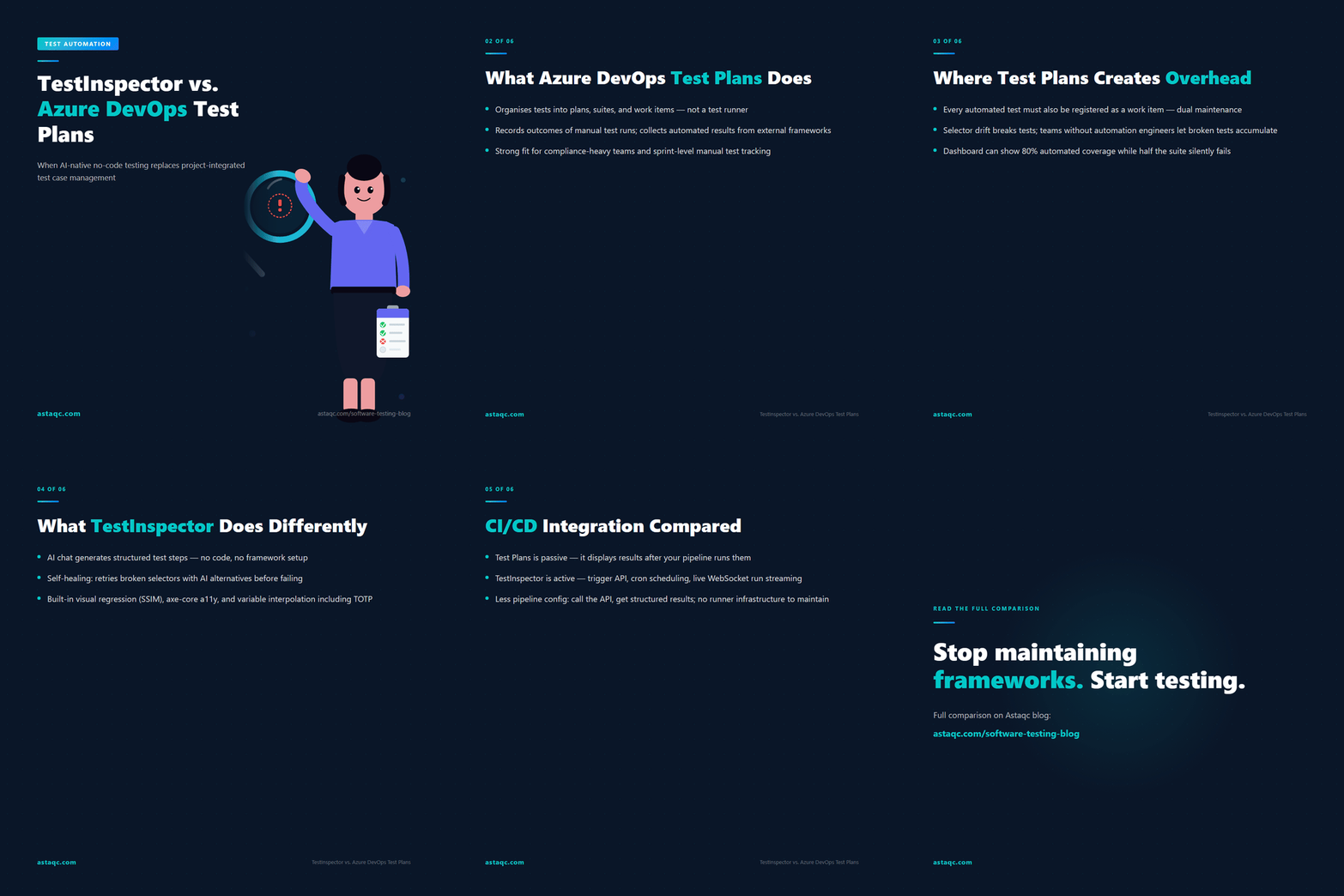
Azure DevOps Test Plans is a test case management tool that lives within the Azure DevOps project management platform. It organizes tests into test plans, test suites, and test cases—a hierarchical structure that mirrors how teams document their test scope. Test cases are created as work items with steps, expected results, and metadata fields, and test runs record the actual outcomes when testers execute those cases manually. Test Plans integrates with Azure Boards for traceability (linking test cases to user stories and bugs) and with Azure Pipelines for collecting automated test results that were produced by external test runners.
The tool is well-suited to three specific scenarios. First, teams with significant manual testing work who need to track which tests were run, who ran them, and what the outcomes were—the audit and coverage-tracking function. Second, organizations subject to compliance requirements that mandate documented test evidence tied to specific requirements. Third, teams running automated tests through an existing framework (Playwright, NUnit, JUnit, pytest) who want to associate automated test results with the test cases documented in Test Plans, using the Azure Pipelines test result publishing step to create a unified view of manual and automated coverage.
What Test Plans does not do is create or run automated tests. It documents what should be tested; it does not execute tests, manage test infrastructure, or provide any mechanism for running a browser against an application under test. Teams that adopt Test Plans for automation management quickly discover they still need to build, maintain, and operate a separate automation framework to do the actual execution. For teams without an existing framework or without engineers who can maintain one, Test Plans becomes an incomplete solution that adds documentation overhead without delivering automated coverage.
The overhead of combining Azure DevOps Test Plans with a test automation framework is not obvious at project start but compounds quickly as the test suite grows. Test Plans requires that every automated test be registered as a test case work item before its results can be associated with the test plan. In practice, this means that every time the automation engineer adds a new automated test to the codebase, they must also create a corresponding work item in Azure Boards and add a test ID reference in the test code. Teams that skip this step end up with automated test results in Azure Pipelines that are not associated with any test case in Test Plans, which defeats the purpose of using Test Plans for coverage tracking. Those that follow it create a dual-maintenance burden: the test case document and the test code must both be kept in sync.
| Dimension | Azure DevOps Test Plans | TestInspector |
|---|---|---|
| Test creation | Manual authoring in Azure Boards or Excel import | AI chat interface generates structured test steps directly |
| Automated execution | Not included; requires Playwright, Selenium, or NUnit | Runs natively via Selenium on Chrome, Firefox, Edge, Safari |
| Self-healing tests | None; selector updates require code changes | AI selector suggestions and auto-retry on failure |
| Visual regression | Not included; requires third-party tools | SSIM screenshot comparison with baseline approval workflow |
| Test data management | Variables in test code or pipeline secrets | Variable interpolation: {{VAR}}, {{TIMESTAMP}}, {{TOTP:secret}} |
| CI/CD trigger | Collects results from external runners; does not trigger tests | Native trigger API; cron, interval, and one-time scheduling |
| AI and MCP integration | None | MCP tokens for Claude Code, Cursor, Claude Desktop |
The maintenance burden extends to the framework itself. Automated tests written in Playwright or Selenium break when the application's DOM structure changes—selectors drift, element IDs change, dynamic classes are added. Every broken test requires an engineer who can read and modify code to update the selector and redeploy the suite. Teams without dedicated automation engineers frequently let broken tests accumulate, reducing the suite's effective coverage without any visible indicator in Test Plans that the automated tests are no longer passing. This is one of the most common failure modes in teams that invest in Test Plans as a coverage management tool: the document layer shows 80% automated coverage while the actual running tests are a fraction of that because half the suite has been silently failing for months. For teams working with Astaqc's QA team services, auditing the actual pass rate of the automated suite against what Test Plans reports is a standard first step when onboarding to an existing Azure DevOps testing setup.
TestInspector eliminates the layer between defining a test and running it. Tests are created through an AI chat interface that generates structured test steps—human-readable actions like "Navigate to /checkout", "Fill email with {{USER_EMAIL}}", "Assert cart total equals $49.00"—without producing code. Each step is an explicit action that can be read, edited, and reordered by anyone on the team, not just engineers who can read JavaScript or Python. Tests are organized into suites with variable inheritance: variables defined at the org level are available to all tests, variables at the suite level scope to that suite, and test-level variables override both. Secrets like API keys, TOTP seeds, and passwords are encrypted at rest and injected at runtime.
Execution is handled natively by TestInspector via Selenium on Chrome, Firefox, Edge, and Safari. There is no separate test runner to configure, no browser driver to install or version-match, and no CI/CD agent to set up. When a selector drifts because the application's DOM changed, TestInspector's self-healing mechanism retries the step with AI-generated alternative selectors before marking the step as failed. This reduces the volume of broken tests that require manual intervention, which is the primary maintenance cost of framework-based test suites. Visual regression testing is built in through SSIM screenshot comparison: TestInspector captures a baseline screenshot of an element or region, and subsequent runs compare against that baseline using a configurable similarity threshold. Differences above the threshold produce a visual diff for review. For teams building accessibility coverage, TestInspector's axe-core integration runs WCAG-level assertions as a test step type, producing severity-classified findings rather than a binary pass/fail. Learn more at TestInspector.
For teams that do have an existing automation framework and want to migrate incrementally, TestInspector exports tests to Playwright TypeScript, Selenium IDE (.side format), and Gherkin. This allows teams to start new test coverage in TestInspector while maintaining their existing framework tests, and to export TestInspector-authored tests into the framework format if a future workflow requires it. For teams building a QA function from scratch or extending an existing one, Astaqc's software testing services include TestInspector as part of a structured automation setup engagement that covers test inventory, suite organization, variable configuration, and initial CI/CD trigger setup.
Azure DevOps Test Plans' role in a CI/CD pipeline is passive: it receives and displays test results that external tools produce. An Azure Pipelines YAML file runs a Playwright or Selenium test suite as a pipeline step, and the pipeline's Publish Test Results task uploads the results file to Test Plans in a format (JUnit, NUnit, TRX) that Azure DevOps can display. Test Plans then shows which test cases were run in that pipeline execution and what their outcomes were. The trigger and execution are handled by the pipeline; Test Plans is a display layer for results that flow in from outside.
TestInspector is active on both sides of the CI/CD interaction. Its trigger API allows a pipeline step to start a test run and wait for completion, or to start a run asynchronously and poll for status. Scheduling in TestInspector is independent of CI/CD: tests can be scheduled on cron expressions, fixed intervals, or one-time triggers directly within the platform, which means smoke tests against production can run on a schedule without requiring a CI/CD pipeline to be active. Live WebSocket streaming delivers real-time run status to any subscribed client during execution, allowing a dashboard or monitoring tool to display test progress as it happens rather than waiting for the run to complete. HTTP request steps in TestInspector allow tests to include API calls—status code assertions, response body validation, authentication token retrieval—within the same test flow as browser steps, eliminating the need for a separate API testing tool for flows that involve both browser and API interactions. For teams scaling automation coverage, Astaqc's test automation services include CI/CD integration setup as part of TestInspector onboarding engagements.
The practical difference in CI/CD integration is that TestInspector-based automated testing requires less pipeline configuration to produce running tests. A team using Azure DevOps Test Plans and Playwright must write and maintain the Playwright test code, configure the pipeline step to install Node.js and dependencies, run the tests, and upload results. A team using TestInspector calls the trigger API in the pipeline step and receives structured results back. The pipeline configuration is simpler because the execution infrastructure is managed by TestInspector. For teams without dedicated DevOps engineers to configure and maintain test execution infrastructure, this difference determines whether automated tests actually run in CI or remain aspirational. See Astaqc's performance testing for teams that need load and performance validation alongside functional coverage in their CI pipeline.
No. Azure DevOps Test Plans manages and tracks test cases but does not execute them. Automated test execution requires a separate framework—Playwright, Selenium, NUnit, pytest, or another test runner—configured in an Azure Pipelines YAML file. Test Plans collects and displays the results that the external runner produces, but the runner must be set up, configured, and maintained independently. Teams that adopt Test Plans expecting it to handle automation often discover this gap after the fact.
TestInspector operates independently of the project management platform. It does not require Azure Boards, Azure Pipelines, or any other Azure DevOps component to function. Teams can call TestInspector's trigger API from an Azure Pipelines step to start a test run and collect results, maintaining Azure Pipelines as the CI orchestration layer while TestInspector handles test creation and execution. Existing Azure Boards test case documentation can continue alongside TestInspector without conflict, though the dual-maintenance pattern eventually becomes redundant as TestInspector becomes the source of truth for automated coverage.
TestInspector exports tests to Playwright TypeScript, Selenium IDE (.side), and Gherkin. Playwright TypeScript tests can be run directly in an Azure Pipelines step using the standard Playwright CLI. Selenium IDE tests can be converted to Selenium WebDriver scripts or run via the Selenium IDE CLI. Gherkin exports can be used with Cucumber or SpecFlow depending on the team's existing BDD infrastructure. For teams that need to integrate test code into their repository, these export formats provide a complete path.
Manual test cases documented in Azure DevOps Test Plans represent the team's test scope and coverage intent; they do not become obsolete when automated execution is added. Teams typically maintain Test Plans for compliance documentation, sprint-level manual test tracking, and exploratory testing records, while TestInspector handles automated regression coverage. Over time, teams often reduce the number of active manual test cases in Test Plans as automated coverage grows, keeping only the tests that require human judgment and eliminating duplicates between the manual documentation and the automated suite.
Azure DevOps Test Plans provides better sprint-level traceability because it integrates directly with Azure Boards work items—test cases link to user stories, bugs link to failing test cases, and coverage reports show which stories have associated tests. For a QA manager who needs to report test coverage by sprint or release, Test Plans provides the linkage structure that TestInspector does not replicate. TestInspector provides better insight into automation health: which tests are passing, which are flaking, which runs completed in time. Teams that need both use Test Plans for manual coverage tracking and requirement traceability, and TestInspector for automated test creation and execution. Astaqc's QA team services include tool selection and workflow design for teams evaluating this combination.
Azure DevOps Test Plans manages what gets tested and tracks who tested it. TestInspector eliminates the gap between planning a test and running it. They solve different bottlenecks, and conflating them leads teams to either over-engineer their toolchain or under-automate their coverage.
September 23, 2026


Sign up to receive and connect to our newsletter

We founded ASTAQC as a tight-knit group of professional Software Testers and software developers.
Subscribe to our Newsletter