September 26, 2026
Multi-step user journey tests cover end-to-end sequences where each step depends on the state established by the previous one: a checkout flow that spans product selection, cart modification, coupon entry, address input, and payment confirmation is a single journey, not five independent tests. TestInspector executes these sequences as ordered lists of steps that share session state, carry extracted values across steps through variable injection, and validate intermediate states before proceeding to the next action. The result is journey-level coverage without requiring test code or a framework configuration file.
This guide explains why multi-step flows are the hardest category of UI test to maintain with code-first frameworks, how TestInspector’s step execution model handles state across a journey, and concrete patterns for checkout, onboarding, and registration flows. For context on how test automation fits into broader quality strategy, see Astaqc’s complete software testing guide and test automation services. Teams looking to automate user journey coverage for their products can engage Astaqc’s software testing services. For the TestInspector product itself, see TestInspector.
A single-page test validates one interaction in isolation: a login form submits successfully, a button click opens a modal, a search returns results matching the query. These tests have narrow state requirements — the page must be in a specific starting state, and the assertion checks one outcome. Multi-step flows compound these requirements: each step must leave the application in the correct state for the next step to proceed, and a failure at any step invalidates all subsequent steps in the sequence.
The maintenance problem with code-first frameworks is that multi-step flows tend to accumulate shared state management code that is not business logic. A Playwright checkout test might spend 30% of its lines on session setup, cookie management, viewport configuration, and retry wrappers — none of which represents what the test is actually validating. When the UI changes, this boilerplate breaks as often as the business-logic assertions do, and each breakage requires a developer with framework expertise to diagnose. Teams with smaller QA functions or without dedicated automation engineers find that multi-step coverage degrades over time because the maintenance cost is higher than the development team can absorb.
Self-healing and selector resilience are particularly important for multi-step flows because selector drift in step three of a seven-step test forces rerunning the entire sequence to re-validate steps one through two after the fix. In traditional frameworks, this is a judgment call: do you fix the selector and mark all seven steps as re-validated, or do you re-run the full flow? TestInspector’s self-healing automation resolves selector drift automatically with AI-suggested alternatives, which preserves step validity throughout the sequence without requiring a manual re-run decision.
TestInspector structures tests as ordered sequences of steps, each with an action type (click, type, navigate, assert, HTTP request) and the target element or URL. Steps execute in strict sequence: step two does not start until step one completes and its assertion passes. This execution model directly mirrors user journey semantics — a user cannot reach the payment confirmation page without first completing the address entry step, and a test that mirrors this behavior should reflect the same constraint.
Journey flows in TestInspector are typically organized as a single test with 8–20 steps rather than as multiple linked tests. The single-test structure has two practical advantages: the entire journey runs as one atomic unit in the test schedule, and variables extracted in early steps (an order ID returned by the cart API, a verification token generated by the registration form) are available to all subsequent steps in the same test scope without any cross-test variable passing infrastructure.
TestInspector’s browser extension supports recording multi-step flows directly from the browser: a QA engineer walks through the checkout or registration flow in their browser while the extension captures each interaction as a step. The recorded steps can be played back as a test immediately, then refined by adding assertions, replacing hardcoded values with variables, and adjusting selectors where the recording captured an overly specific attribute path. For teams that prefer building steps manually, the AI chat interface accepts natural-language descriptions of a user journey and generates the structured step list from that description. Both approaches reach executable test coverage for multi-step flows without writing test code. TestInspector’s full feature set covers additional step types including HTTP requests and accessibility assertions that extend journey-level coverage beyond UI interactions.
User journeys generate intermediate values that later steps need to use: an order confirmation number that the last step asserts in the confirmation email, a CSRF token extracted from step one’s form response that step three’s submission must include, a dynamically generated coupon code that was emailed to the test account. TestInspector handles these with variable extraction and interpolation.
Variables in TestInspector can be defined at three levels: the test level (visible only within that test), the suite level (visible to all tests within a suite), and the organization level (available across all tests in the workspace). For multi-step journey tests, test-level variables cover most extraction needs — a value extracted from a response in step four is available via {{VAR_NAME}} syntax in steps five through ten without any additional setup. Organization-level variables are the correct choice for credentials and base URLs that apply across many different journey tests.
Login context is one of the most common state-management challenges in journey automation: the user must be authenticated before the journey begins, but the authentication itself is a multi-step action that should not be repeated inside every journey test. TestInspector addresses this by supporting login as part of the test’s own step sequence — steps one through three handle authentication, and steps four onward test the post-login journey — or by extracting authentication tokens from a dedicated login test and passing them at the suite level. Both patterns avoid the common anti-pattern of hardcoding session cookies directly in the test, which breaks whenever the application rotates session token formats.
TOTP-based two-factor authentication flows are fully supported through TestInspector’s {{TOTP:secret}} variable. Journey tests that include a 2FA step can extract the TOTP code dynamically using the stored secret, which is encrypted in TestInspector’s variable storage and never exposed in plain text in the test definition or run logs. This makes it possible to automate complete login journeys through 2FA checkpoints without storing the raw secret in the test script or requiring a separate test account that bypasses 2FA.
Variable interpolation extends to element selectors as well: instead of hardcoding a product ID in a URL, the step can reference {{PRODUCT_ID}} and the test can be parameterized by setting that variable at run time. This pattern makes a single journey test reusable across different test data sets — the same checkout flow test validates with a physical product, a digital product, and a subscription product by changing only the variable value, not the test logic. Astaqc’s manual testing and test automation services include test data strategy design for teams building parameterized journey coverage.
Three journey types account for most of the critical user path coverage that QA teams need to automate: checkout flows (cart to payment confirmation), onboarding sequences (signup to first activated feature), and registration funnels (form submission through email verification to account activation). Each has distinct automation challenges.
Checkout flows require the most intermediate state management. A typical e-commerce checkout involves navigating to a product page, adding a specific SKU to the cart (verifying cart state updates), applying a coupon code (asserting discount application), entering shipping details (form validation with multiple fields), selecting a shipping method (dynamic price update assertion), entering payment details via HTTP request step to a payment API sandbox, and asserting the confirmation page shows the correct order summary. TestInspector’s HTTP request step handles payment API interactions directly — a POST to the Stripe sandbox API with the test card token, followed by an assertion on the response status and returned order ID, replaces the need for a separate API test layer. The extracted order ID can then be used in the UI assertion on the confirmation page.
Onboarding sequences typically span multiple sessions or pages: an account is created, an onboarding wizard presents steps, the user completes profile fields, and a completion state is reached that unlocks the product’s core features. The automation challenge is state persistence across page navigations and the conditional branching that many onboarding flows include (if the user selects “developer” as their role, step three shows a different screen than if they selected “manager”). TestInspector handles the navigation persistence through session continuity within a single test run. Conditional branches are handled by writing separate tests for each branch — one for the developer path, one for the manager path — rather than implementing branching logic within a single test.
Registration funnels often include email verification steps that present an integration challenge: the test must read the verification email to extract the confirmation link. TestInspector’s HTTP request step can query a mail-testing API (Mailosaur, Mailhog’s HTTP API) to retrieve the verification email and extract the confirmation URL, which is then used in a navigate step to complete registration. This closes the loop on registration flow automation without requiring a real email account or browser access to a mail client.
| Journey Type | Key Automation Challenge | TestInspector Pattern | Variable Use |
|---|---|---|---|
| Checkout | Payment API interaction + order ID continuity | HTTP request step for payment sandbox; extracted order ID asserted on confirmation page | ORDER_ID extracted from API response |
| Onboarding | Conditional branching + multi-page state | Separate tests per branch; session state maintained within each test run | USER_ROLE at suite level to parameterize branch |
| Registration | Email verification link extraction | HTTP request step queries mail API; extracted URL used in navigate step | VERIFICATION_URL extracted from mail API response |
| Login with 2FA | TOTP code generation | TOTP:secret variable interpolation in 2FA input step | Encrypted secret storage, never exposed in logs |
A five-to-seven-step checkout flow covering product selection, cart modification, and confirmation page validation can be recorded and made executable in 20–30 minutes using the browser extension. Adding HTTP request steps for the payment API sandbox interaction and variable extraction for the order ID adds another 15–20 minutes. The initial setup is comparable to a minimal Playwright script for the same flow, but the ongoing maintenance cost is lower because selector drift is handled automatically and framework updates do not require test rewrites.
Yes, within limits. TestInspector runs tests in a full browser instance, so navigating to a third-party page (a payment provider’s hosted checkout, an OAuth consent screen) is supported. The constraint is that cross-origin pages with strict CSP headers may block certain assertion mechanisms, and some third-party pages detect automated browser activity. For payment provider redirects, TestInspector recommends using the provider’s sandbox-specific test card numbers in the hosted checkout form’s input fields. OAuth flows are better handled via HTTP request steps that exchange tokens directly with the OAuth endpoint rather than driving the consent UI. See Astaqc’s guide on manual vs automated testing for guidance on which flows benefit from UI automation versus API-level testing.
TestInspector stops execution at the failing step and records the failure with the step number, the expected assertion, the actual value, and a screenshot of the browser state at the point of failure. The WebSocket live-streaming view shows the failure in real time during the run. Subsequent steps in the test are not executed after a failure, which is the correct behavior for journey tests because the application state after a mid-journey failure is not valid for the remaining steps. The run log provides enough context to diagnose whether the failure is a selector issue, an assertion mismatch, or an application state problem without running the test again in debug mode.
TestInspector’s self-healing logic includes wait-for-element behavior before assertion steps: if the target element is not present at the time the assertion step runs, TestInspector retries the element lookup with progressively increasing delays before marking the step as failed. This handles the most common source of flakiness in multi-step flows — timing-dependent assertions where the application’s response to a previous step takes longer than expected. For genuinely slow operations (a payment processor taking 3–5 seconds to confirm), explicit wait steps can be added to the test sequence to make the expected timing visible in the test definition rather than relying on an implicit timeout.
Yes. TestInspector runs tests on Chrome, Firefox, Edge, and Safari. Journey tests are configured with a browser target and run the complete step sequence in that browser without modification. Cross-browser execution is particularly valuable for checkout and registration flows because form submission behavior, autofill interactions, and cookie handling vary across browsers in ways that are not always caught in single-browser test suites. Teams using Astaqc’s QA team services to build journey coverage typically include cross-browser runs for critical paths as part of the initial coverage plan.
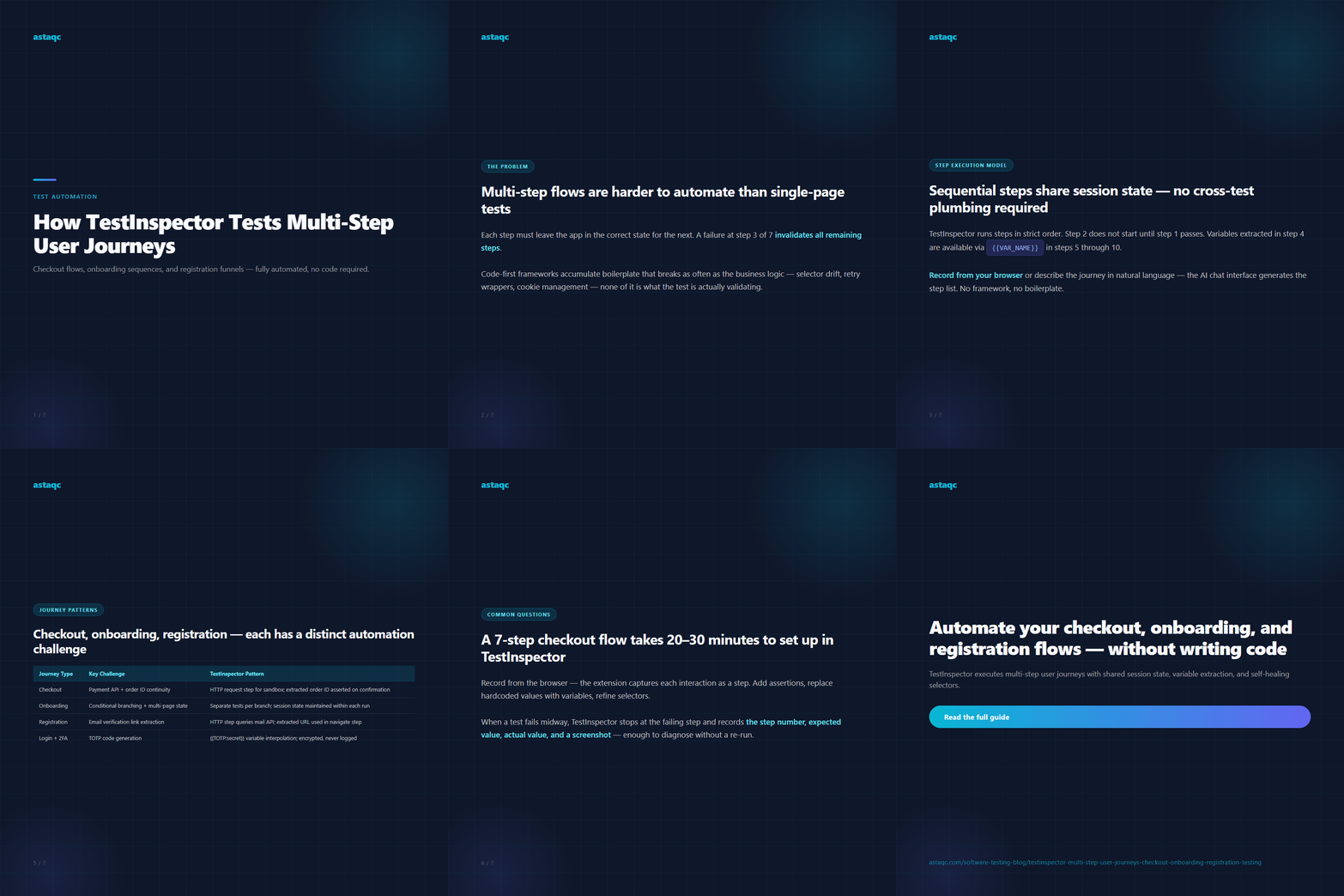
Multi-step user journey tests are not five independent tests — they are one sequence where each step validates the state established by the previous one. TestInspector executes these as ordered step lists that share session state, extract values across steps, and validate intermediate outcomes before proceeding, without requiring a single line of test code.
September 26, 2026


Sign up to receive and connect to our newsletter

We founded ASTAQC as a tight-knit group of professional Software Testers and software developers.
Subscribe to our Newsletter