How TestInspector Tests iFrame and Embedded Content: Cross-Origin Iframe Interactions, Dynamic Loading Assertions, and Embedded App Validation Without Code
Why iFrame Testing Breaks Standard Test Automation Approaches
TestInspector validates iFrame and embedded content by executing test steps within the iFrame's execution context — including cross-origin frames — using Selenium-based browser automation that handles frame context switching through the WebDriver protocol. You configure the frame selector, the interaction and assertion steps to run inside it, and the expected outcomes; TestInspector issues the WebDriver frame switch command automatically, handling the cross-origin boundary without requiring you to inject scripts or manage context switching in test code.
Standard DOM-based test automation breaks on iFrames for a specific reason: the browser enforces a same-origin policy that prevents JavaScript from reading the DOM of an embedded frame if its origin differs from the parent page's origin. Test tools that execute JavaScript in the parent page context — including most page-level automation that relies on document.querySelector inside injected scripts — cannot access a cross-origin iframe's internals at all. The test either throws a cross-origin frame access error or silently returns null for every selector that points inside the frame.
Selenium's WebDriver protocol handles cross-origin iFrames differently from JavaScript injection. Because WebDriver commands are issued through the browser's DevTools Protocol or W3C WebDriver endpoint rather than through injected scripts, the browser engine can switch execution context to the iframe's browsing context without violating the same-origin policy. This is the mechanism TestInspector uses: when you specify a frame step in a test sequence, TestInspector issues the appropriate WebDriver context switch before running your assertion or interaction steps inside the frame. No code is written, no JavaScript is injected, and the same-origin policy is not bypassed — the browser's native cross-origin context switching is used.
Not all iFrames present the same testing challenge. The testing approach scales with the iframe's origin type and load behavior.
| iFrame Type | Same-Origin? | Primary Testing Challenge | TestInspector Approach |
|---|---|---|---|
| Embedded payment form | Cross-origin (Stripe, Braintree) | Frame loads asynchronously; card input fields are inside the frame | Frame step + wait condition + field interaction |
| Embedded chat widget | Cross-origin (Intercom, Drift) | Widget injects its own iframe after page load via JavaScript | Wait for iframe injection, then enter frame context |
| Embedded map | Cross-origin (Google Maps, Mapbox) | Map renders inside a frame; assertions must be visual, not DOM-based | SSIM visual assertion on frame viewport region |
| Embedded video player | Cross-origin (YouTube, Vimeo) | Player controls are inside the frame; play state is not visible to parent | Frame context step + player control interaction |
| Same-origin iframe | Same-origin (admin widgets, preview panels) | Full DOM access available; complexity is the frame context switch itself | Frame step provides context; all DOM assertions work normally |
| Sandboxed iframe | Treated as cross-origin regardless of URL | Sandbox attribute restricts script execution and storage access | WebDriver context switch works; cookie assertions via HTTP step |
For teams building a test automation strategy, iFrame coverage is one of the areas where no-code tools with native Selenium execution have a concrete advantage over JavaScript-injection-based tools. If your automation stack injects scripts to interact with the DOM, cross-origin iFrame coverage requires either tool replacement or a manual testing complement for every iFrame-heavy section of the application.
How TestInspector Handles Dynamic iFrame Loading Without Code
Many iFrames do not exist in the DOM when the page first loads. Payment widgets, chat launchers, and third-party compliance tools inject their iFrame elements after a JavaScript bundle evaluates — sometimes after a user action like clicking a button, scrolling a section, or accepting a cookie prompt. This creates a timing challenge: the frame step in your test cannot proceed until the iFrame element is present in the DOM and the frame's own content has finished loading.
TestInspector handles dynamic iFrame loading through two mechanisms. First, the frame selector step includes a configurable wait condition — you specify the CSS selector or XPath that identifies the iframe element, and TestInspector waits for that element to appear in the DOM before attempting the context switch. Second, once the context switch occurs, TestInspector waits for the frame's document to reach a ready state before executing interaction or assertion steps inside it. Both waits are configurable per step without writing any code.
For iFrames that load lazily — frames that the browser defers until they scroll into the viewport — TestInspector's scroll step brings the iFrame into view before the frame context switch. Some browsers do not load cross-origin iFrame content until the frame enters the viewport as a performance optimization. A test sequence that attempts to switch frame context before the lazy frame loads will fail with a frame-not-found error unless a scroll step precedes the frame step.
The recommended test sequence for a dynamically injected cross-origin iFrame:
- Navigate to page: load the parent page URL.
- Trigger the injection if needed: click the button, hover the element, or scroll the page section that causes the iFrame to be injected into the DOM.
- Wait for iframe element: configure a DOM presence wait on the iframe's CSS selector or name attribute in the parent page.
- Enter frame context: TestInspector issues the WebDriver frame context switch to the frame's browsing context.
- Execute steps inside frame: all interaction and assertion steps from this point run inside the frame — field inputs, button clicks, DOM assertions, and visual checks.
- Exit frame context: return to the parent page context for subsequent steps on the main page DOM.
This sequence works for Stripe Elements, Intercom chat, Zendesk widget, Google reCAPTCHA frames, OneTrust consent banners, and any other dynamically injected cross-origin iFrame. The same pattern applies to nested iFrames — frames inside frames — where TestInspector supports sequential context switches to reach the innermost frame. See the complete guide to software testing for context on where iFrame testing fits in a broader quality strategy.
Practical iFrame Testing Scenarios: Payment, Consent, and Embedded App Flows
The most common iFrame testing scenarios in production web applications are payment forms, cookie consent widgets, and embedded application dashboards. Each has distinct testing requirements that map to specific TestInspector step configurations.
Payment Form iFrame Testing
Payment providers like Stripe use iFrames to isolate card input from the merchant's DOM, preventing the merchant's JavaScript from accessing card numbers. This is a security requirement, not a limitation — but it means your test suite must handle the frame context switch to interact with the card fields.
In TestInspector, a Stripe Elements test sequence proceeds as follows: navigate to the checkout page, fill the standard form fields in the parent DOM (name, address, email), wait for the Stripe card number iFrame to load, switch context to the card number frame, type the test card number, switch to the expiry iFrame, type the expiry date, switch to the CVC iFrame, type the CVC, return to the parent context, and click Submit. Each context switch is a configured frame step in the TestInspector test editor — no code is written. TestInspector's HTTP request assertion step validates the resulting payment webhook or API response, confirming that the transaction flow completed correctly end-to-end. The TestInspector platform supports all Selenium-compatible browsers for this flow, including Chrome, Firefox, Edge, and Safari.
Cookie Consent Widget iFrame Testing
Cookie consent platforms (OneTrust, Cookiebot, Didomi) often inject their consent banner UI inside a sandboxed iFrame. The banner is visually part of the page but its DOM lives in the frame's separate browsing context. Testing the consent flow — banner appears on first visit, accept stores the consent cookie, reject does not fire analytics tags — requires entering the frame context to click the consent buttons.
TestInspector handles this with the standard frame step sequence: wait for the consent iFrame to be injected on first page load, enter the frame context, click Accept or Reject, exit the frame context, and then assert that the expected cookies are present (or absent) in the parent page context. The cookie assertion step in TestInspector checks the browser's cookie store directly — it does not require the consent signal to be visible in the DOM, and it validates the actual stored consent state rather than the banner's visual display.
Embedded Dashboard and Application Testing
Some applications embed internal tools or partner dashboards inside same-origin or cross-origin iFrames — a Metabase analytics widget, a Typeform form, a Calendly booking flow. For same-origin embeds, full DOM assertions work inside the frame context. For cross-origin embeds, the testing strategy combines SSIM visual regression for layout validation and frame-context interaction steps for functional flows such as filling a form, submitting a booking, or navigating a dashboard. A single TestInspector test can validate the visual integrity of the embedded widget and confirm that the interaction flow completes successfully, without splitting the coverage across two separate test suites.
For teams running manual testing alongside automated coverage, iFrame-heavy application sections are good candidates for structured exploratory testing on a release cycle aligned with third-party provider releases — because provider-side iFrame updates are outside your deployment pipeline and can introduce regressions without any change on your end.

iFrame Testing Anti-Patterns and How to Avoid Them
Teams that add iFrame tests to an existing test suite encounter the same failure modes repeatedly. Recognizing these patterns early saves significant debugging time.
Using JavaScript Injection for Cross-Origin Frame Access
The most common mistake is trying to access cross-origin iFrame content via JavaScript execution in the parent page — for example, using document.querySelector('iframe').contentDocument or passing a JavaScript expression that evaluates inside the frame. This throws a DOMException in every browser for cross-origin frames and cannot be worked around without server-side CORS modifications to the third-party provider's response headers, which is not an option for external payment or chat services. The fix is to use a testing tool that executes commands through the WebDriver protocol, which handles cross-origin context switching at the browser engine level, rather than a tool that depends on JavaScript injection in the parent context.
Not Waiting for Frame Load Completion
Switching to a frame context before the frame's document has finished loading causes assertion failures — the elements you are trying to interact with do not exist yet. TestInspector's frame step includes a built-in document ready wait after the context switch, but you must still configure the outer wait for the iframe element itself to appear in the parent DOM. For payment iFrames with network latency, add an explicit wait condition on the first interactive element inside the frame rather than relying only on the iframe element's presence in the parent DOM. The iframe element can be present in the DOM while the frame's document is still loading its content from the third-party server.
Not Resetting Frame Context Between Steps
If a test sequence enters a frame context and fails mid-sequence without executing the exit-frame step, subsequent steps in the same test run execute inside the frame context rather than the parent page. TestInspector resets frame context automatically between test suite runs, but within a single test sequence, explicitly configure the exit-frame step after all in-frame steps are complete. For tests that enter multiple frames in sequence, include an explicit exit between each frame entry to avoid ambiguous context state.
Using SSIM on Dynamic iFrames Without Exclusion Selectors
Video players, ad frames, and live-data dashboard embeds change content on every render. SSIM comparison against a static baseline generates false positives on every run because the content inside the frame is different each time. For these frames, configure TestInspector's exclusion selectors to mask the dynamic content region from SSIM comparison — the excluded region is replaced with a neutral fill before comparison, so the layout around it is still validated while the dynamic content is ignored. Combine exclusion selectors with DOM assertions on stable structural elements such as the player controls' presence, the dashboard header text, or the frame container dimensions.
Teams that want to build complete iFrame test coverage from scratch can work with Astaqc's QA team services, which include iFrame-specific test design and automation audit as part of a broader test strategy engagement. TestInspector's browser extension can record interaction flows that include iFrame steps — capturing frame context switches as part of the recorded sequence — which is a practical starting point for teams new to iFrame automation. For comprehensive testing documentation that maps your embedded third-party dependencies to their appropriate test types, Astaqc's documentation services provide structured coverage plans alongside the automation build.
Frequently Asked Questions
Can TestInspector test iFrames that use sandbox attributes restricting JavaScript?
TestInspector's execution model uses WebDriver commands rather than JavaScript injection, so the sandbox attribute restrictions that prevent allow-scripts do not block TestInspector's ability to interact with the frame's DOM through the WebDriver protocol. However, iFrames with sandbox set without allow-same-origin are treated by the browser as fully cross-origin regardless of the actual URL origin, which affects some cookie and storage access patterns. For fully sandboxed iFrames, TestInspector's interaction steps work normally; storage and cookie assertions after in-frame actions may need to be validated via HTTP response assertions rather than browser cookie checks.
How does TestInspector handle iFrames that reload or reinitialize after a user action?
Some iFrame implementations reload the entire frame document after an interaction — a payment form that resets after an error, a chat widget that reinitializes after a conversation ends. When a frame reloads, the active frame context becomes stale and subsequent steps fail until a new context switch is issued. The correct approach is to exit the frame context, wait for the frame element to reload using a DOM state wait on a unique element that disappears and reappears, and then re-enter the frame context before continuing the test sequence. TestInspector's wait-and-retry logic handles most frame reload patterns without requiring manual timeout configuration.
Can I validate that an iFrame renders correctly without entering its context?
Yes. SSIM visual regression operates on the viewport screenshot, which includes the visual output of all rendered frames — including cross-origin frames that the browser renders but isolates from parent-page JavaScript. For assertions about whether an iFrame's visual content is present and correct, SSIM is the most reliable approach because it validates what the user actually sees rather than the frame's internal DOM state. Use frame context steps when you need to interact with elements inside the frame; use SSIM when you need to validate the frame's rendered appearance from the outside. Both approaches are available in the same TestInspector test sequence.
What happens when a third-party iFrame provider changes their frame structure?
Third-party iFrame updates — a payment provider redesigning their card input frame, a chat widget updating its internal DOM — can break frame-level selectors just as first-party DOM changes break standard selectors. TestInspector's self-healing logic applies to frame-context selectors: when an in-frame selector no longer matches, TestInspector suggests the updated selector based on the element's visual position and surrounding context in the frame. For payment provider frame updates specifically, monitor the provider's changelog and re-approve frame step selectors after a known provider update rather than waiting for the test to fail in a CI run. See the manual vs automated testing guide for context on which iFrame scenarios benefit from automated assertions and which require structured manual exploration alongside automated coverage.
How should iFrame tests be organized in a test suite?
Organize iFrame tests into two categories: functional flow tests and visual regression tests. Functional flow tests enter the frame, complete an interaction, and assert the outcome in the parent context — these run as part of your standard smoke test suite on every deployment. Visual regression tests use SSIM comparison of the frame's visual output without entering the context — these run on a nightly or weekly schedule, since third-party provider updates happen independently of your deployments. This separation prevents third-party update noise from blocking deployment gates while still maintaining coverage of the frame's visual output on a regular cycle. The test automation services at Astaqc include iFrame coverage planning as part of a broader automation strategy engagement.
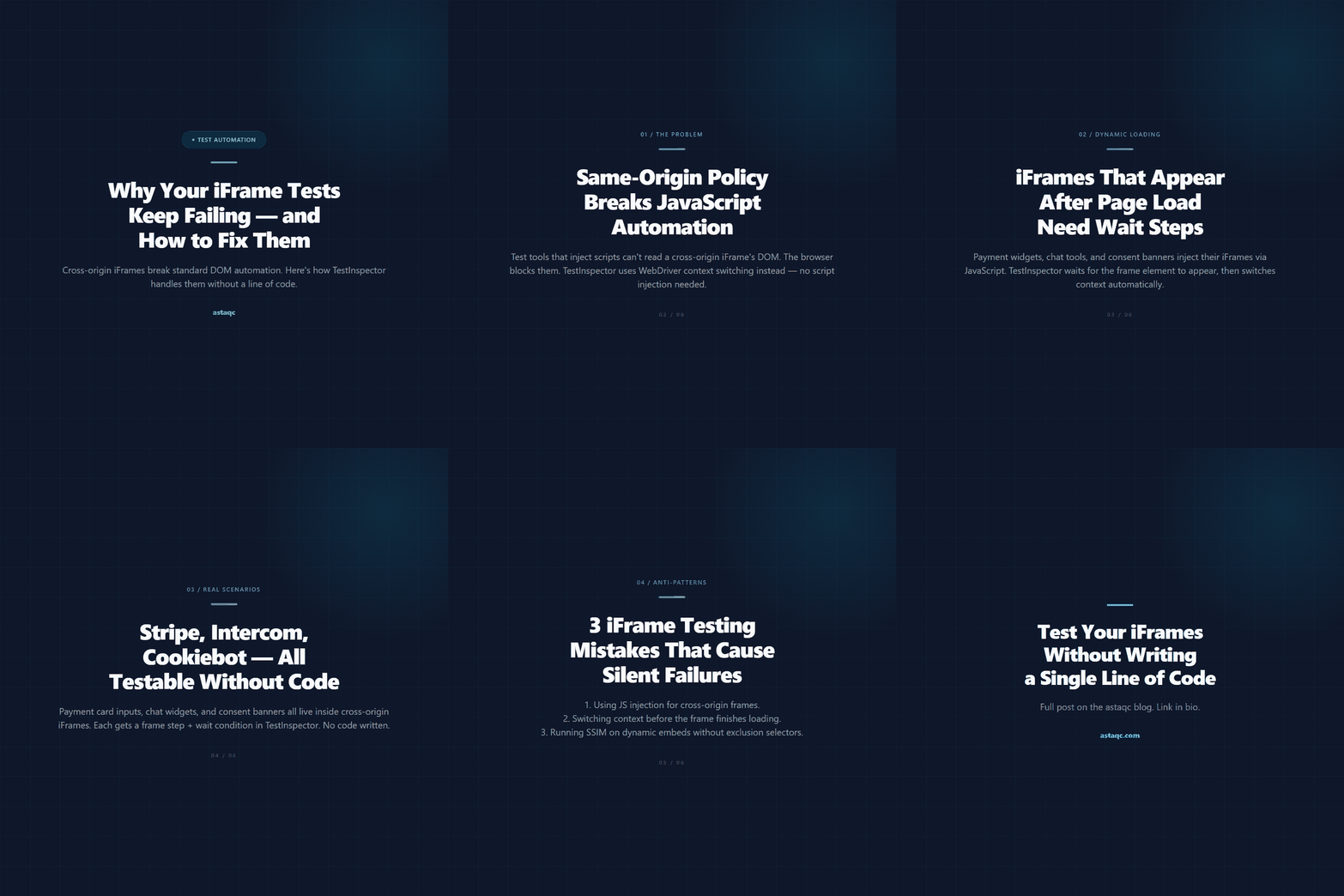
Swipe through: how TestInspector handles cross-origin iFrame testing without code.
A test suite that stops at the iFrame boundary is not a test of your application — it is a test of everything that is not an iFrame, which is a diminishing fraction of modern web apps.

Astaqc Team
November 17, 2026


Published by the Astaqc engineering team. Astaqc Consulting is a software testing company based in India, delivering test automation, manual testing, and performance testing services.