September 5, 2026
QA engineers in 2026 have access to AI tools that reduce the time spent on repeatable, low-judgment tasks—test report generation, test case drafting from requirements, defect triage, and documentation—but realizing that efficiency requires knowing which tasks respond well to automation and which still require the engineer's judgment that AI cannot replicate. The most impactful time savings come from automating output generation: reports, documentation, and test case outlines that follow predictable structures. The tasks where AI assistance consistently falls short are decisions that require application-specific knowledge: which untested paths carry the most business risk, which defects are likely regressions versus new behavior, and how to structure coverage for a feature the AI has not seen before. Understanding that boundary prevents teams from delegating decisions to AI and then spending more time validating AI output than it would have taken to make the decision directly.
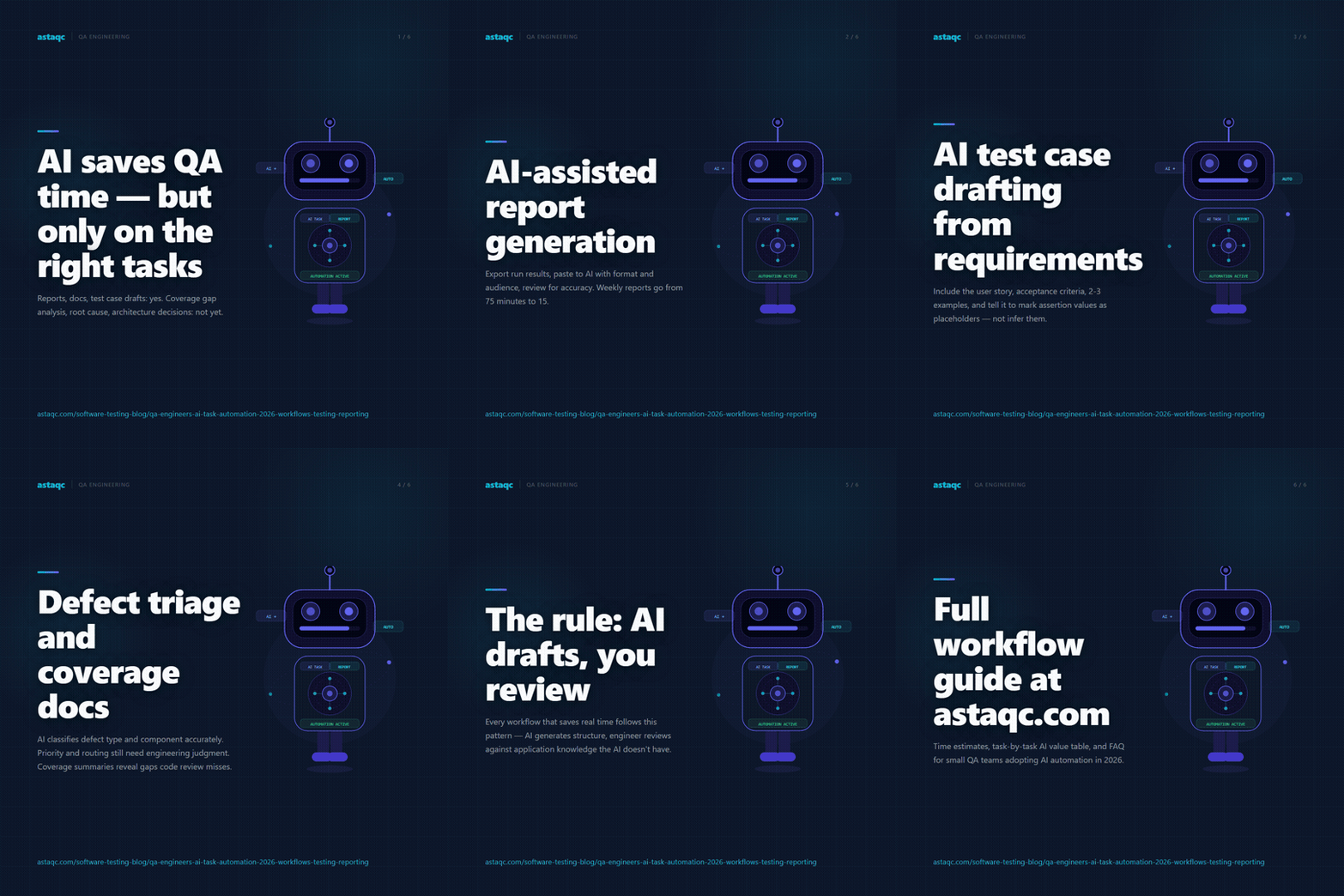
The pattern that works across tools and workflows is AI-as-drafter, engineer-as-reviewer. AI generates a first draft that matches the expected structure and format; the engineer evaluates it against application-specific knowledge that the AI does not have. This pattern produces consistent efficiency gains in report writing, documentation, and test case scaffolding. It produces inconsistent or negative results in coverage gap analysis, architecture decisions, and defect root cause identification, where the AI draft requires so much engineering judgment to evaluate that it does not save meaningful time. Astaqc's test automation services include configuration of AI-assisted QA workflows, and the AI in software testing guide covers how AI automation fits into broader QA strategy across different team sizes and maturity levels.
Test reporting is the highest-value AI automation task for QA engineers because it is entirely structured output. A test run produces results in a predictable format—pass/fail counts, failure details, coverage statistics—and a status report for engineering leadership or a sprint retrospective follows a predictable structure: what was tested, what failed, what the failures indicate about the current application state, and what needs attention before release. AI tools can take raw test results and produce a formatted report in that structure faster than any engineer can write it, and the output requires only factual review rather than domain judgment review.
The practical workflow for AI-assisted report generation: export test run results in a structured format (JSON, CSV, or a copy of the test runner output), paste them into an AI assistant with a prompt that specifies the report format and audience (engineering lead, QA lead, product manager, executive), and review the generated report for accuracy. The engineer's review task is confirming that the AI has correctly interpreted the result data—that a failure in the payment flow is described as a payment flow failure, not a generic application error—and adding context about known issues or deployment changes that explain specific failures. The AI handles the prose structure, the formatting, and the summary statistics; the engineer provides the contextual interpretation that the AI cannot derive from test result data alone.
Teams that have implemented AI-assisted reporting report significant reduction in time spent writing weekly QA status reports, with the remaining time concentrated on the contextual interpretation rather than the prose generation. The risk of AI-generated reports is factual errors in the interpretation of failure categories, particularly when failure messages are ambiguous or when multiple failures share a common root cause that the AI treats as separate issues. Reviewing the failure grouping in the AI report against the actual run logs is the critical step that keeps AI-generated reports accurate. Astaqc's complete guide to software testing addresses how reporting fits into the broader quality governance process.
Writing test cases from requirements documents or user stories is a structured task that AI handles well when given the right input. The AI's output quality depends directly on the quality and specificity of the requirements: vague acceptance criteria produce vague test cases; detailed requirements with specific expected outcomes produce test cases that are close to ready for use with only assertion value replacement required.
The most effective prompt structure for AI-assisted test case generation includes the feature or user story text, the acceptance criteria, the existing test case format the team uses (step format, Given/When/Then format, or numbered steps with expected results), two or three example test cases from the same codebase so the AI matches the style and specificity level, and an explicit instruction to mark assertion values as placeholders rather than inferring them from the requirements text. This last instruction is critical: AI tools that infer assertion values from requirements text produce test cases that look complete but contain expected values that the engineer must verify against the actual application rather than values the engineer controls. Marking placeholders makes the gap visible and requires the engineer to fill it with verified application behavior.
The test cases that AI generates most accurately are those for well-defined, single-responsibility features: a login form with specific validation rules, a form submission that produces a specific confirmation message, a search feature with documented filtering behavior. Complex flows with multiple decision branches, user-role-dependent behavior, or requirements that reference application state not described in the user story produce test cases that require more engineering judgment to evaluate. Teams that use AI for test case generation as a first draft, then review each generated case against the actual feature implementation before treating it as a test, get better coverage quality than teams that accept AI-generated test cases without implementation verification. Astaqc's manual testing services include quality review processes for AI-generated test case libraries, and the manual vs. automated testing guide covers how to structure test case review to maintain coverage quality when using AI generation at scale.
Defect triage—determining severity, assigning priority, and routing to the correct team—is a partially structured task that benefits from AI assistance in the classification step while requiring engineering judgment for the priority and routing decisions. An AI tool given a defect description, the affected feature, and the reproduction steps can classify the defect type (UI rendering issue, data validation failure, API response error, performance degradation) with reasonable accuracy, which is the mechanical step that takes time in high-volume triage queues. The priority and routing decisions depend on business context the AI does not have: which customer segment is affected, whether the defect blocks a release milestone, and which engineering team owns the component where the root cause is likely located.
The practical AI-assisted triage workflow: paste the defect report into an AI assistant with a prompt asking for the defect type, the likely component affected, and the suggested severity classification based on the described user impact. Review the AI's classification for accuracy, apply the priority based on business context, and route accordingly. For high-volume triage—twenty or more defects per sprint—this pattern reduces the time spent on mechanical classification significantly while maintaining the engineering judgment required for priority assignment. For lower defect volumes, the overhead of prompting and reviewing may not produce net time savings over direct triage.
Root cause analysis is where AI assistance value drops: identifying that a payment validation defect is caused by a race condition in the order service requires understanding the application's concurrency model, the data flow between services, and the specific code path that handles concurrent order submission. The AI can suggest classes of root causes based on the defect description—race condition, stale cache, incorrect null handling—but verifying which one applies requires reading the actual code. AI-suggested root causes are a useful investigation starting point for junior engineers who have not yet encountered the specific failure pattern, but experienced engineers who know the application architecture can identify the relevant candidates faster by reading the code directly. Astaqc's performance testing services address the class of defects where root cause identification requires load profile data that AI tools cannot generate without direct access to the application's runtime telemetry.
Test suite documentation—what the suite covers, what is intentionally excluded, and the testing approach for complex flows—is work that most QA engineers deprioritize because it produces no immediate test coverage benefit. AI assistance makes documentation generation fast enough that teams can maintain current documentation without it consuming significant engineering time.
The most useful documentation type for AI generation is a coverage summary: given the test file or suite, ask the AI to produce a plain-language description of what the tests cover and what conditions they check. This output is readable by product managers and engineering leads who need to understand coverage without reading test code, and it requires only factual accuracy review rather than prose editing. Teams that generate coverage summaries for each feature before sprint sign-off report that the review process surfaces coverage gaps—features that have structural test coverage but miss specific user scenarios—because the plain-language summary makes the gap visible in a way that reading the test code does not. The outsourcing guide covers how coverage summaries function as handoff documentation when QA work is shared between internal teams and external contractors.
API documentation for test contracts is a second documentation task where AI generation adds consistent value: given the test assertions for an API endpoint, the AI can generate a documented API contract that describes the expected request format, the response schema, and the error conditions tested. This documentation supports both QA and development teams: QA engineers use it to verify that new API tests are consistent with the contract, and developers use it as a reference when changing the API implementation. Generating API documentation from test assertions rather than from code is more reliable because the test assertions reflect the actual expected behavior rather than the intended behavior documented in the code.
The table below summarizes AI automation value across common QA tasks:
| QA task | Manual time | AI-assisted time | Key limitation |
|---|---|---|---|
| Test status report (weekly) | 45-90 minutes | 10-20 minutes (review + context) | Failure grouping may be inaccurate; requires run log verification |
| Test case drafting from user story | 30-60 minutes per feature | 10-15 minutes (review + assertion values) | Assertion values must be verified against the actual application |
| Coverage summary documentation | 20-40 minutes per suite | 5-10 minutes (factual accuracy review) | Quality depends on test code structure and naming |
| Defect classification and triage | 5-10 minutes per defect | 2-4 minutes (priority and routing still manual) | Business context for priority requires engineering judgment |
| Coverage gap analysis | 60-120 minutes per feature area | 45-90 minutes (AI output requires full domain review) | AI cannot identify which untested paths carry business risk |
| Root cause identification | 30-120 minutes depending on defect | Marginal; AI provides starting categories only | Application code must be read; AI cannot substitute for that step |
The tools that produce the most consistent results for QA task automation are those that can access the project context—test files, requirement documents, run logs—rather than those that work from a single pasted input. Claude Code with MCP integration, GitHub Copilot Chat with workspace indexing, and Cursor with codebase context are the most commonly reported tools among QA engineers for test code-related tasks. For non-code tasks like report generation and documentation, any large-context AI assistant works comparably; the quality difference is in the prompt structure and the input completeness rather than the model. Astaqc's TestInspector page describes a purpose-built AI layer at the execution level for teams that want AI assistance in test creation and maintenance without a general-purpose coding assistant workflow.
The standard practice is to run AI-generated test cases against the application before treating them as baseline coverage, and to review the assertions specifically for specificity. A test case that asserts an element is visible rather than checking that it contains a specific expected text will pass regardless of what text the element actually displays—that assertion gap is invisible in the test code until the application behavior changes and the test still passes. Running the test and then deliberately breaking the expected behavior verifies that the assertion would catch the specific defect it is meant to catch. Astaqc's manual vs. automated testing guide covers assertion quality standards for automated test suites.
AI task automation for non-code QA work—reporting, documentation, defect triage—is independent of the automation framework the team uses. A team using a no-code tool or a manual testing process can use AI for report generation and documentation without any code integration. For test case generation specifically, no-code QA tools that accept natural language descriptions are more aligned with non-code teams than tools that generate Playwright or Selenium code. The report generation and documentation workflows described in this post apply equally to teams using no-code automation and teams using framework-based automation. Astaqc's QA team hiring guide covers how to evaluate QA roles in organizations adopting AI-assisted workflows.
The practical tracking method is a brief review note at the end of each AI-generated report flagging any instances where the AI misclassified a failure, grouped unrelated failures together, or missed a significant failure category in the summary. After four to six reporting cycles, patterns in the error types indicate where the prompt needs refinement—specific failure message formats that the AI consistently misinterprets, or report sections where the AI's summary diverges from the engineering team's understanding of the run results. Maintaining a prompt revision log alongside the report archive allows QA leads to improve AI output accuracy systematically rather than repeating the same corrections each cycle.
For teams of two to four QA engineers, the time savings from AI-assisted reporting and documentation are material enough to justify standard AI tool subscriptions. A weekly status report that takes 75 minutes to write manually and 15 minutes to review an AI draft saves approximately one hour per week per team. Test case drafting savings scale with sprint volume: teams that write ten or more new test cases per sprint see significant time savings from AI-assisted drafting. The software testing cost guide covers broader cost modeling for QA teams evaluating AI tooling investments, and the test automation services page covers implementation support for teams setting up AI-assisted QA workflows.
Follow @astaqc for more QA engineering insights.
The tasks where AI task automation delivers consistent time savings in QA work are structured output tasks—reports, test case drafts, documentation—not decision tasks like coverage gap analysis or root cause identification, where AI output requires as much engineering judgment to evaluate as doing the work directly.
September 5, 2026


Sign up to receive and connect to our newsletter

We founded ASTAQC as a tight-knit group of professional Software Testers and software developers.
Subscribe to our Newsletter