August 27, 2026
Mobile application testing in 2026 requires separate strategies for native iOS and Android apps, mobile web browsers, and cross-platform frameworks because each surface has distinct automation tooling, device coverage requirements, and failure modes that general web testing strategies do not address. The primary decision in any mobile testing strategy is whether to test on real physical devices, emulators and simulators, or a combination, because this choice determines testing speed, coverage accuracy, and cost at every layer of the test pyramid. Teams that apply desktop web testing strategies to mobile without adjustment consistently miss mobile-specific failure modes: gesture handling, network transition behavior, low-memory app termination, system permission dialogs, and safe area rendering issues.
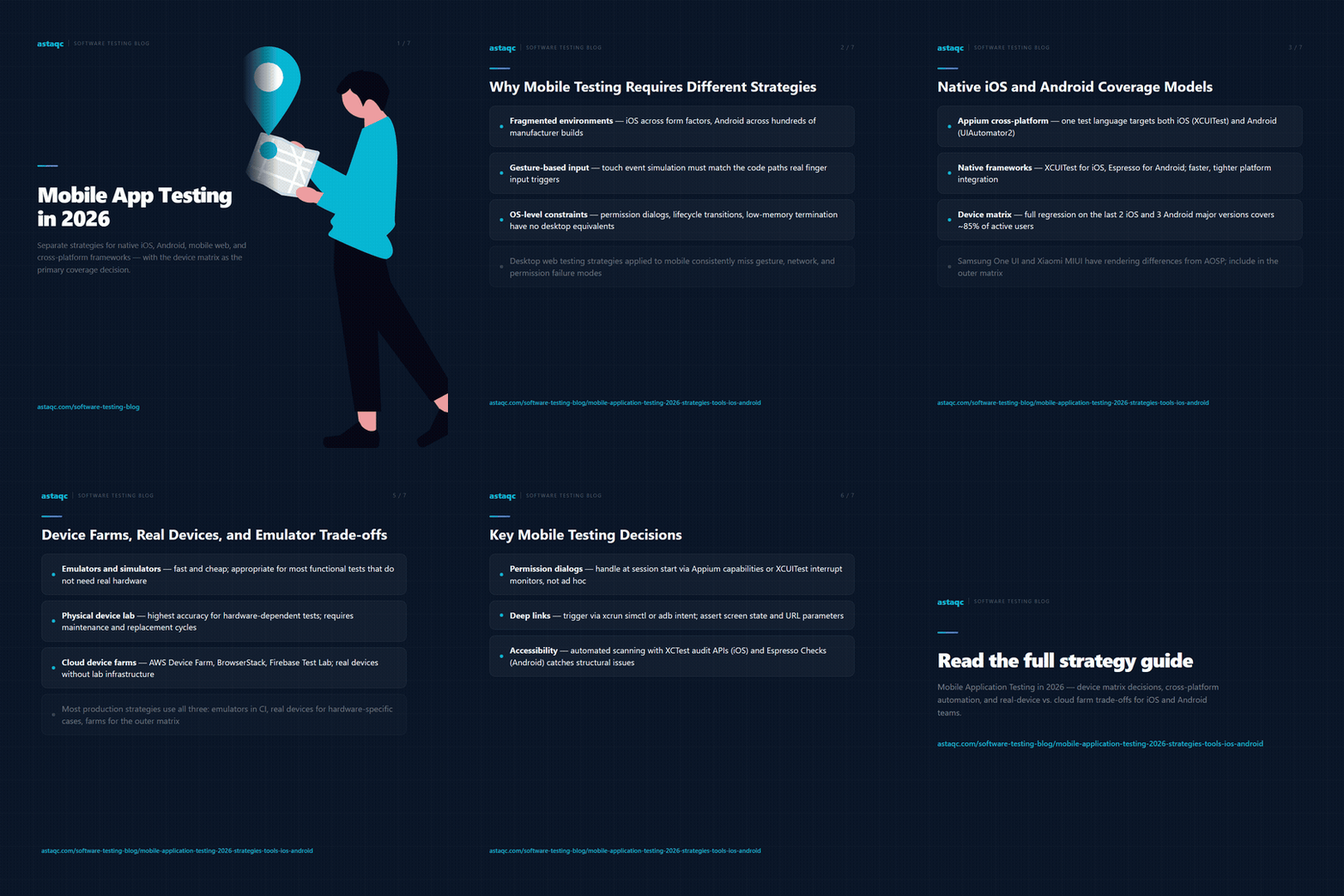
Mobile application testing differs from desktop web testing in four structural ways. First, the execution environment is fragmented: iOS runs only on Apple hardware but across iPhone and iPad form factors with different screen sizes, OS versions, and Safari WebKit versions; Android runs across hundreds of device models from multiple manufacturers, each potentially running a different OS version and a different version of the browser engine. A test suite that validates on one device does not validate the application’s behavior across the range of devices the user population uses.
Second, user interaction on mobile is gesture-based. Tapping, swiping, pinching, and rotating are the primary input methods, and test automation tools must support touch event simulation accurately enough to exercise the same code paths that real finger input triggers. Simulated click events, which work for desktop web automation, do not reliably replicate touch event behavior in applications that use touch-specific gesture handlers.
Third, mobile applications operate within OS-level constraints that desktop web tests do not encounter: permission dialogs for camera, microphone, location, and notifications; background and foreground lifecycle transitions; low-memory termination where the OS kills background apps and the application must handle resumption correctly; and deep link handling from other apps. None of these require test coverage in a desktop web context, but all of them require at least smoke-level validation in a mobile test suite.
Fourth, network conditions on mobile are variable. A test suite that runs in a lab environment with a stable WiFi connection does not validate behavior on 4G with packet loss, or during network transitions between WiFi and cellular. For applications where offline capability, retry logic, or sync behavior matters, network condition simulation is a required part of the test strategy. For teams building mobile test coverage from scratch, Astaqc test automation services can design a device coverage model and automation strategy appropriate to the application type and team capacity. The complete software testing guide situates mobile testing within a full test architecture.
Native iOS and Android app testing uses platform-specific or cross-platform automation frameworks to drive the application through its UI. The dominant cross-platform option in 2026 is Appium, which uses the W3C WebDriver protocol to control iOS apps via XCUITest and Android apps via UIAutomator2. Appium allows a single test written in Java, Python, JavaScript, or Ruby to target both platforms with platform-specific selectors and shared test logic, at the cost of test execution speed and the operational overhead of maintaining an Appium server and device connection infrastructure.
Platform-native frameworks — XCTest and XCUITest for iOS, Espresso for Android — provide tighter integration with the platform, faster execution, and better support for platform-specific testing scenarios like widget testing, notification testing, and accessibility auditing via the platform’s native accessibility API. The trade-off is that XCUITest tests are written in Swift or Objective-C and run only on iOS; Espresso tests are written in Kotlin or Java and run only on Android. Teams that want to maximize per-platform test quality and have separate iOS and Android engineering teams typically prefer native frameworks. Teams that want a single test language and codebase across both platforms typically choose Appium.
Device coverage strategy determines which devices and OS versions to include in the test matrix. A practical model for most teams in 2026 is to run the full regression suite on the two most recent iOS major versions and the three most recent Android major versions, covering approximately 85% of the active user base by market share, and to run smoke-level tests on a broader device matrix that includes older OS versions and high-market-share manufacturer-specific Android builds (Samsung One UI, Xiaomi MIUI) that are known to have rendering or behavior differences from AOSP Android. For teams building iOS-specific automation coverage, Astaqc software testing services can design XCUITest suites that cover the interaction patterns and lifecycle scenarios specific to native iOS apps. The manual vs. automated testing guide covers how to decide which mobile test scenarios to automate versus keep as exploratory manual testing.
Applications built with cross-platform frameworks — React Native, Flutter, Xamarin, and Ionic — require testing strategies that account for both the cross-platform layer and the platform-specific rendering and behavior each framework delegates to the native layer. A React Native application renders native components on both iOS and Android, but gesture handling, animation timing, and accessibility tree structure differ between platforms. A Flutter application renders through its own graphics engine, which means standard accessibility-based automation (Appium with UIAutomator2 or XCUITest) may not reliably locate elements, requiring Flutter-specific tooling or a workaround using semantic labels.
| Framework | Recommended Automation Approach | Key Limitation |
|---|---|---|
| React Native | Appium or Detox (Detox preferred for JS teams); testIDs for element location | Platform-specific rendering differences require platform-specific assertions |
| Flutter | Flutter integration_test package with flutter_driver protocol; semantic labels for element location | Standard Appium does not locate Flutter widgets reliably without appium-flutter-driver plugin |
| Xamarin / MAUI | Appium with UIAutomator2 (Android) or XCUITest (iOS); AutomationId property for element location | Xamarin is in maintenance mode; MAUI migration requires test suite updates |
| Ionic / Capacitor | Standard web automation (Selenium/Playwright) against the embedded WebView; Appium for native shell interactions | Native shell interactions (file pickers, camera, push notifications) require Appium; WebView tests are standard web tests |
| Native iOS (Swift/SwiftUI) | XCUITest; accessibility identifiers for element location | SwiftUI accessibility tree differs from UIKit; identifiers need explicit annotation in SwiftUI views |
| Native Android (Kotlin/Jetpack Compose) | Espresso or Appium; Compose UI test framework for Jetpack Compose screens | Jetpack Compose requires Compose UI testing APIs rather than standard Espresso view matchers |
The practical implication is that the automation approach must be chosen for the specific framework the application is built on, not for mobile in general. Teams that use Appium as a universal mobile automation solution find that it works reliably for native Android and iOS applications using standard UI components, but requires additional configuration, plugins, or workarounds for Flutter, Jetpack Compose, and SwiftUI applications where standard accessibility-based locator approaches are less reliable. For teams building test automation for cross-platform framework applications, Astaqc hire QA team can provide engineers with framework-specific mobile automation experience. The outsourcing QA guide covers how to engage external QA capacity for mobile testing without creating knowledge silos.
The choice between real devices, emulators and simulators, and cloud device farms determines the speed, cost, and accuracy of mobile test execution in CI/CD pipelines. Each option has a different profile across these three dimensions, and most production mobile test strategies use all three at different levels of the test pyramid.
Emulators (Android) and simulators (iOS) run on development machines or CI hosts and provide fast, cheap test execution with no physical device dependency. They are appropriate for the majority of unit and component-level tests, and for integration and E2E tests that do not require real hardware characteristics: camera, NFC, Bluetooth, biometric authentication, physical GPU rendering, or cellular network behavior. Emulators reproduce most app logic behavior accurately, but they do not reproduce GPU-specific rendering issues, real touch input latency, or the thermal throttling behavior that causes real devices to slow down under sustained load. For most functional test scenarios that do not depend on hardware characteristics, emulator execution in CI is the correct default.
Real physical devices in a lab or connected to a CI runner provide the highest accuracy for hardware-dependent tests, but require maintenance, replacement cycles, and connection management overhead. A team maintaining a physical device lab of 10 to 20 devices across iOS and Android versions can cover the most important device combinations for pre-release regression testing, but the infrastructure cost and management overhead make this model appropriate only for teams with sufficient scale to justify dedicated device lab maintenance.
Cloud device farms — AWS Device Farm, BrowserStack App Automate, Sauce Labs Real Device Cloud, Firebase Test Lab — provide access to hundreds of real devices on demand without infrastructure management. They are the appropriate choice for teams that need real device coverage at scale without maintaining a physical lab, and for the outer ring of the device matrix: testing on less common devices or older OS versions where the cost of maintaining real devices is not justified by the coverage frequency. The trade-off is per-minute pricing, test setup latency, and the inability to use custom hardware configurations. For teams designing a mobile CI/CD pipeline, Astaqc performance testing services can assess mobile performance under real device conditions and advise on the device matrix required for performance validation. The software testing cost guide provides a framework for calculating the cost trade-offs between emulators, physical labs, and cloud device farms.
Mobile web testing uses standard web automation tools (Selenium, Playwright) running against the mobile browser, and the test coverage challenge is browser compatibility across mobile Safari, Chrome for Android, and embedded WebViews. Native app testing requires platform-specific automation tooling (Appium, XCUITest, Espresso) because the application UI is not accessible through a browser’s DOM — it is accessible through the platform’s accessibility tree or through direct framework hooks. The automation setup, element location strategy, and test infrastructure differ significantly between the two surfaces, and teams that support both a mobile web presence and a native app need separate automation strategies for each.
A practical device matrix for a consumer-facing mobile application covers the top three or four iOS versions (typically the current version and the two previous major versions) and the top four or five Android OS versions by market share, combined with five to eight real Android device models that represent the highest-traffic device categories in the application’s analytics. The exact composition depends on the user base: an application with 70% iOS users needs deeper iOS version coverage, while an application with significant emerging market usage needs coverage of entry-level Android devices with constrained memory. Running the full regression suite on all combinations is rarely cost-effective; the practical model is full regression on the primary device targets and smoke-level validation on the broader matrix.
Detox is purpose-built for React Native and runs tests in the same JavaScript environment as the application, enabling synchronization with the application’s async operations without explicit wait commands. Appium operates as an external driver that communicates with the app through the platform’s accessibility layer, which requires explicit waits and is more susceptible to timing issues with React Native’s async rendering. For React Native teams that use JavaScript for both application and test code, Detox is generally the more reliable and faster option for E2E tests. Appium is appropriate when the team needs cross-platform test code that covers both React Native and other app types, or when the team’s automation engineering background is in a language other than JavaScript.
Permission dialogs for camera, location, notifications, and microphone appear at the OS level, outside the application’s UI, and must be handled by the automation framework at the OS level rather than through application selectors. Appium handles permission dialogs through capabilities set at session start (granting permissions before the test runs) or through command-based handling during the test using the Appium mobile permission API. XCUITest handles permission dialogs through addUIInterruptionMonitor handlers that intercept and respond to system alerts. Tests that do not handle permission dialogs explicitly often fail on first run on a clean device or in a CI environment where the application has never been granted permissions.
Deep link testing validates that URI schemes and Universal Links on iOS or App Links on Android open the correct in-app screen with the correct state when triggered from a browser, another app, or a push notification. Testing deep links in automation requires triggering the URI through the platform’s link-opening mechanism: on iOS via xcrun simctl openurl or Appium’s mobile deepLink command; on Android via adb shell am start with an intent URI or Appium’s equivalent. The test then asserts that the resulting in-app screen is correct and that any parameters from the URL are reflected in the screen state. Deep link testing is frequently omitted from automated test suites and found as a production issue because the triggering mechanism differs from normal in-app navigation. For teams building mobile test coverage that includes deep link validation, Astaqc test automation services can include deep link test design in the automation strategy.
Mobile accessibility testing on iOS validates against VoiceOver and iOS accessibility APIs; on Android it validates against TalkBack and the Android accessibility API. Automated accessibility scanning on mobile uses XCTest’s accessibility audit APIs on iOS and Espresso Accessibility Checks on Android, both of which catch common issues like missing content descriptions and insufficient contrast. Manual screen reader testing remains necessary for validating interaction flow and announcement accuracy, because automated scanners detect structural issues but not the quality of the screen reader user experience. Teams new to mobile accessibility testing should start with automated scanning to catch obvious structural issues, then add manual screen reader testing for critical user journeys. For help building a mobile accessibility test strategy, Astaqc manual testing services can design manual screen reader test scripts for iOS VoiceOver and Android TalkBack.
Mobile application testing in 2026 requires separate strategies for native apps, mobile web, and cross-platform frameworks — and the primary coverage decision is the device matrix, not the automation framework, because framework choice determines authoring speed while device choice determines test validity.
August 27, 2026


Sign up to receive and connect to our newsletter

We founded ASTAQC as a tight-knit group of professional Software Testers and software developers.
Subscribe to our Newsletter