What Is Behavior Driven Development (BDD)?
What Is Behavior Driven Development (BDD)?
Behavior Driven Development (BDD) is a software development methodology that bridges the gap between business stakeholders, developers, and testers. Instead of writing tests in code that only developers understand, BDD uses plain-language specifications that describe how software should behave from the user's perspective.
BDD was introduced by Dan North in 2006 as an evolution of Test-Driven Development (TDD). The core idea: if everyone on the team can read and contribute to the test specifications, misunderstandings shrink and the software matches what the business actually needs.
A BDD specification looks like this:
Feature: User login
  Scenario: Successful login with valid credentials
    Given the user is on the login page
    When they enter a valid username and password
    And click the login button
    Then they should be redirected to the dashboard
    And see a welcome message
That is readable by a product manager, a developer, and a QA engineer alike. The specification doubles as an automated test when connected to step definitions in code.
BDD vs TDD vs ATDD
These three methodologies all share the principle of writing tests before code, but they differ in scope, audience, and purpose.
| Aspect | TDD | BDD | ATDD |
|---|---|---|---|
| Full name | Test-Driven Development | Behavior-Driven Development | Acceptance Test-Driven Development |
| Focus | Code correctness at unit level | System behavior from user perspective | Business acceptance criteria |
| Who writes tests | Developers | Developers, testers, and business analysts collaboratively | Developers and testers with business stakeholder input |
| Test language | Programming language (JUnit, pytest, etc.) | Plain language (Gherkin: Given-When-Then) | Structured natural language or tables |
| Test scope | Unit tests (single function or method) | Feature-level behavior tests | Acceptance tests tied to user stories |
| Cycle | Red → Green → Refactor | Discover → Formulate → Automate | Discuss → Distill → Develop → Demo |
| Primary goal | Verify code works as the developer intended | Verify software behaves as users expect | Verify software meets business requirements |
| Best for | Internal code quality and refactoring confidence | Cross-functional teams building user-facing features | Projects with formal acceptance criteria and sign-off |
When to use which: TDD works best for developers writing internal logic. BDD is ideal when you need shared understanding between business and engineering. ATDD fits regulated or contract-driven projects where acceptance criteria must be formally verified. Many teams combine all three: TDD for units, BDD for features, and ATDD for milestone sign-off.
The BDD Process: Given-When-Then
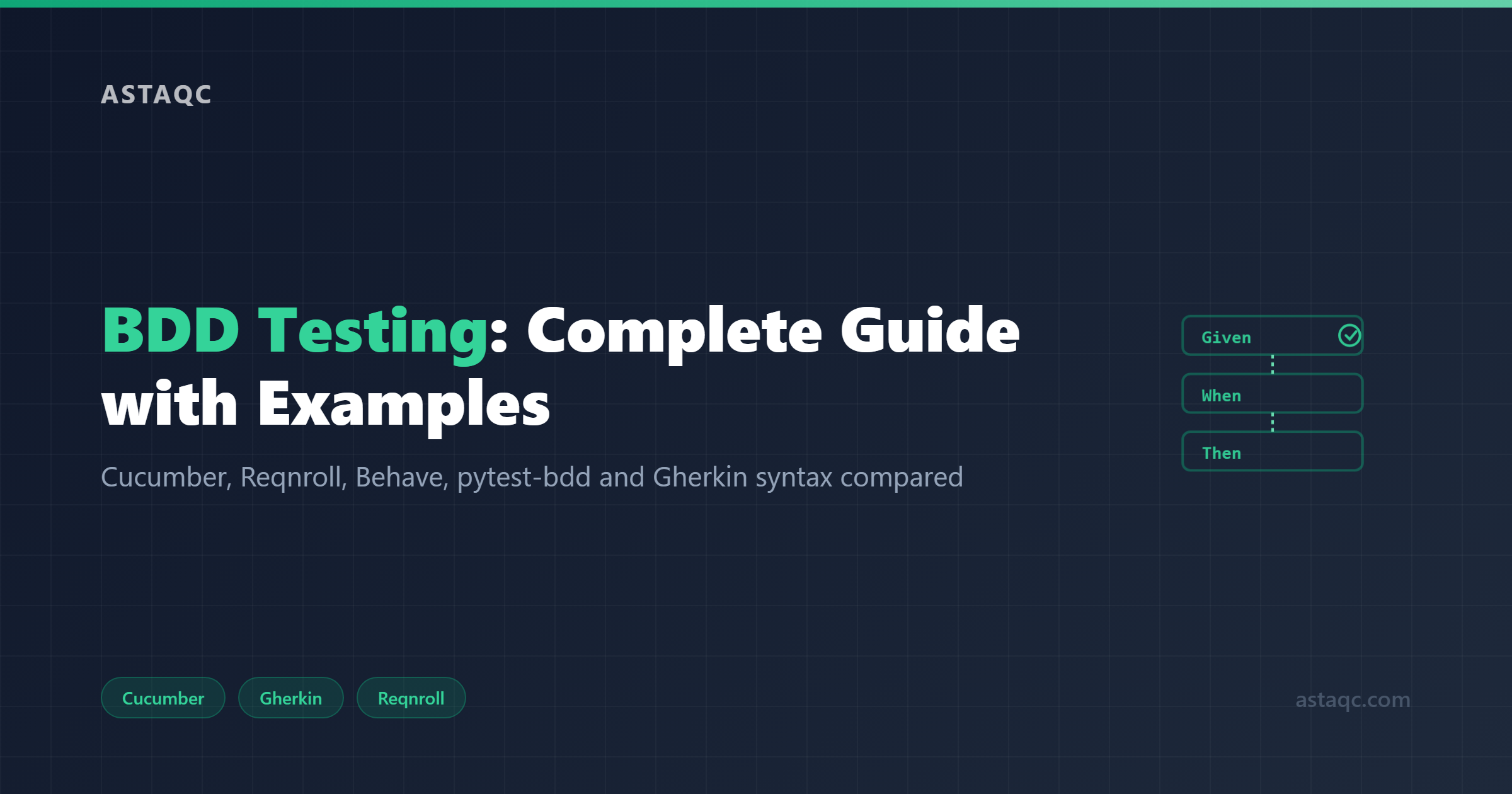
The Given-When-Then format is the backbone of BDD. It structures every scenario into three parts:
- Given describes the initial context or precondition. What state is the system in before the action?
- When describes the action or event. What does the user do?
- Then describes the expected outcome. What should happen as a result?
You can chain steps with And and But:
Scenario: Add item to cart
  Given the user is logged in
  And the product catalog is loaded
  When the user clicks "Add to Cart" on a product
  Then the cart count should increase by 1
  And the product should appear in the cart summary
  But the product stock should decrease by 1
Writing effective scenarios
Good BDD scenarios follow a few rules:
- One behavior per scenario. Test a single path through the feature, not multiple outcomes in one block.
- Use declarative language. Say "the user is logged in" rather than "the user enters admin/password123 and clicks submit." Keep implementation details out of specifications.
- Name scenarios descriptively. "Successful login with valid credentials" beats "Test 1." The name should tell you what broke when the test fails.
- Avoid UI-specific steps. Write "the user searches for a product" instead of "the user types into the search input field with id=search-box." This makes scenarios resilient to UI changes.
Scenario Outlines for data-driven testing
When the same behavior applies to multiple inputs, use a Scenario Outline:
Scenario Outline: Login validation
  Given the user is on the login page
  When they enter "" and ""
  Then they should see ""

  Examples:
    | username | password  | result              |
    | admin    | correct   | Dashboard displayed |
    | admin    | wrong     | Invalid credentials |
    | ""       | correct   | Username required   |
This runs the scenario three times with different data, keeping your feature file concise.
Top BDD Testing Tools Compared
Cucumber (Java, Ruby, JavaScript)
Cucumber is the most widely used BDD framework and effectively the reference implementation for Gherkin. It supports Java, Ruby, JavaScript/TypeScript, and has community ports for other languages.
- Key strengths: Largest community and ecosystem, extensive documentation, integrates with virtually every CI/CD system, mature plugin support for IDEs
- Gherkin support: Full specification compliance including Scenario Outlines, Backgrounds, Tags, and Doc Strings
- Integrations: Selenium, Playwright, REST Assured, Spring, JUnit 5, TestNG
- Pricing: Open source (MIT license). Cucumber Reports (formerly CucumberPro) offers a paid cloud reporting dashboard.
- Best for: Teams working in Java, Ruby, or JavaScript who want the broadest ecosystem and community support
- Limitation: Step definition management can become unwieldy in large projects. Requires discipline to avoid "step definition soup."
Reqnroll (formerly SpecFlow, .NET)
SpecFlow was the dominant BDD framework for .NET for over a decade. In 2024, Tricentis discontinued it. The original creator, Gaspar Nagy, launched Reqnroll as an open-source continuation. If you are working in C# or .NET, Reqnroll is now the recommended choice.
- Key strengths: Full SpecFlow compatibility (migration is a package swap), Visual Studio and Rider integration, strong .NET dependency injection support
- Gherkin support: Full specification compliance, including SpecFlow-specific extensions like scoped bindings
- Integrations: MSTest, NUnit, xUnit, Selenium, Playwright for .NET, ASP.NET test servers
- Pricing: Open source (BSD license)
- Best for: .NET teams, especially those migrating from SpecFlow
- Limitation: Smaller community than Cucumber since it is relatively new under this name. Documentation is still catching up.
Behave (Python)
Behave is the Gherkin-based BDD framework for Python. It follows Cucumber's patterns closely but with a Pythonic API.
- Key strengths: Clean Python API, straightforward setup, good integration with the Python testing ecosystem
- Gherkin support: Full Gherkin compliance with feature files, step definitions, and hooks
- Integrations: Selenium, Playwright, Requests, Django test client, Flask test client
- Pricing: Open source (BSD license)
- Best for: Python teams who want a standalone BDD runner with familiar Cucumber-style patterns
- Limitation: Built-in reporting is basic. Most teams add Allure or custom formatters. Step definitions use a global context object rather than dependency injection.
pytest-bdd (Python)
pytest-bdd is a BDD plugin for pytest. Unlike Behave, it runs within the pytest ecosystem, so you get fixtures, markers, parametrize, and plugins for free.
- Key strengths: pytest fixtures replace the global context object, Gherkin tags map to pytest markers for test selection, works with pytest-xdist for parallel execution, no separate runner needed
- Gherkin support: Implements a practical subset of Gherkin. Supports features, scenarios, Scenario Outlines, tags, and backgrounds
- Integrations: Any pytest plugin (pytest-html, pytest-cov, pytest-xdist, Allure pytest), Selenium, Playwright, Requests
- Pricing: Open source (MIT license)
- Best for: Python teams already using pytest who want to add BDD without switching runners
- Limitation: Not the full Gherkin specification. Teams needing advanced Gherkin features (Rule keyword, complex step argument types) may hit limits.
Gauge (ThoughtWorks)
Gauge is ThoughtWorks' open-source acceptance testing framework. It replaces Gherkin with Markdown specifications, which some teams find more flexible.
- Key strengths: Specifications in Markdown (readable by anyone, editable in any text editor), built-in parallel execution, plugin architecture supporting Java, C#, Ruby, Python, JavaScript, and Go
- Specification format: Markdown with step text, not Gherkin. Steps are matched by text rather than Given/When/Then keywords
- Integrations: Selenium, Taiko (built-in browser automation library from ThoughtWorks), any CI/CD system
- Pricing: Open source (Apache 2.0 license)
- Best for: Teams that want BDD-style collaboration without Gherkin syntax, especially polyglot teams
- Limitation: Smaller community than Cucumber. No built-in data-driven testing support. Plugin ecosystem is maintained primarily by the ThoughtWorks core team.
Karate (API and UI Testing)
Karate is an open-source framework that combines API testing, API mocks, performance testing, and UI automation in a single tool, using a BDD-like syntax built on Gherkin.
- Key strengths: No Java knowledge required for API tests (uses its own DSL on top of Gherkin), built-in assertions and JSON/XML matching, embedded mock server, performance testing via Gatling integration
- Specification format: Gherkin-based DSL with Karate-specific keywords for API calls (Given url, When method post, Then status 200)
- Integrations: CI/CD pipelines, Gatling (performance), JUnit 5 runner, Docker
- Pricing: Open source core (MIT license). Karate Labs offers paid tiers: PLUS (~$100/user/year), PRO (~$640/user/month for advanced debugging and reporting), and Enterprise (custom pricing)
- Best for: Teams focused on API testing who want a single framework for functional, mock, and performance tests
- Limitation: UI testing capabilities are less mature than dedicated UI frameworks like Playwright or Cypress. The Gherkin DSL is Karate-specific, so skills do not transfer directly to Cucumber.
BDD Tool Comparison Table
| Tool | Languages | Spec Format | License | Parallel Execution | Best For |
|---|---|---|---|---|---|
| Cucumber | Java, Ruby, JS/TS | Gherkin | MIT (open source) | Via test runner (JUnit, TestNG) | Broadest ecosystem, multi-language |
| Reqnroll | C#, .NET | Gherkin | BSD (open source) | Via test runner (NUnit, xUnit) | .NET teams, SpecFlow migration |
| Behave | Python | Gherkin | BSD (open source) | Via behave-parallel or custom | Python teams wanting standalone BDD |
| pytest-bdd | Python | Gherkin (subset) | MIT (open source) | Via pytest-xdist | Python teams already on pytest |
| Gauge | Java, C#, Ruby, Python, JS, Go | Markdown | Apache 2.0 (open source) | Built-in | Polyglot teams, Gherkin alternatives |
| Karate | Java (DSL, no code required) | Gherkin-based DSL | MIT (open source core) | Built-in | API testing, mocks, performance |
BDD Best Practices
1. Start with discovery workshops
BDD is a collaboration practice first and a testing technique second. Before writing a single scenario, hold a Three Amigos session with a developer, a tester, and a product person. Walk through the feature, surface edge cases, and agree on the scenarios that capture the intended behavior. If you skip discovery and jump straight to writing Gherkin, you are doing "Cucumber testing," not BDD.
2. Keep scenarios at the right level of abstraction
Scenarios should describe what the system does, not how it does it. A scenario that says "the user navigates to /login, enters admin in the #username field, enters Pass123! in the #password field, and clicks #btn-submit" is a UI test script wearing a Gherkin costume. Rewrite it as "the user logs in with valid credentials." Step definitions handle the implementation details.
3. One scenario, one behavior
Each scenario should test exactly one path through the feature. If your scenario has five Then statements checking unrelated outcomes, split it. This makes failures diagnostic: when a scenario fails, you know what behavior broke.
4. Reuse steps through a shared vocabulary
Maintain a glossary of step definitions across your team. "The user is logged in" should mean the same thing everywhere. Duplicated or inconsistent steps are the number one maintenance problem in BDD suites.
5. Tag scenarios strategically
Use tags for test selection, not documentation. @smoke, @regression, @api, @wip let you run subsets in CI/CD. Avoid over-tagging with metadata that belongs in the feature file description or a test management tool.
6. Keep feature files version-controlled alongside code
Feature files are living documentation. They should be in the same repository as the code they describe, reviewed in pull requests, and updated when behavior changes. Do not store them in a separate wiki or document management system.
7. Automate early, but do not automate everything
Not every scenario needs automation on day one. Start with the happy path and critical business flows. Automate edge cases as they cause regressions. A BDD suite that runs in under five minutes and covers the core flows is more valuable than one that takes an hour and tests every permutation.
BDD Examples: Real-World Scenarios
E-commerce: checkout flow
Feature: Checkout
  As a customer
  I want to complete a purchase
  So that I receive my order

  Background:
    Given the user is logged in
    And there is at least one item in the cart

  Scenario: Successful checkout with credit card
    Given the user is on the checkout page
    When they select credit card as the payment method
    And enter valid card details
    And confirm the order
    Then the order should be placed successfully
    And they should receive an order confirmation email

  Scenario: Checkout fails with expired card
    Given the user is on the checkout page
    When they select credit card as the payment method
    And enter an expired card
    And confirm the order
    Then they should see an error message about the expired card
    And the order should not be placed
SaaS application: user permissions
Feature: Role-based access control
  Scenario: Admin can access user management
    Given a user with the "admin" role is logged in
    When they navigate to the user management page
    Then they should see the list of all users
    And they should be able to add a new user

  Scenario: Regular user cannot access user management
    Given a user with the "member" role is logged in
    When they try to navigate to the user management page
    Then they should be redirected to the dashboard
    And see a message "You do not have permission to access this page"
API testing: REST endpoint
Feature: Product API
  Scenario: Retrieve product details
    Given the API is running
    And a product with ID "12345" exists
    When the client sends a GET request to "/api/products/12345"
    Then the response status should be 200
    And the response body should contain the product name
    And the response body should contain the product price

  Scenario Outline: Search products by category
    Given the API is running
    When the client sends a GET request to "/api/products?category="
    Then the response status should be 200
    And all returned products should belong to ""

    Examples:
      | category    |
      | electronics |
      | clothing    |
      | books       |
Step definitions (Cucumber Java example)
public class LoginSteps {
    private LoginPage loginPage;
    private DashboardPage dashboardPage;

    @Given("the user is on the login page")
    public void userIsOnLoginPage() {
        loginPage = new LoginPage(driver);
        loginPage.navigate();
    }

    @When("they enter a valid username and password")
    public void enterValidCredentials() {
        loginPage.enterUsername(TestData.VALID_USER);
        loginPage.enterPassword(TestData.VALID_PASS);
    }

    @When("click the login button")
    public void clickLogin() {
        loginPage.clickLoginButton();
    }

    @Then("they should be redirected to the dashboard")
    public void redirectedToDashboard() {
        dashboardPage = new DashboardPage(driver);
        assertTrue(dashboardPage.isDisplayed());
    }
}
Step definitions (pytest-bdd Python example)
from pytest_bdd import given, when, then, scenarios

scenarios("features/login.feature")

@given("the user is on the login page")
def user_on_login_page(browser):
    browser.get("http://localhost:3000/login")

@when("they enter a valid username and password")
def enter_valid_credentials(browser):
    browser.find_element_by_id("username").send_keys("admin")
    browser.find_element_by_id("password").send_keys("validpass")

@when("click the login button")
def click_login(browser):
    browser.find_element_by_id("login-btn").click()

@then("they should be redirected to the dashboard")
def redirected_to_dashboard(browser):
    assert "/dashboard" in browser.current_url
Common BDD Mistakes to Avoid
1. Treating BDD as a testing tool instead of a collaboration method
BDD's value comes from the conversations it forces between business, development, and QA. If only testers write scenarios after the feature is built, you have automated acceptance tests, not BDD. The scenarios need to be written before development begins, during a discovery session.
2. Writing imperative instead of declarative scenarios
Imperative scenarios describe every click and keystroke. Declarative scenarios describe intent. Compare:
Imperative (avoid):
When I click on the "Username" field
And I type "admin"
And I click on the "Password" field
And I type "secret123"
And I click the "Login" button
Declarative (prefer):
When I log in with valid credentialsDeclarative scenarios survive UI redesigns. Imperative scenarios break when a button moves.
3. Too many scenarios per feature
A feature file with 50 scenarios is a test plan, not a specification. Focus on the key behaviors. Use Scenario Outlines to collapse data variations into one block. Move detailed edge-case testing to unit tests or integration tests that do not need Gherkin overhead.
4. Duplicating step definitions
"The user is logged in," "I am logged in," and "a logged-in user" should not be three different step definitions. Standardize your vocabulary early and enforce it through code review.
5. Ignoring the living documentation aspect
Feature files that are not updated when behavior changes become lies. If the checkout flow changes but the feature file still describes the old flow, the documentation actively misleads anyone reading it. Treat feature files as first-class project artifacts, updated in the same pull request as the code.
6. Skipping the "Three Amigos" conversation
The Three Amigos meeting (developer, tester, product/business) is where BDD delivers most of its value. A 30-minute discussion before development catches misunderstandings that would otherwise take days to debug in QA. If you are writing scenarios without this meeting, you are missing the point of BDD.
Frequently Asked Questions
What is BDD testing?
BDD (Behavior Driven Development) testing is a methodology where software behavior is described in plain language using Given-When-Then syntax before development begins. The specifications are created collaboratively by developers, testers, and business stakeholders, then automated as executable tests. This ensures the software behaves as users and the business expect.
What is the difference between BDD and TDD?
TDD focuses on code correctness at the unit level, where developers write failing tests first. BDD focuses on system behavior from the user's perspective, using natural language specifications that non-technical stakeholders can read. TDD asks "does the code work correctly?" while BDD asks "does the system behave as expected?"
Is Cucumber the same as BDD?
No. Cucumber is a tool that supports BDD, but BDD is a methodology. You can practice BDD without Cucumber (using Behave, pytest-bdd, Gauge, or even manual scenario discussions). Cucumber is the most popular implementation, but the practice is bigger than any single tool.
What is Gherkin syntax?
Gherkin is the structured plain-language format used to write BDD scenarios. It uses keywords like Feature, Scenario, Given, When, Then, And, and But to describe software behavior. Gherkin files have the .feature extension and are processed by BDD frameworks like Cucumber, Behave, and Reqnroll.
Can BDD work with agile sprints?
BDD fits naturally into agile workflows. During sprint planning, the team writes BDD scenarios for each user story during a Three Amigos session. Developers implement the code to make the scenarios pass during the sprint. The automated scenarios serve as both acceptance criteria and regression tests for future sprints.
What happened to SpecFlow?
Tricentis acquired and then discontinued SpecFlow. The original creator, Gaspar Nagy, launched Reqnroll as a community-driven, open-source successor. Reqnroll is fully compatible with SpecFlow projects and is now the recommended BDD framework for .NET teams.
How many BDD scenarios should a feature have?
A typical feature should have 3 to 8 scenarios covering the key behaviors: the happy path, one or two common alternate paths, and the critical error paths. If you have more than 10 scenarios, consider whether some behaviors belong in a separate feature or can be tested at a lower level.
What tools support BDD for API testing?
Karate is purpose-built for API testing with a BDD-like Gherkin syntax. Cucumber and Behave can test APIs when paired with HTTP libraries (REST Assured for Java, Requests for Python). pytest-bdd works well for Python API tests when combined with the Requests library or an API client.
Looking for a team that can set up BDD testing for your project? Astaqc Consulting has helped teams implement BDD frameworks across Java, Python, .NET, and JavaScript stacks since 2018, with over 1M+ QA hours of experience. ISO 9001:2015 certified, with projects starting at $349. Get a free 4-hour pod test to see how we work.
One behavior per scenario.
Astaqc Team
November 14, 2026